
Pixelated frames in PP.
Hi guys,
Im really hoping someone can help me here - I'm a professional videographer and Ive lost about 2 days trying to sort this issue, to no avail, and have work seriously starting to back up now.
On my most recent project, when exporting it I'm getting pixelated frames thrown in between perfectly good frames. For example -
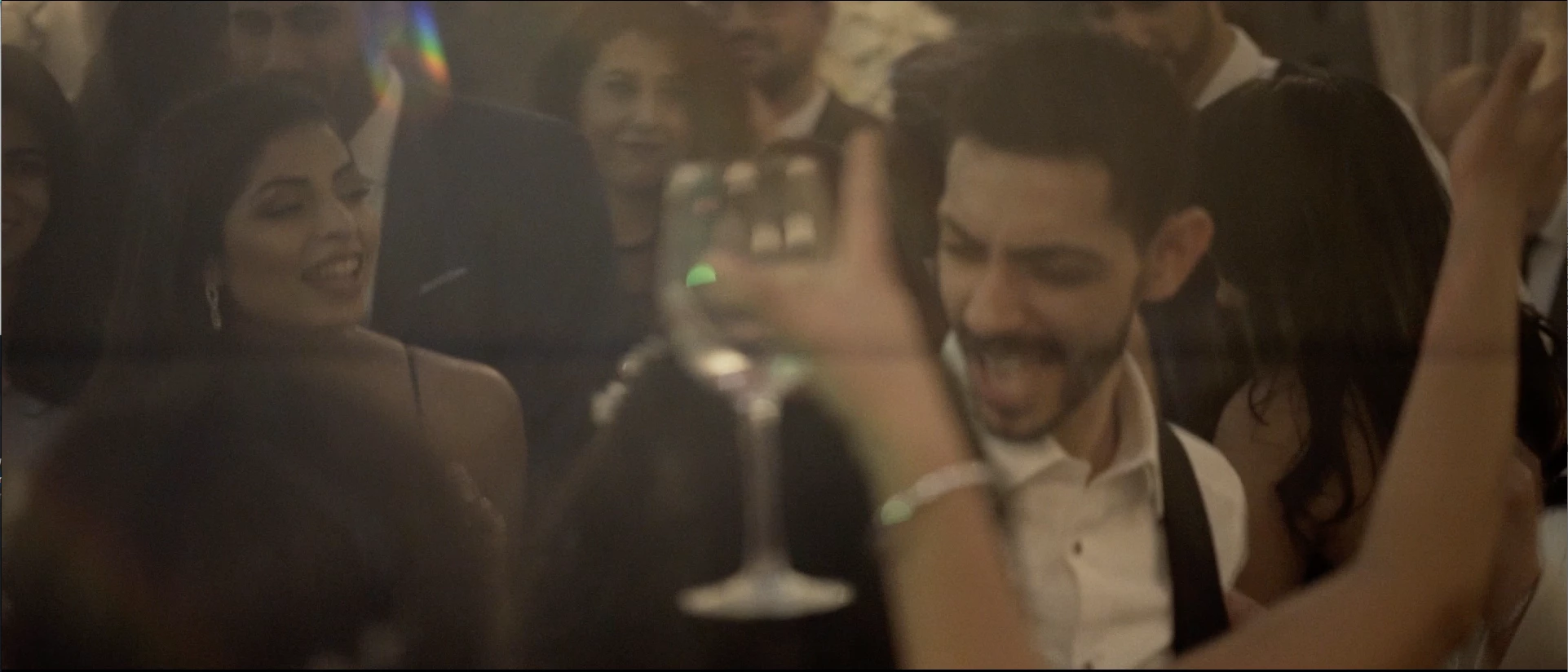

Now granted this is a very busy scene with lots of movement and grain in the footage. But image one has lovely clean lines, lovely grain over and is how it should looks. Image two, if you compare the bottom left of the screen (the rear of the persons head), become blocked/pixelated and is far less defined. These frames are right next to each other in the sequence.
Ive tried adjusting every parameter I can think of. My source footage is 1080 50fps .mov. Exporting to 25fps, but this shot in question is slowed by 50% in post anyway. My current export settings -
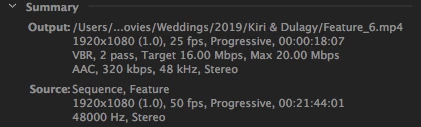
The only difference between my last project export and this one is that my iMac rather unhelpfully installed some update to the graphics driver, which then meant NVIDIA needed to install an update followed by a CUDA update. ive checked my previously project and I didn't get any of this pixelation or artifacts being introduced. Ive tried to see if I can rollback the drivers but have no idea how on an iMac (I don't have time machine, annoyingly).
Im editing on PP 17.1.2 - Mas OS X Sierra 10.12.6
If I could get back to the same drivers I was on last week I think it'd be fine - the previous project was shot on the same camera, same settings and same export settings.
Why oh why do these companies have to push these crappy updates on us!!
Any help you can provide would be much appreciated!
 AdChoices