Participant
August 3, 2021
Question

Pixelation after export
  • August 3, 2021
  • 2 replies
  • 148 views

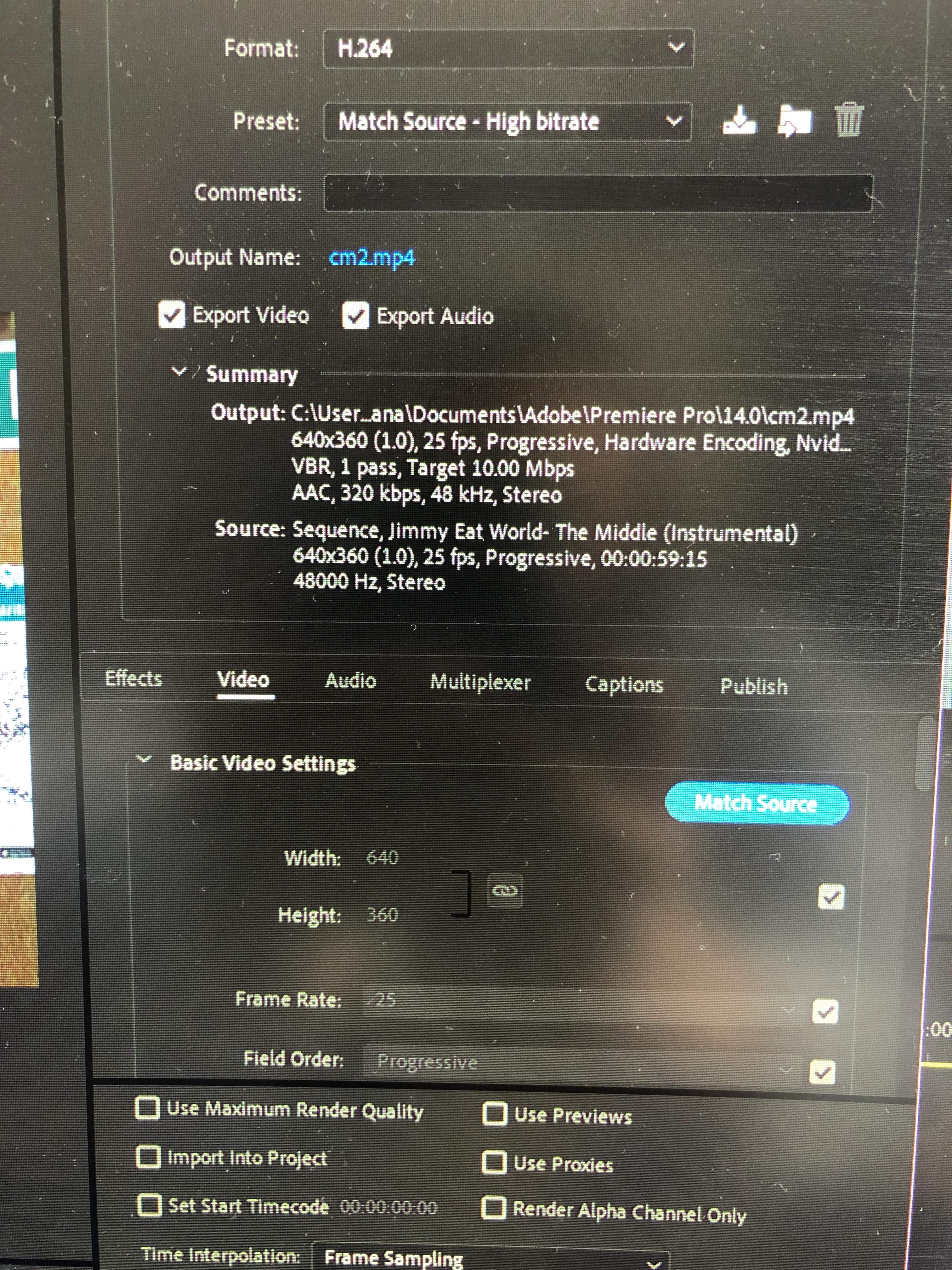
 Hiya, I'm trying to export my video but every time I do it the video comes out looking terrible. The videos and text are really blurry and pixelated. All the content looks fine both in the original video files and in the preview window on premier pro. 

My default settings are attached. I have also tried:

Exporting in H.264, QuickTime and H.265; Match source and youtube 1080p preset; use previews on and off; max render quality on/off; making a copy of the project and exporting from the copied file; exporting via the media encoder queue. 

Any suggestions on how to sort this out?


This topic has been closed for replies.

2 replies

Alana6C15Author
Participant
August 3, 2021

I also tried pre-rendering but that made the problem even worse? Here is an original video file clip vs a pre-rendered clip in premier on full quality playback for comparison.   


Ann Bens
Community Expert
Community Expert
August 3, 2021

The footage/sequence setting is postage stamp size.

If you are watching this full screen on a HD monitor, then yes it will look pixelated.

There is no point in exporting 360p to 1080p, that will look even worse.

Alana6C15Author
Participant
August 3, 2021

Is there not a way to get the video to look the same quality as the original videos though? Full screen on a HD monitor those look completely fine. I'm not sure how the quality has decreased so much 

Ann Bens
Community Expert
Community Expert
August 3, 2021

Post screenshot properties of the clip.