Pixelation in timelapse video export
Hello, I have been trying to export some timelapses but just recently I've noticed issues with the poor video quality after export. The timelapses were shot on a Sony A7 as 6000x4000 jpegs, imported directly into Premiere Pro 2021 as an image sequence, and exported without any editing/color changes (other than changing the speed).
This an original image:
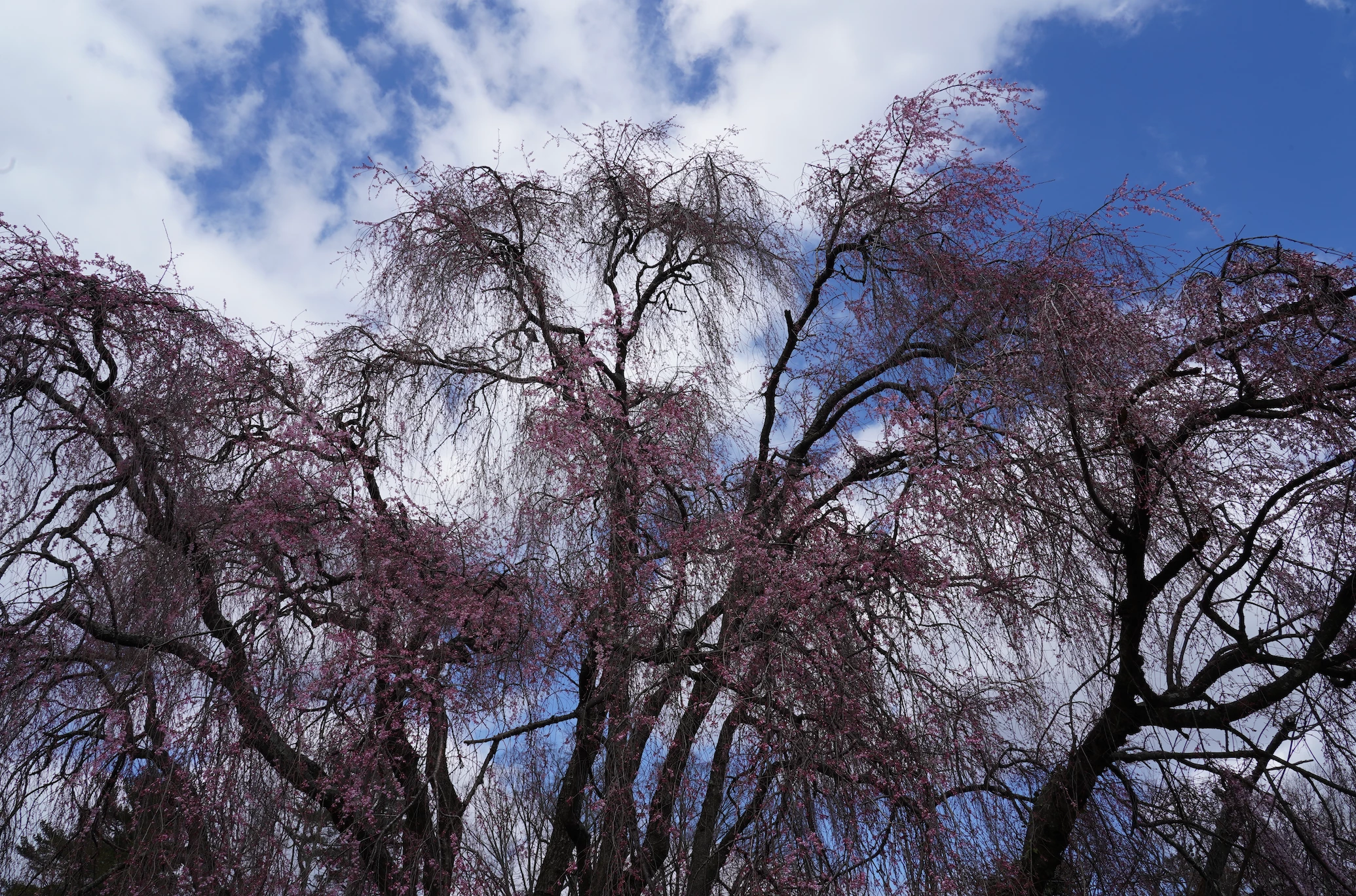
And this is a screenshot from the video after the export:
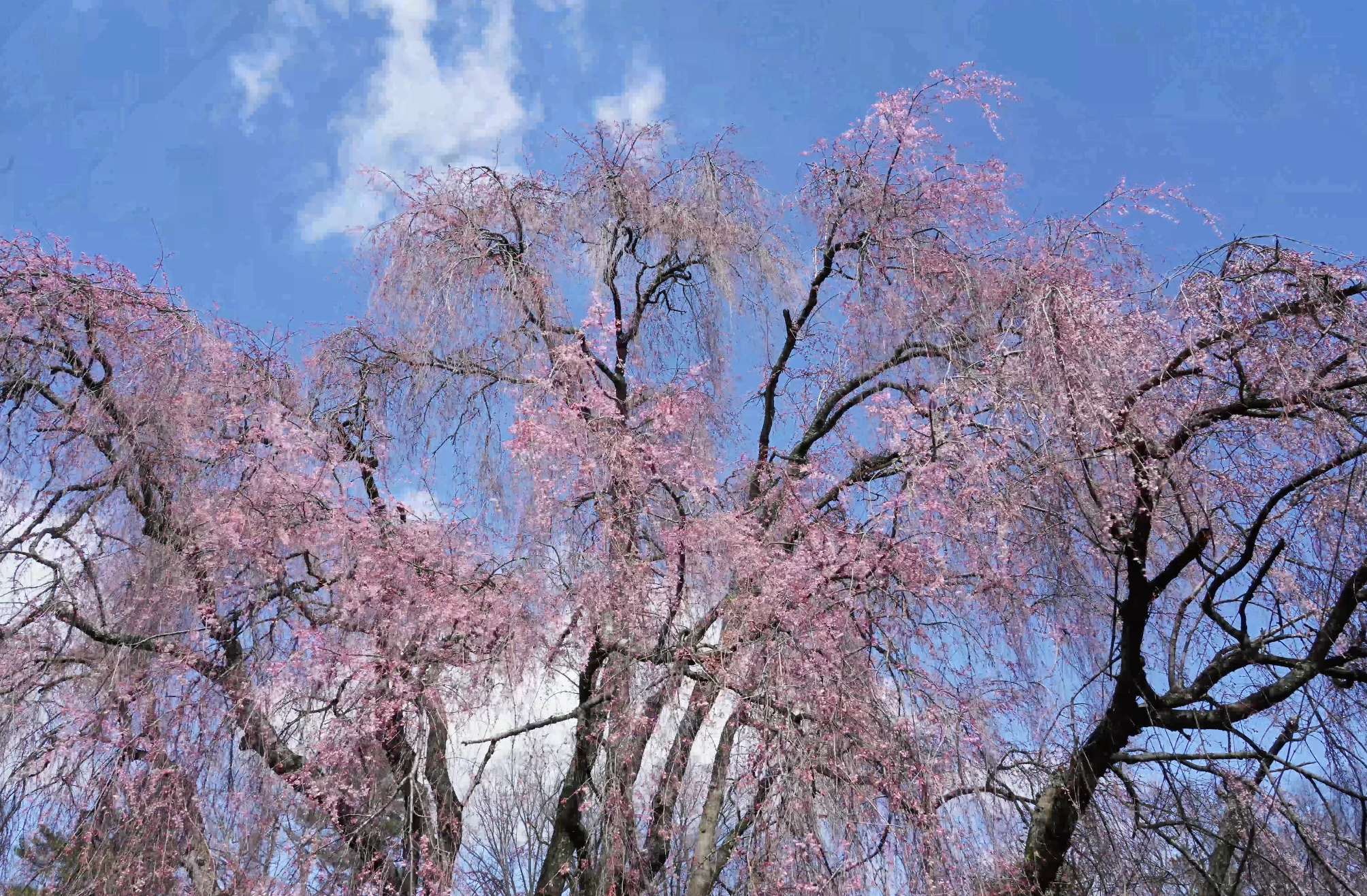
The colors are weird, the video pixellated and it just looks terrible, especially in the sky/clouds. Interestingly, I've used the exact same setting to export over 20 timelapses from this camera without any issues; only recently did I have this. I did another test yesterday to find the same results. I've also tried exporting a timelapse from a drone (also from jpegs) with similar settings and it exports perfectly.
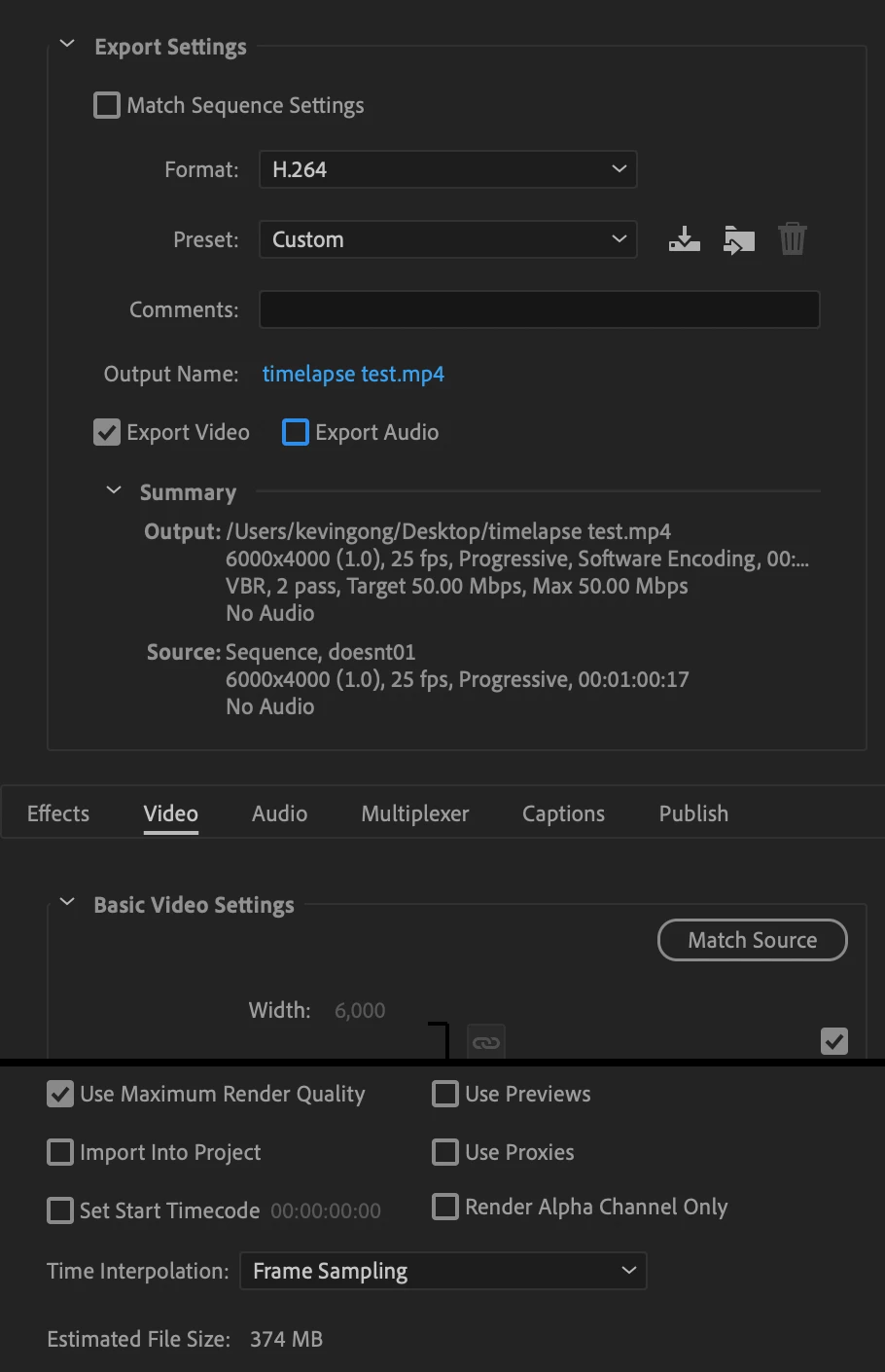
My export settings are as follow:
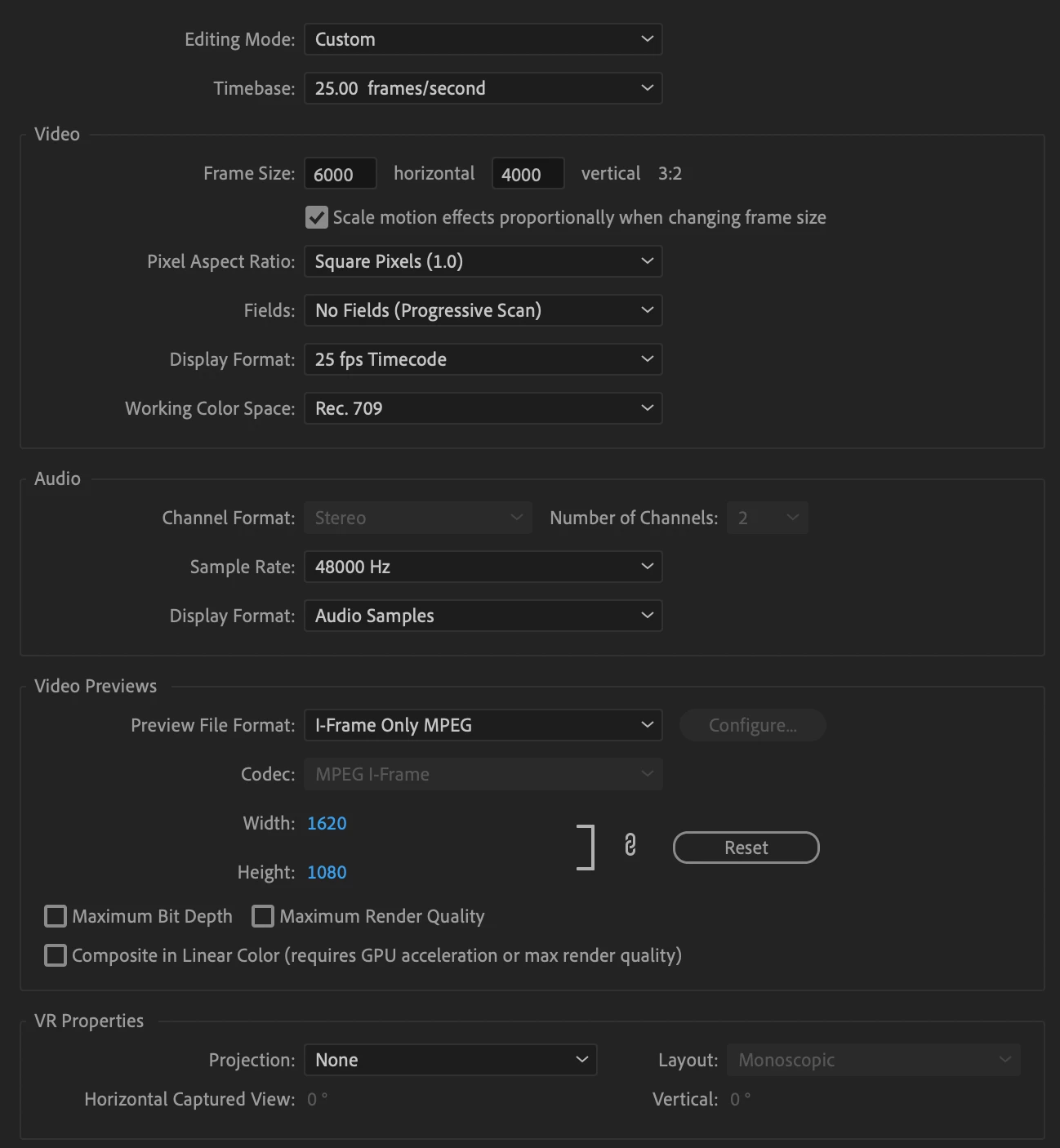
and here are the sequence settings (I didn't change any settings here, though; this was a new project in premiere and I just dragged the images in).
I'm running Premiere Pro 2021 on a Macbook Pro 2020 M1.
Any help would be greatly appreciated!
 AdChoices