Participating Frequently
November 8, 2017
Question

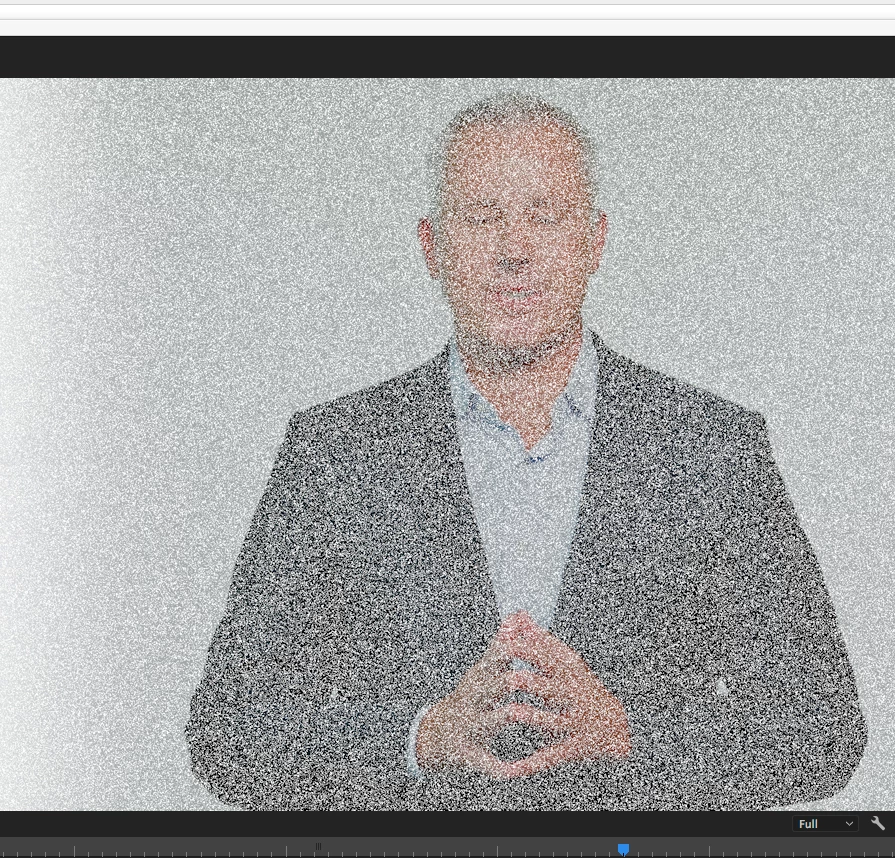
Pixelation on cross dissolve

  • November 8, 2017
  • 3 replies
  • 3749 views

I am getting a weird pixelation in premier preview and after rendering.  It looks like sand or very pronounced grain. I can not figure out how to get rid of it. Any help would be most appreciated. Thanks!

3 replies

bemurp02
Participant
October 10, 2018

I ran into this problem with dissolves and drop shadow. When you click on a clip, under the effects controls look at the Blend Mode below Opacity. When blend mode is set to Dissolve, all the dissolves and drop shadows had that grainy pixelated look. When I switched it back to the Normal setting, everything started working fine again. I'm not sure how it got switched over to the Dissolve blend mode, but it only happened for one of my projects.

Participant
October 5, 2020

I found that its the dissolve setting on the clip that has affected this.


My fix for it is as follows;


Right-click on the clip that is having the problem with the transition, and in the pop-up menu, select "Remove Attributes". Then you need to DE-SELECT everything, except for the Dissolve. Then click on OK.


Then play the clip again with the cross-dissolve and it should be gone - a smooth fade in/out will now happen. 🙂


Participant
November 17, 2023

This fixed the problem for me. Thank you!!!

For anyone using Premiere Pro 2023: follow the steps above. After clicking "Remove Attributes" de-select everything except "Opacity"

Traviajando
Participating Frequently
July 4, 2018

HAVE EXACTLY THE SAME ISSUE...     After more than 20 yearas of using Adobe Premiere, this is the first time this happens.  

Restarted computer,  turned off GPU acceleration,  and reset setings... all the same.  And hapening on other previous saved projects.

Traviajando
Participating Frequently
July 4, 2018

Traviajando
Participating Frequently
July 4, 2018

After many lost hours I found a workaround to this issue... but it seems to be a bug.  I hope it helps.

Inspiring
November 8, 2017

Mac or PC?

If you set your renderer to Software Only and test, does the problem remain?

MtD

Participating Frequently
November 8, 2017

MAC

I am not sure how that is done. Can you tell me how? Keep in mind that the issue shows in preview as well.

Ann Bens
Community Expert
Community Expert
November 8, 2017

Open your Project Settings and set videorender to Software only in the General tab.