
Participant
October 26, 2025
Answered

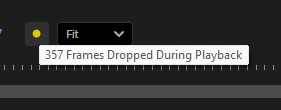
Playback dropped frames out of no where

  • October 26, 2025
  • 1 reply
  • 99 views

This happened about a month ago, before all of this, my playback was not dropping frames but all of a sudden, it does now. I been looking for solutions, tried them but they don't work. I record in 4k 60fps on MKV. I have an RTX 4070 super, an Ryzen 7-7800X3D and 32GB of RAM.  
Correct answer Carlos Ziade

What version and build of Premiere Pro are you using?

Looks like MKV is not supported for your version.

. Try to change mkv to another container using ffmpeg: ffmpeg -i input.mkv -c copy output.mp4

. Clean media cache

. Check renderer from project settings, should be set to GPU acceleration

. Check if footage and sequence settings match


1 reply

Carlos ZiadeCommunity ExpertCorrect answer
Community Expert
October 26, 2025

What version and build of Premiere Pro are you using?

Looks like MKV is not supported for your version.

. Try to change mkv to another container using ffmpeg: ffmpeg -i input.mkv -c copy output.mp4

. Clean media cache

. Check renderer from project settings, should be set to GPU acceleration

. Check if footage and sequence settings match


KidonProAuthor
Participant
October 26, 2025

Using ffmpeg helped! Thank you so much!