


Digirock
Inspiring
Aug 16, 2024 6:53 PM UTC
Answered

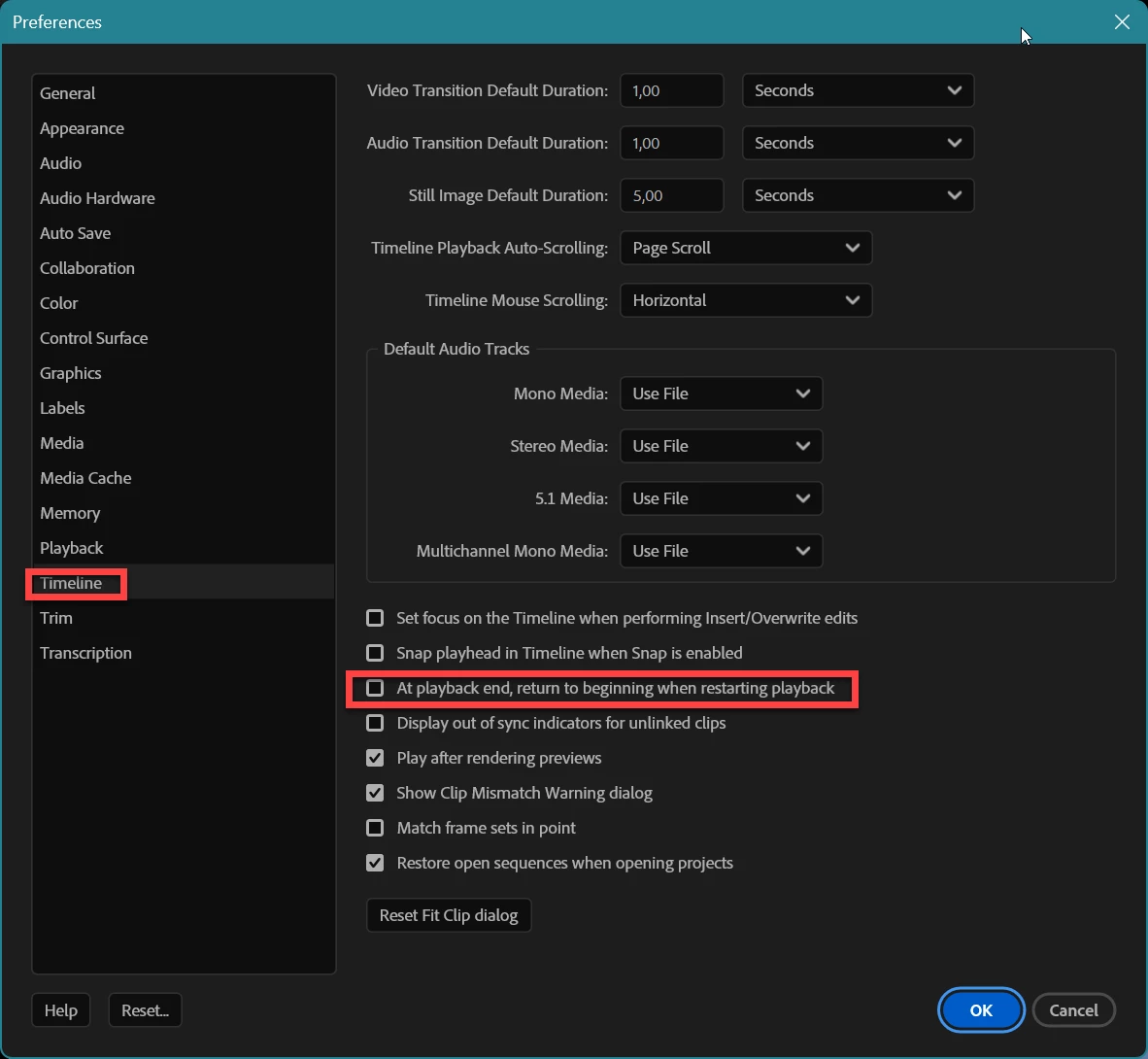
Playback starts at the beginning of the timeline and NOT between the I & O points

Hello there!

This is the 1st time I'm having this issue.
Whenever I press <return> to render between the I&O points, Premiere (after rendering) starts the playback at the beginning of the timeline and NOT at the IN point. This is definitely (for me) not a functional way to work.
Any hint on how to change this?
Thanks in advance.

Ann Bens
Ann BensCorrect answer
Community Expert
Aug 17, 2024 10:26 AM UTC


6 replies

Ann Bens
Community Expert
Ann BensCommunity ExpertCorrect answer
Community Expert
Aug 17, 2024 10:26 AM UTC


Translate
Digirock
DigirockAuthor
Inspiring
Aug 20, 2024 8:39 PM UTC

Thanks! Right on the spot!

Translate
Community Expert
Aug 17, 2024 4:03 AM UTC

You might want to try resetting your preferences. This can often resolve playback issues like the one you’re experiencing.

To reset preferences in Premiere Pro:

  • Hold down Alt (Windows) or Option (Mac) while launching Premiere Pro.
  • Keep holding the key until the splash screen appears.
Translate
Digirock
DigirockAuthor
Inspiring
Aug 20, 2024 8:38 PM UTC

Hi, Paul. 
Thanks for the input, but @Ann Bens nailed it. That's what really solved the issue.

Cheers!
Paulo

Translate