Participant
February 22, 2020
Question

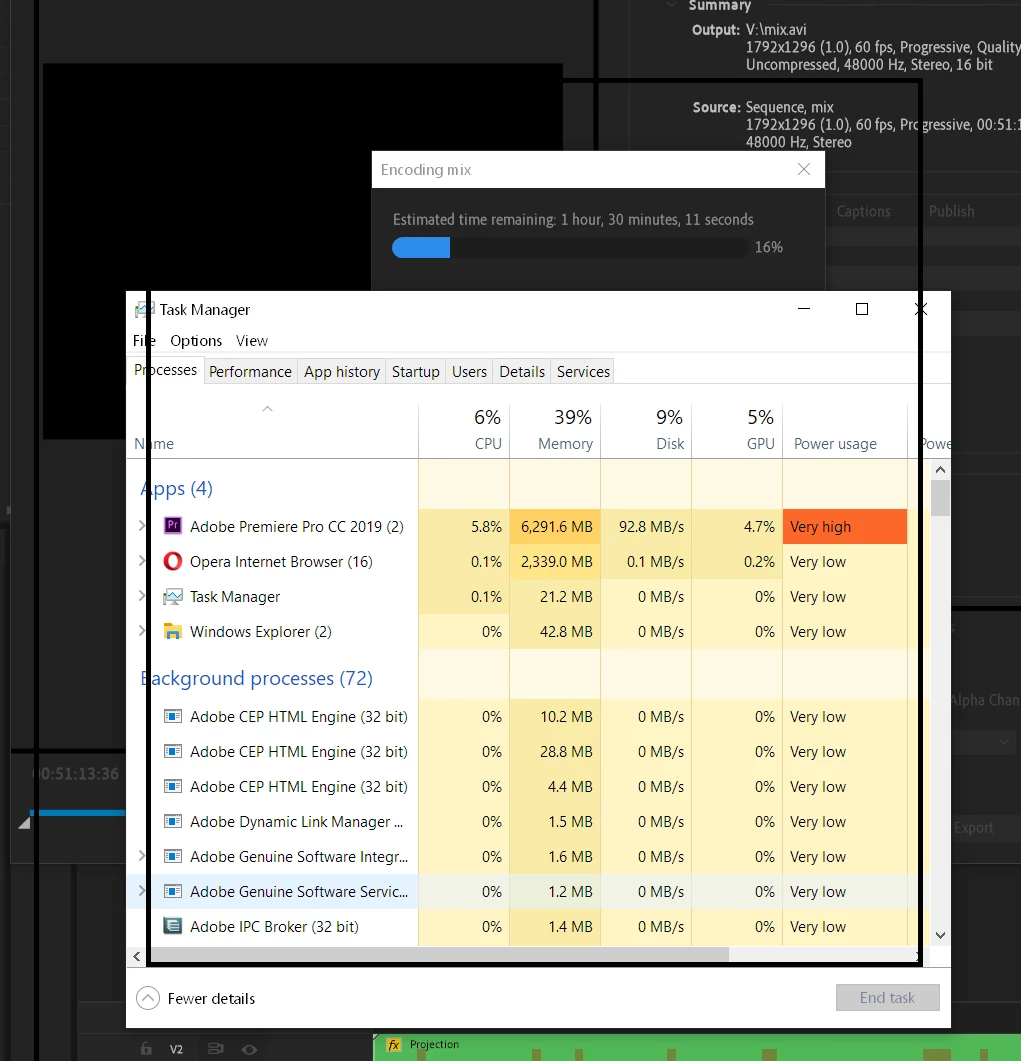
Please explain why export is so slow

  • February 22, 2020
  • 3 replies
  • 298 views

50 minutes sequence

i9-9900KF

RTX2080

32G ram

all ssd drives (500MBPS tested)


This topic has been closed for replies.

3 replies

Peru Bob
Community Expert
Community Expert
February 23, 2020

What about the effects used?

Participant
February 24, 2020

so many effects. no 3rd party. mainly blending mode, crop, color correction etc...

R Neil Haugen
Legend
February 23, 2020

I can only guess. What seems possible is the computation for framesize is slowing it down. You could create a sequence at the native framesize of the media and check relative export times.


Neil

Everyone's mileage always varies ...
Participant
February 24, 2020

Ok, how do premere compute this? using the processor? the GPU? some other hardware i do not know of maybe?

R Neil Haugen
Legend
February 22, 2020

What's the media in use? Effects used? And ... both the frame-size in/out numbers are rather odd ... so what created this media? Your frame-rate is also about double "normal" which naturally greatly increases the time to export.


But a lot more information would help.


Neil

Everyone's mileage always varies ...
Participant
February 23, 2020

Im creating footage for led screen and that is its resoltion and this is the framerate i need.

I understand a situation when the project is too complex and the export is slow but i cnnot understand a sutution when there is nothing in my machine that stress out, ther is a lot more "power" to use.

where is the bottleneck?
