


Known Participant
February 26, 2026
Question

Please help - Roboto font not showing up in premiere pro

  • February 26, 2026
  • 5 replies
  • 102 views

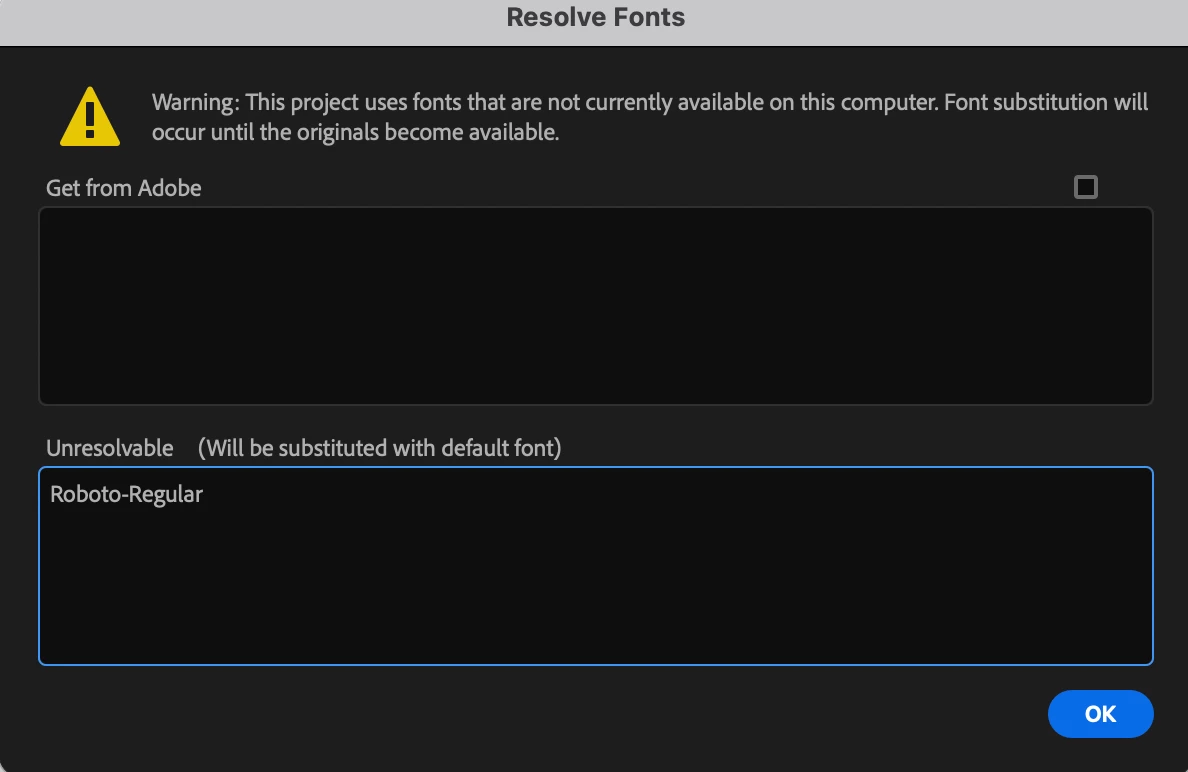
I am needing to use Roboto in my project. It is showing up as a random font. I have tried everything - deleting and re-installing the dont, tried adobe font, deleted cache, rendered. Nothing will change my text to the roboto font even though it is selected 
 

    5 replies

    Warren Heaton
    Community Expert
    Community Expert
    February 26, 2026

    You may have already tried this:

    1. Quit all Adobe applications.
    2. Log out of Creative Cloud Desktop.
    3. Restart.
    4. Log into Creative Cloud Desktop and wait for the message that fonts have synced.
    5. Launch Premiere Pro (maybe holding Shift so you can reset the preferences).


    If I was experiencing this, and needed to get a project done quickly, I’d create all the title cards in a layered Photoshop document, use File > Export > Layers to Files to save the text layers off as PNG files with transparency, and import the resulting PNGs for use in the project.  When the project is out the door, return to troubleshooting the font issue.  That, or I’d use After Effects Compositions.


    Ann Bens
    Community Expert
    Community Expert
    February 26, 2026

    I would take the easy way out: download from the internet and install into Windows.

    MyerPj
    Community Expert
    Community Expert
    February 26, 2026

    I’m having a similar problem with 26.0.1 and beta 26.2 b36, but with the “Poppins” font. And fwiw: my Roboto font is working fine! 

    ??

    Known Participant
    February 26, 2026

    So annoying!!!

    Warren Heaton
    Community Expert
    Community Expert
    February 26, 2026

    Hi, ​@pc27740289 


    Sorry to hear that you’re having trouble getting an Adobe Font to load as expected in Premiere.


    This Adobe Font troubleshooting article mentions Illustrator and InDesign, but applies to any Adobe application that uses Adobe Fonts and may help with your issue.


    Troubleshoot font issues
    https://helpx.adobe.com/fonts/kb/troubleshoot-fonts-illustrator-indesign.html


       - Warren

    Known Participant
    February 26, 2026

    Thanks Warren I have tried all of this and still no luck. Roboto works on every other adobe program it’s just Premiere Pro 

    Community Expert
    February 26, 2026

    When you create a new text graphic in the Timeline, is Roboto available in the font list in the Properties panel?


    If it is listed, try this:

    1. Click OK in the Resolve Fonts dialog to substitute the missing font with the default font.

    2. Go to Graphics and Titles > Replace Fonts in Projects.

    3. Replace the default font with Roboto.

    This forces Premiere Pro to update the font across the project rather than relying on the unresolved reference.

    Known Participant
    February 26, 2026

    Yes Roboto is available in the properties panel - I have clicked it but the text still remains a random font. I have replaced every font with roboto (In ‘Replace fonts in projects’) and that still hasn’t worked. Update: When i open the project in Premiere Pro 2025 the text appears as Roboto but 2026 still having the same problem - would there be any other solutions? 

    Thank you

    Peru Bob
    Community Expert
    Community Expert
    February 27, 2026

    @pc27740289 

    As ​@Ann Bens said,

    I would take the easy way out: download from the internet and install into Windows.