xil52203604
Participant
January 16, 2023
Question

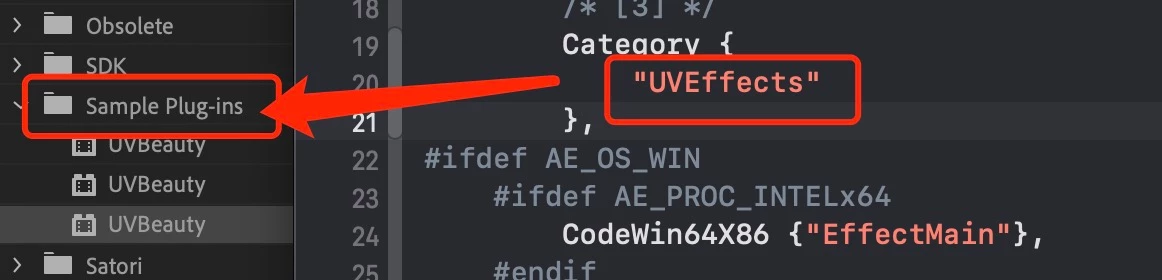
Plugin Category Wrong in Premiere Pro
  • January 16, 2023
  • 1 reply
  • 322 views

My computer is macosm1, the system version is 13.0 I'm writing an effects plugin for AE and PR version I modified the Category parameter of the PiPL.r file. In the pr software, "sample plug-ins" is always displayed. I tried various methods and finally couldn't modify it. What should I do to correctly modify the Category in the PR


This topic has been closed for replies.

1 reply

Participating Frequently
January 16, 2023

Please check the following things:

  • Reset the plugin loading cache (this may have cached older naming settings)
    This is done by starting Premiere Pro while holding down Shift Key
  • Make sure the .r file matches your plugin bundle file
    E.g. if the plugin is called UVBeauty.bundle > the .r file should be called UVBeauty.r
  • Make sure REZ is processing your r file
xil52203604
Participant
January 16, 2023

  • Make sure REZ is processing your r file

I don’t understand what this question means. I don’t know what REZ is?


Thank you for your reply! I tested it all afternoon, but the problem is still not resolved.


I have re-tested it! The problem is still not resolved!

I compared the SDK_Noise in the AE SDK, and the bug is still that the category parameters have not been modified. The problem still exists.

But I can modify the category parameters with SDK_ProcAmp in the PR SDK. Many problems appear in the settings of xcode