Participant
April 7, 2018
Answered

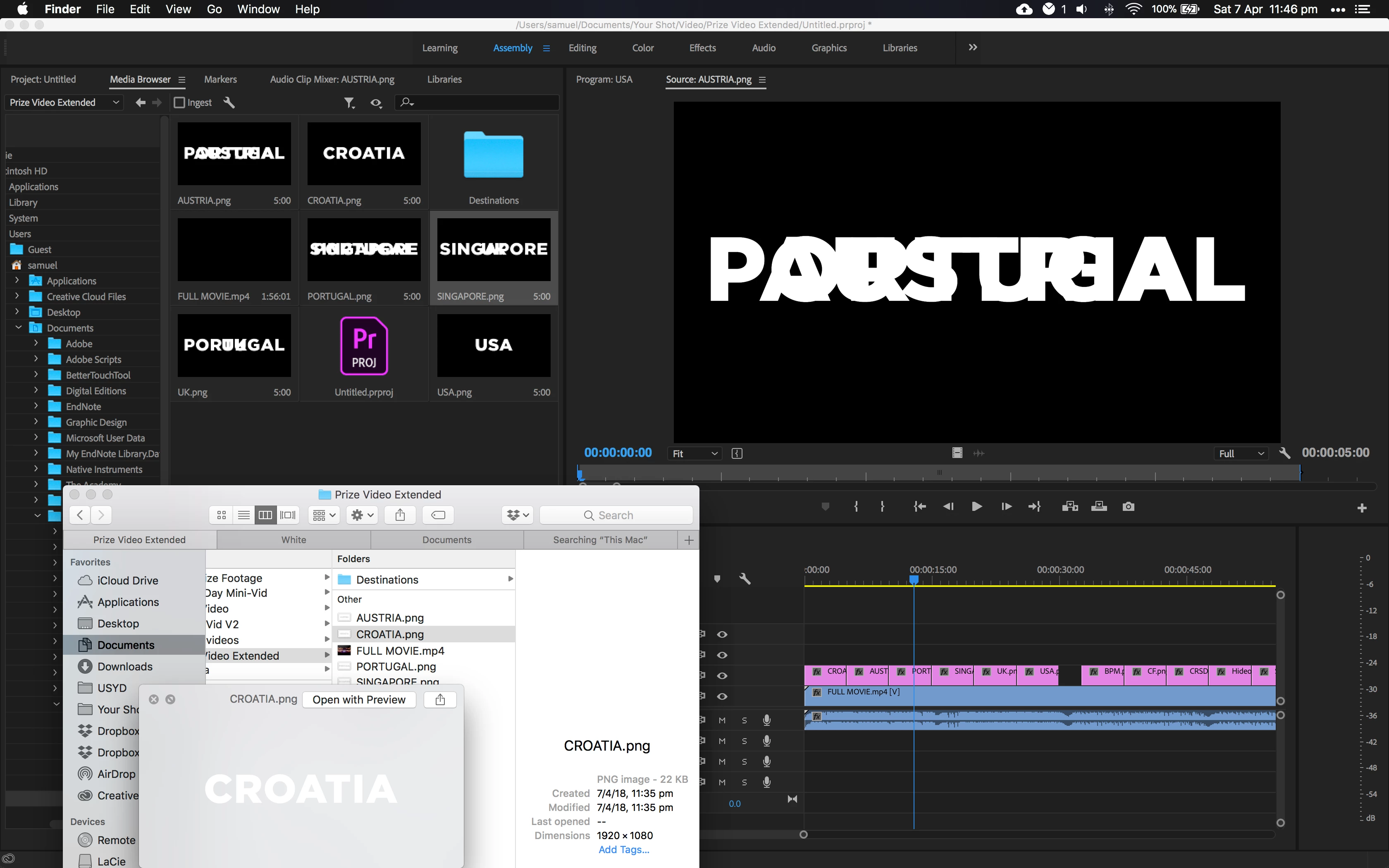
PNGs are merging/overlapping in media browser. Corrupted?

  • April 7, 2018
  • 1 reply
  • 414 views

When browsing, previewing AND rendering a video, the PNGs used will overlap with each other or overlap with frames of other clips. It makes it impossible to do any sort of work. Only started happening with the latest update. Any ideas? Already tried re-creating the PNGs, restarting the project etc etc

The little finder in window in the bottom left shows the how the PNG looks when displayed in finder/photoshop etc...
This topic has been closed for replies.
Correct answer Stan Jones

Yes, appears that we can now call it a "known issue."

Neil collected the reported workarounds:

PNG with Alpha Workarounds

Also see this thread regarding reverting:

Text File (.png) Problem

And use the new bug report system:

April Update: Problem importing PNGs, PNGS often have artifact parts from other PSD docs, whats up? – Adobe video & audi…

1 reply

Stan Jones
Community Expert
Stan JonesCommunity ExpertCorrect answer
Community Expert
April 7, 2018

Yes, appears that we can now call it a "known issue."

Neil collected the reported workarounds:

PNG with Alpha Workarounds

Also see this thread regarding reverting:

Text File (.png) Problem

And use the new bug report system:

April Update: Problem importing PNGs, PNGS often have artifact parts from other PSD docs, whats up? – Adobe video & audi…