Rhodock
Participant
July 13, 2020
Question

Polygon mask cuts off text

  • July 13, 2020
  • 2 replies
  • 765 views

Hello, I am trying to make a Star Wars-like intro. I'm using Premiere Pro 2020, and I'm using a fade with a 4-point polygon mask. Here's what I'm trying to do...
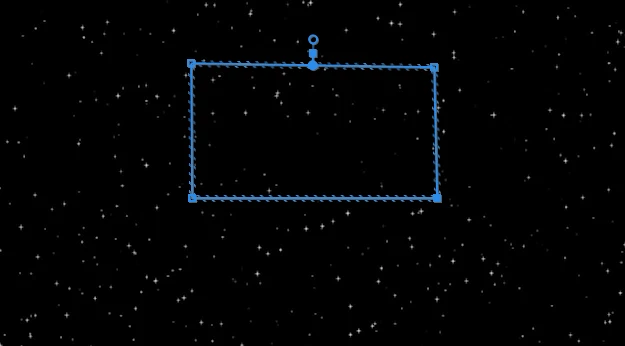
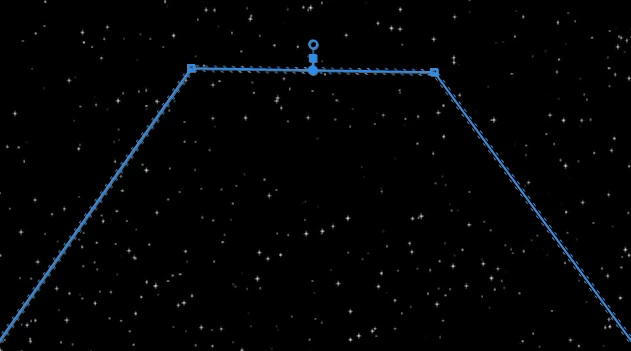


It's looking good so far, but the problem is that the text is all cut off! It's only able to mask a small square out of the entire title crawl, which is several lines long. Applying the masking effect restricted the text for some reason. Here's another screenshot of before I adjusted the polygon...
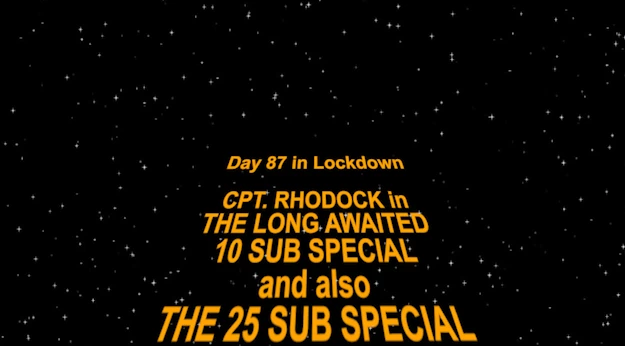
 

What's going on? As soon as I click to create the masking effect the text seems to restrict itself into a much, much smaller area. 

I hope this explains it all. Cheers!

-Simon

Edit: The first two screenshots are as I apply the mask on the frame shown in the third screenshot, if that clears anything up. Scrolling through the frames still shows the crawl but in a very small area.

This topic has been closed for replies.

2 replies

Community Expert
July 15, 2020

try this:

01. animate your rolling text without any effects or masks using the 

      position property from Text and not from Motion in Effect Controls

02. apply linear wipe, wipe angle 180, set transition completion

      to where you want the text to fade and set the feather to your taste

03. apply Basic 3D as Neil stated (tilt it)

04. readjust the text bottom line from position in Motion


let me know if you want a video tutorial, but it's not that complicated


MyerPj
Community Expert
Community Expert
July 15, 2020

Nevermind (global effects off was selected. I knew when I set that a couple days ago it would mess me up!)

R Neil Haugen
Legend
July 13, 2020

I think you're going about this the wrong way.


Use the Basic 3D effect from the Effects/Perspecitive folder, and 'tip' the text back by simply rotating it back in the 3D controls. Tip to the angle you want, then size to get the width correct.


Neil

Everyone's mileage always varies ...
Participant
July 15, 2020

Hey Neil,


I deleted the Corner Pin effect and added the Basic 3D as you recommended. Immediately without changing anything, I noticed a similar problem - the text still gets cuts off at the bottom. What's happening now?


Simon

Edit: Sorry, this actually happened as soon as I deleted the corner pins! I deleted the 3D effects and it didn't change this cut-off box.

R Neil Haugen
Legend
July 15, 2020

That looks like you still have a mask showing ... reset everything in the ECP.


Neil

Everyone's mileage always varies ...