
Poor quality still images on export
Hi,
I'm struggling with a slideshow project. It consists of images of varying quality and sizes, but all pretty decent (and larger than the 1920x1080 sequence I'm using). On export, the images become significantly compressed. In the screenshot below, my original image is on the left, and the exported video on the right:
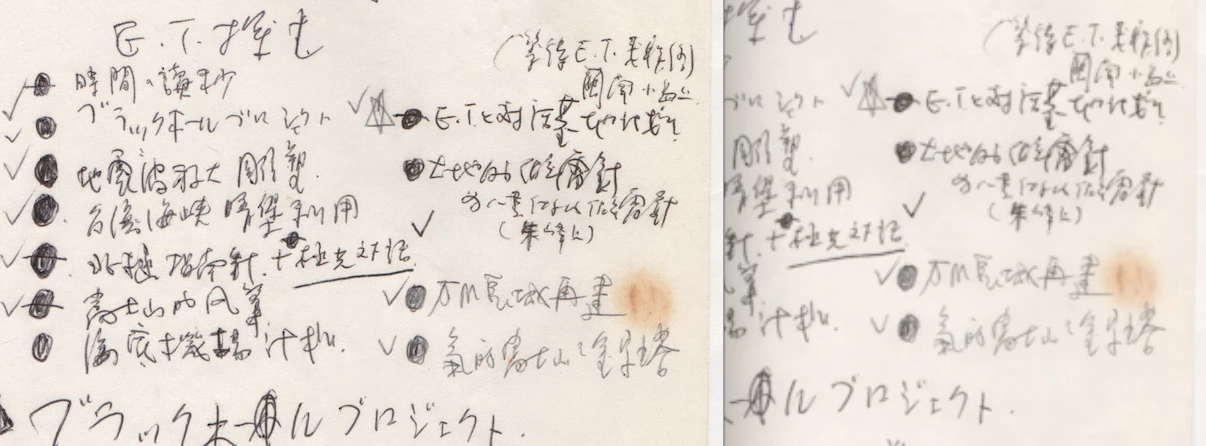
I've tried using various export settings—it doesn't seem to matter if the resulting export is 100mb or 6gb, the results look the same.
An example of one of the export settings I've tried below:

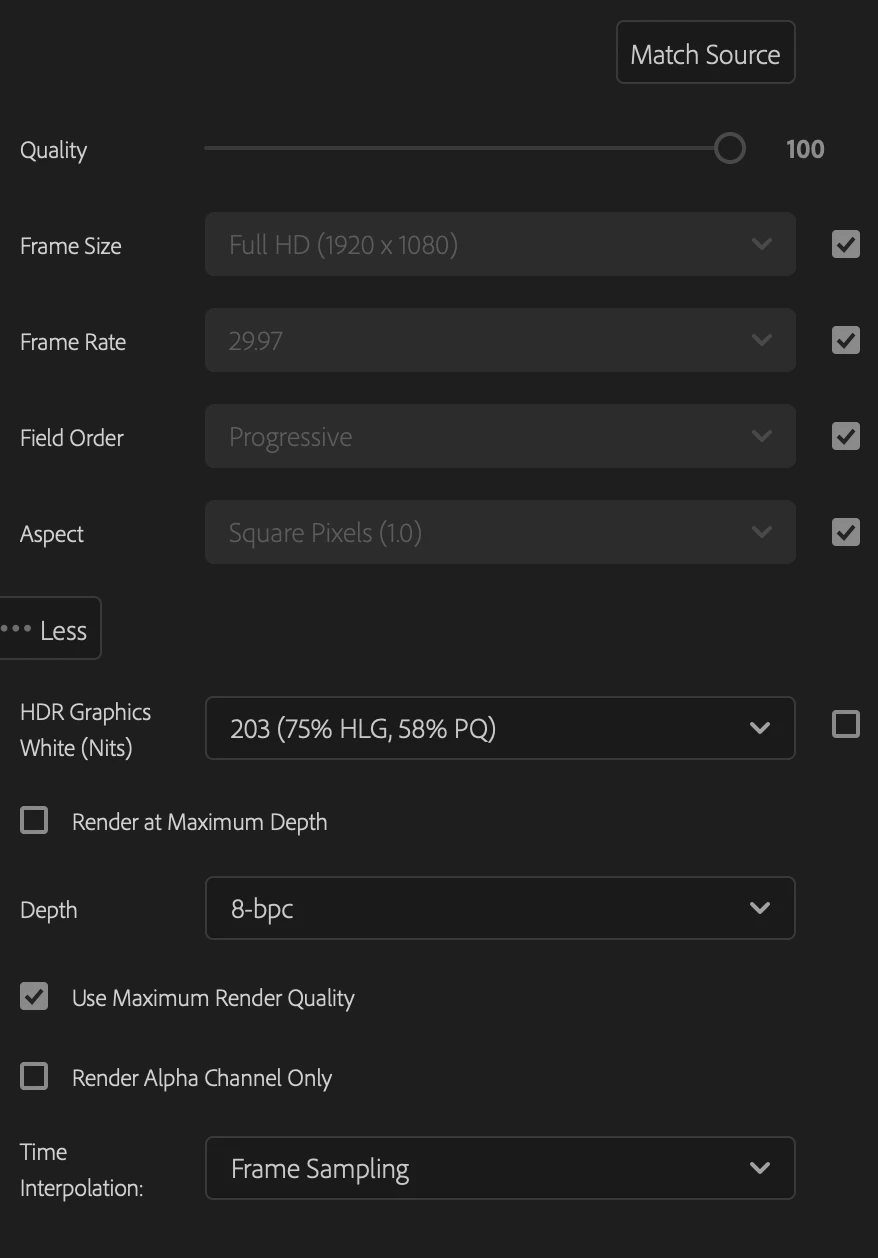
I've also tried resizing the original media to fit the sequence rather than resizing it in Premiere (no luck). I don't have any effects or changes other than scaling applied to the images.
Any hints would be very appreciated ... thanks!
 AdChoices