
jeffreyk36961075
Participating Frequently
March 11, 2017
Answered

Poor video quality in Premier Pro CS5

  • March 11, 2017
  • 2 replies
  • 7198 views

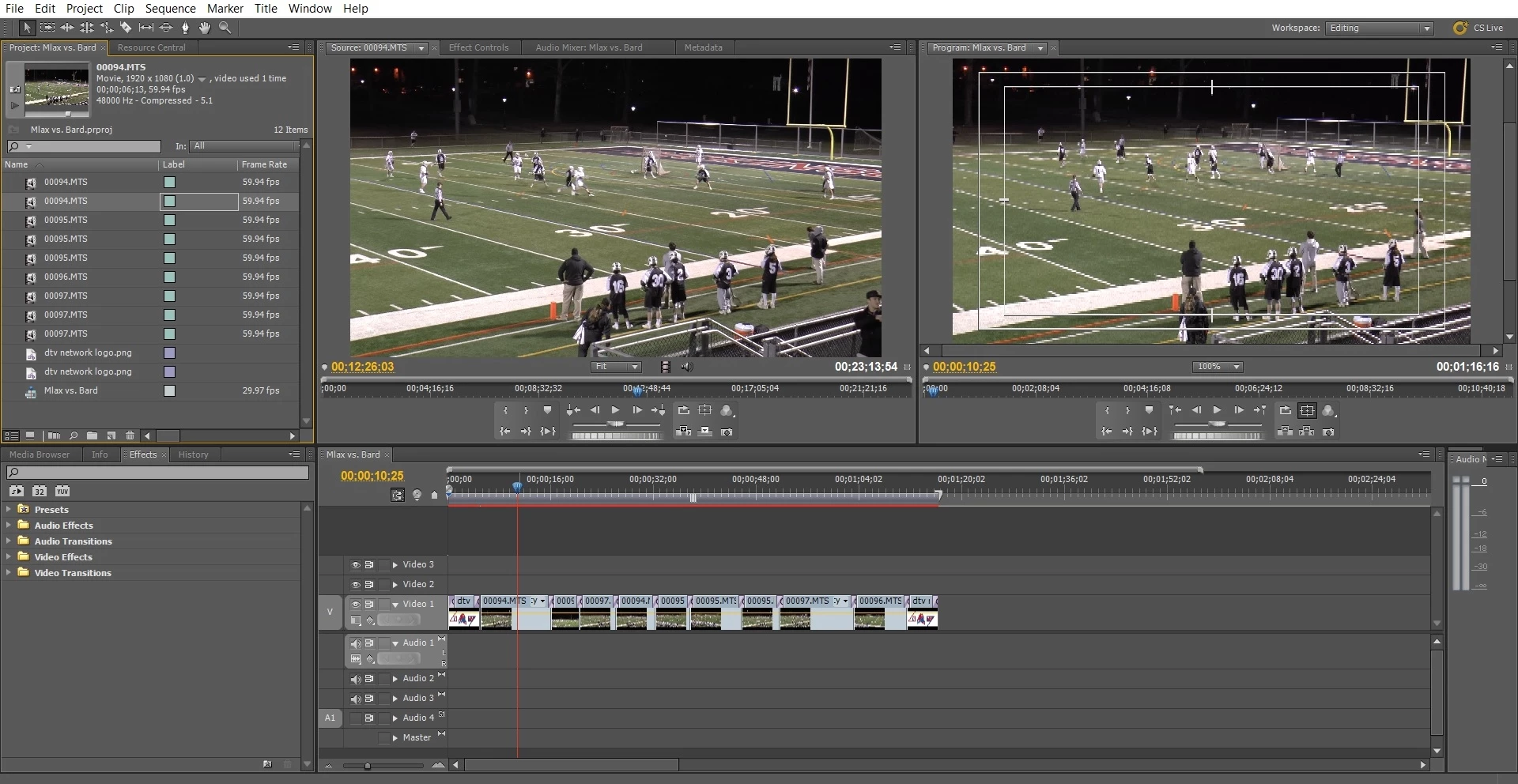
When I put videos into premier they are crystal clear and the quality is good. However, when I start editing them and drag them into my timeline, I notice that in the second screen they lose quality. When I export the project, the quality of the videos is much poorer than the quality of them when I originally started. I have tried multiple different export settings and nothing is giving back the quality I began with. Can anyone please help?
This topic has been closed for replies.
Correct answer Ann Bens


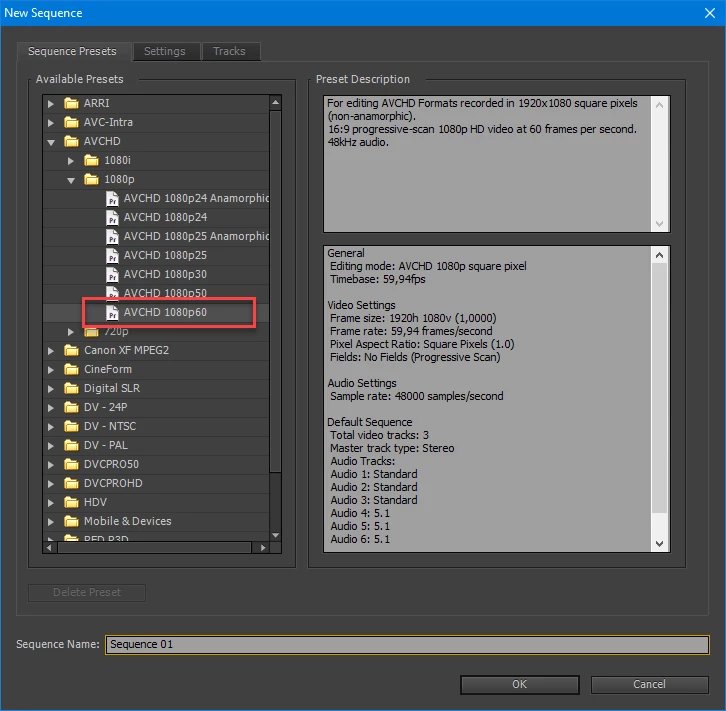
You started off with the wrong sequence settings

these are the correct ones (its a cs6 screendump but you will get the picture)

For export you select H.264 / Youtube widescreen HD.

You set the parameters for resolution and framerate the same as the source footage.

2 replies

Ann Bens
Community Expert
Community Expert
March 11, 2017

Program Monitor is default set to a lower resolution: up that.

Post screenshot of export settings,

and a clip in MediaInfo in treeview.

John T Smith
Community Expert
Community Expert
March 11, 2017

More information needed for someone to help... please click below and provide the requested information

-Troubleshooting https://forums.adobe.com/thread/2261475

-Premiere Pro Video Editing Information FAQ http://forums.adobe.com/message/4200840

-WITH exactly what are the codec details of what you are editing?

-WITH what effects are you using with the video?

-WITH exactly what export settings did you use for your output?

jeffreyk36961075
Participating Frequently
March 15, 2017

Hi John,

The Codec says "Main Concept H.264 Video"

I have been using NTSC DV High Quality export setting. However, I've tried other export settings which haven't helped.

I am using simple video transitions, mainly cross fades as it is a sport highlight video. The frame rate is 29.97 and the Bitrate ecoding says VBR, 1 Pass.

I'm not sure what all of these settings mean but I find that I lose quality even in Premier before I export. I import a video clip and it shows up on the left screen and then when I pull it into my timeline, the quality is significantly less on the right screen which is my actual project.

These are videos that I am hoping to post to YouTube at the quality they were shot at.

Let me know if there are some other settings I can try.

Thanks!

Ann Bens
Community Expert
Community Expert
March 15, 2017

Please post screenshots as asked in my earlier post.