Participant
November 11, 2019
Question

Portions of video pixelated after added to timeline and rendered but not in source video playback

  • November 11, 2019
  • 5 replies
  • 305 views

First, let me say thank you in advance to anyone who's willing to help...

All video for my vlog was shot on an iPhone 8+ and a Samsung Galaxy s10. When I import into Premiere Pro it plays fine; however, when I add to the timeline and render, some spots in the video are pixelated. I've tried starting over with a new timeline, but the same issue occurs, just in different spots on the video. I'm a total novice when it comes to Premiere-no formal training, just self-taught with a lot of help from youtube videos and forums. With that being said, I'm unfamiliar with the shortcuts and tech terms, but I know how to follow step-by-step directions. I'm not sure what info. you need regarding my computer specs, but I'm using Premiere Pro 13.1.5 (build 47) on a super-slow MacBook Pro (late 2013), 2 ghz intel core i7 w/ 8 GB of memory. 

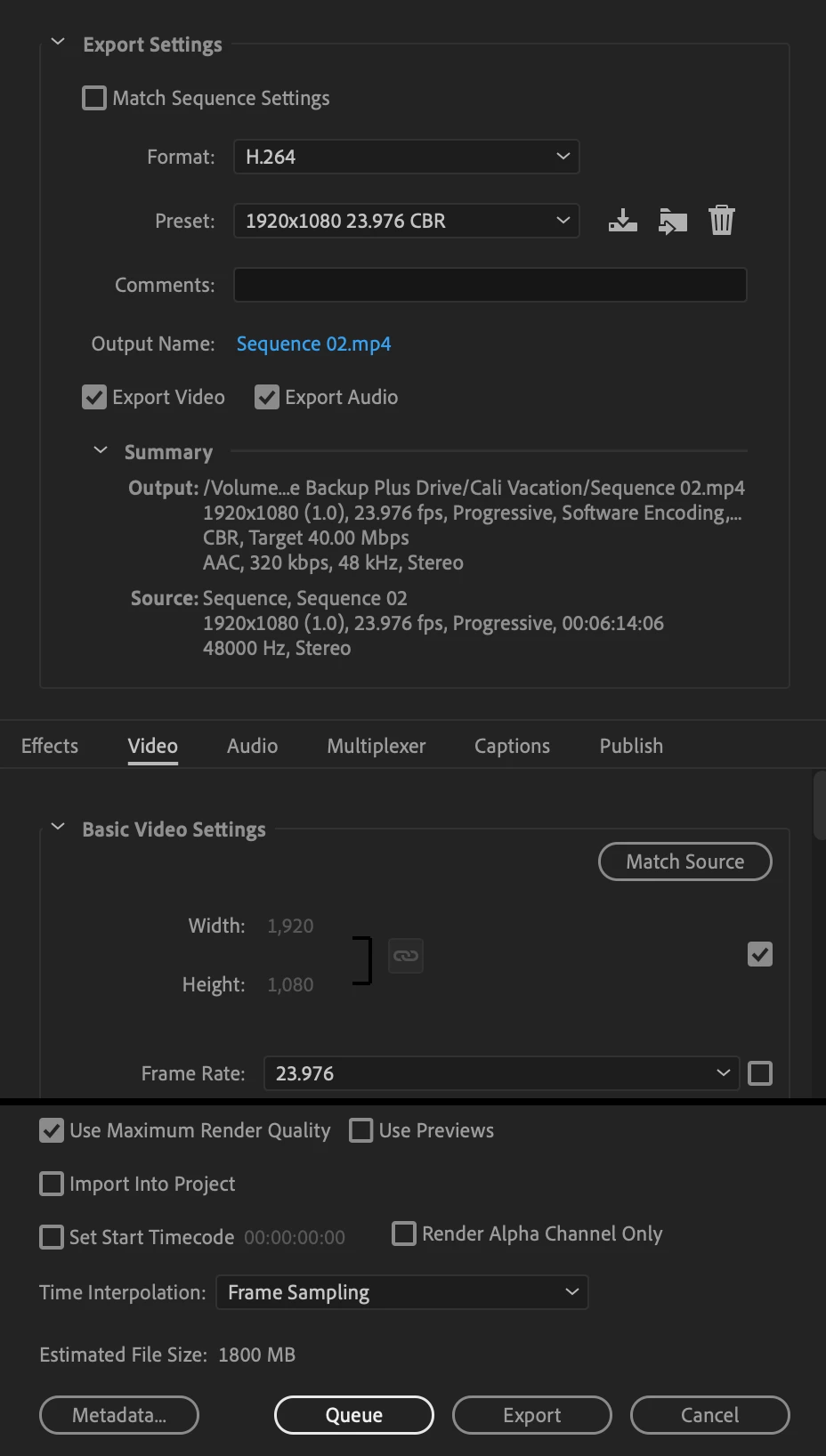
I've attached a small clip showing the pixelation, as well as my normal export settings (which I found on a PP export settings for YouTube video).

Again, thank you in advance for any help that you can provide. 🙂
This topic has been closed for replies.

5 replies

Participant
November 11, 2019

I downloaded the Handbrake program and changed the settings per your suggestions, but I'm certain that I must have went through the process incorrectly because I'm still having the same issue. I rendered a small piece of footage where I was having the pixelation problem, then opened that file in Handbrake. Is that what I should have done? Or do I need to run each individual clip that I've had problems with through the Handbrake program? Again, thank you so much for your help.


Participant
November 11, 2019

So sorry about the video...I've changed it to unlisted, so I'm hoping that you can see it now. As it relates to Handbrake, I'm not familiar with the program, but I do see that you shared a link, so I'm hoping instructions are there as it relates to how to use it. I will followup once I've tried your suggestions. Thanks so much for your time.


Legend
November 11, 2019

phone footage is almost always problematic (wrestling with some right now) ...  First thing, the frame rate is not constant.  Use Handbrake to convert to the highest quality h264 mp4 (thanks Ann) https://handbrake.fr/downloads.php .  in the handbrake video panel make sure you set it your desired frame rate and set it to constant framerate.  Hopefully both iphone and samsung were set to the same "target" frame rate.  If you're not combining with video with an actual frame rate like 29.97, 23.976 or 25fps), just set it to either 24 or 30 fps whichever both phones were set to.  If one was set to 24 and the other 30, I'd maintain the source frame rate and edit in to a 30 fps timeline...    See if this helps.  If not, post back and we can try some other things.  

Ann Bens
Community Expert
Community Expert
November 11, 2019

Video is not visible.

Community Expert
November 11, 2019

Your YouTube video is broken. 

Byron.