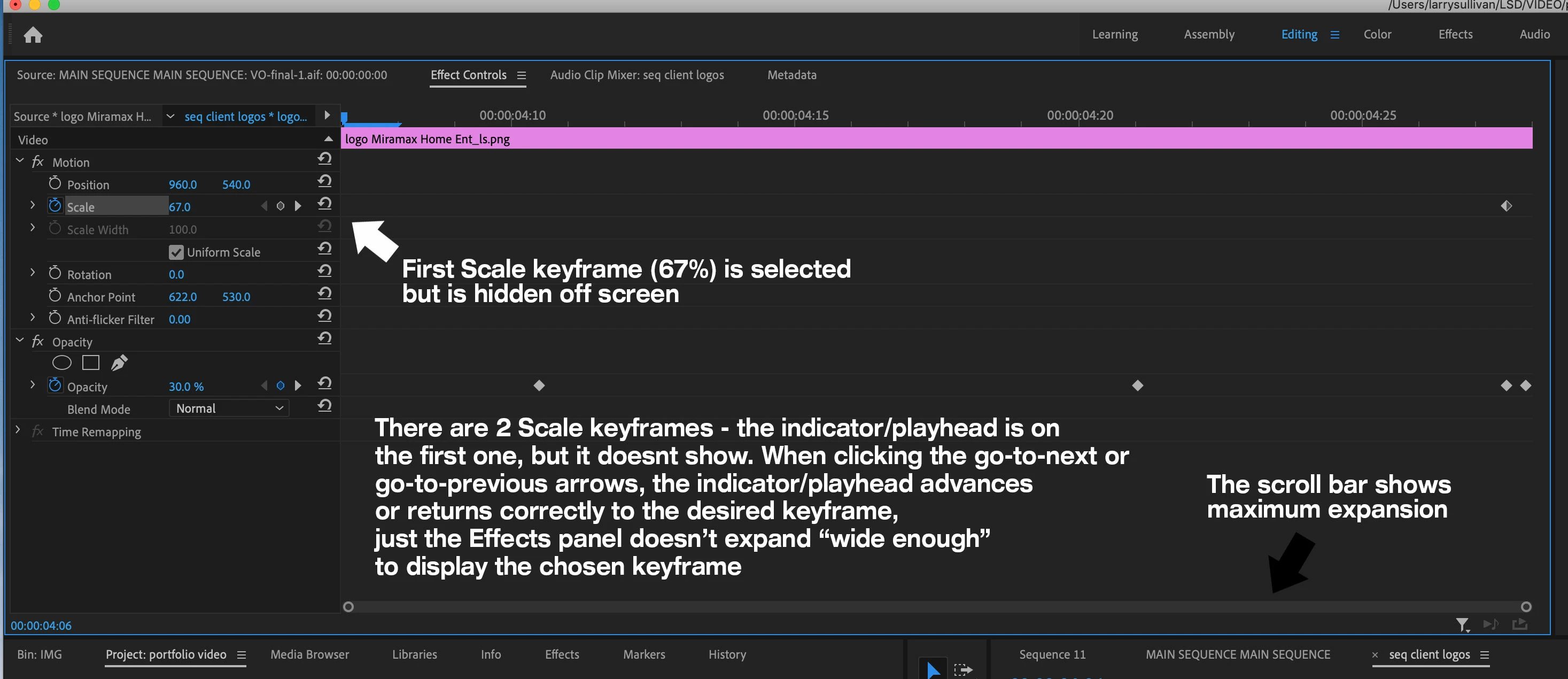
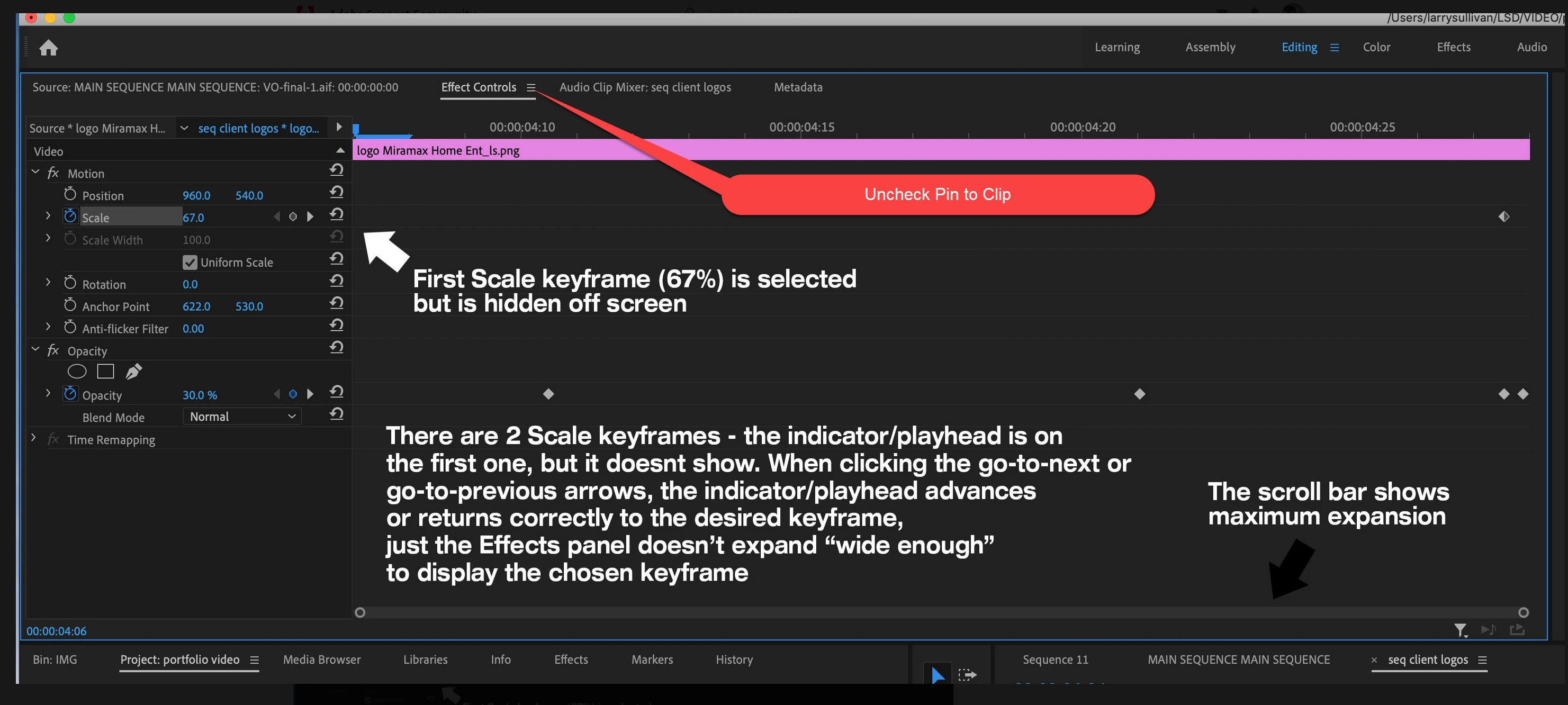
PP doesn't expand the Effects panel wide enough to view all the keyframes.
This has irked me for years and hasn't been fixed, I'm not finding the answer online, and I'm not sure if I can explain it properly - although this post on another forum seems to partially address it.
In the Effects panel, I create a Scale keyframe at the beginning of a sequence, then move through and create several more keyframes throughout, so the Effects panel scrolls horz. to where I'm working, and the first keyframes scroll behind the interface, as expected. When I scroll back to the beginning, the first keyframe has disappeared. If I expand the scroll bar horz. to show the full view, the first and last keyframes don't show.
However, I can still select the first keyframe when I click on the second one and use the little go-to-previous arrow, the indicator/playhead will jump to it correctly - off of the Effects panel screen altogether. This happens to last keyframe also.
Is this just what people get used to with PP? What am I missing here?
PP15/Build 41 MacOS10.14.5
 AdChoices