Participating Frequently
November 15, 2024
Question

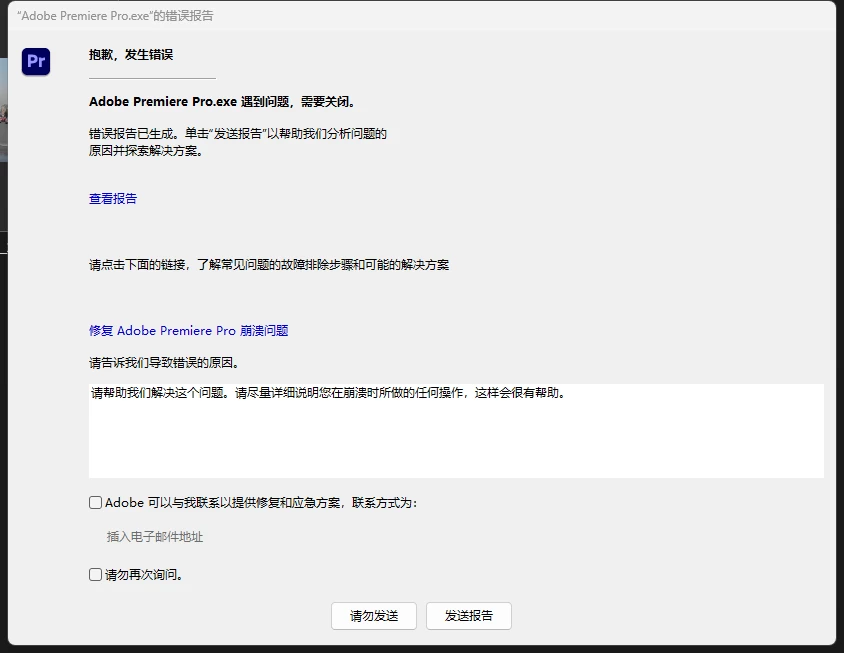
Pr提示这个怎么解决?

  • November 15, 2024
  • 4 replies
  • 373 views

This topic has been closed for replies.

4 replies

Peru Bob
Community Expert
Community Expert
November 15, 2024

Try updating or rolling back your graphics driver directly from the video card manufacturer’s site. If NVIDIA, do a clean installation of the latest Studio Driver (NOT the Game Driver).

If that doesn't work, try creating a new project and import the old one into it.

Peru Bob
Community Expert
Community Expert
November 15, 2024

Can you translate the screenshot to English or describe what the problem is?

kglad
Community Expert
Community Expert
November 15, 2024

@Peru Bob 


you can use yandex translate after copying the image 

Peru Bob
Community Expert
Community Expert
November 15, 2024

@kglad 

Thanks for that.  It's a useful tool for the forums.

kglad
Community Expert
Community Expert
November 15, 2024

in the future, to find the best place to post your message, use the list here, https://community.adobe.com/

p.s. i don't think the adobe website, and forums in particular, are easy to navigate, so don't spend a lot of time searching that forum list. do your best and we'll move the post (like this one has already been moved) if it helps you get responses.


<"moved from cc desktop bugs">
kglad
Community Expert
Community Expert
November 15, 2024

what were you doing when the error was triggered?


had you installed premier pro using the cc desktop app?


click the "view report" > take a screenshot > copy and paste that screenshot into a reply here.

Drpoet ??Author
Participating Frequently
November 15, 2024

I just pulled the film into the Pr timeline