
Inspiring
October 12, 2023
Answered

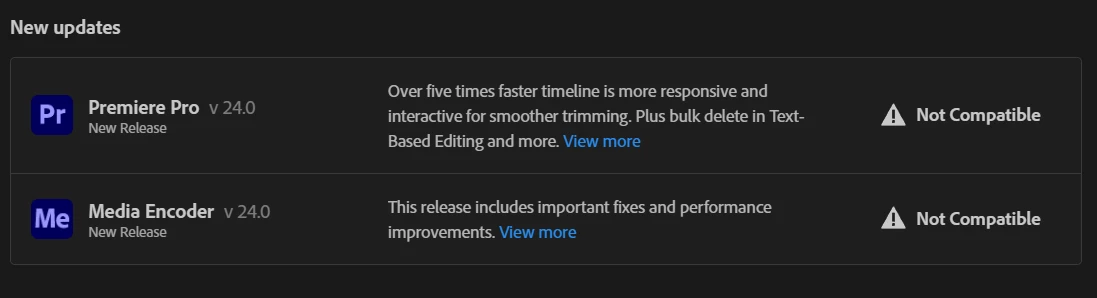
Pr 24.0 Says NOT COMPATIBLE on 13700F PC

  • October 12, 2023
  • 16 replies
  • 8703 views

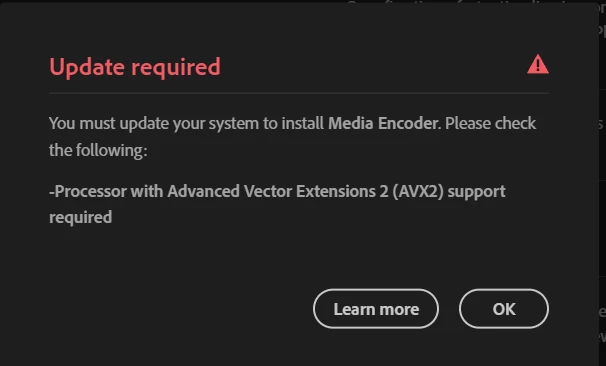
Premiere Pro 24 says it is not compatible and will not install on my PC

Says "Processor with Advanced Vector Extensions 2 (AVX2) support required"


This is a 13700F, RTX 3080, 3 NVME's, DDR5 PC.... What is going on???
Correct answer TROLLBENDER

AVX was set to AUTO in bios. I set it to manual and then selected enabled. It now allows installation. Thank you.  RESOLVED. SOLVED.

16 replies

Inspiring
October 12, 2023

Thank you Caroline. We resolved it. 

caroline_edits
Community Manager
Community Manager
October 12, 2023

Hey, sorry to see this! Let's see if we can knock this error loose.

  • Uninstall and reinstall both apps, remove preferences when you uninstall unless you have important customizations you can't rebuild.
  • Log out and log back into Creative Cloud desktop app
  • Uninstall Creative Cloud desktop app then reinstall it on your computer


Let us know if this persists, we'll flag an engineer to help.

TROLLBENDERAuthorCorrect answer
Inspiring
October 12, 2023

AVX was set to AUTO in bios. I set it to manual and then selected enabled. It now allows installation. Thank you.  RESOLVED. SOLVED.

MyerPj
Community Expert
Community Expert
October 12, 2023

I'm pretty sure you have avx2. Did you try installing again? Could it be turned off in bios? 

You may need to reinstall using the Adobe cleaner...


https://helpx.adobe.com/creative-cloud/kb/cc-cleaner-tool-installation-problems.html


Inspiring
October 12, 2023

It absolutely has AVX2 it is a 6 month old latest GEN CPU.......

Ann Bens
Community Expert
Community Expert
October 12, 2023

Its not a bug: your processor is missing certain features (AVX2)

https://en.wikipedia.org/wiki/Advanced_Vector_Extensions


Edit: if I look up your processor it does have avx2........