

Question
Pr 25.5 - the "rewritten" MKV support is off
I updated to 25.5 of Premiere Pro yesterday. The blog here says the MKV support was rewritten:
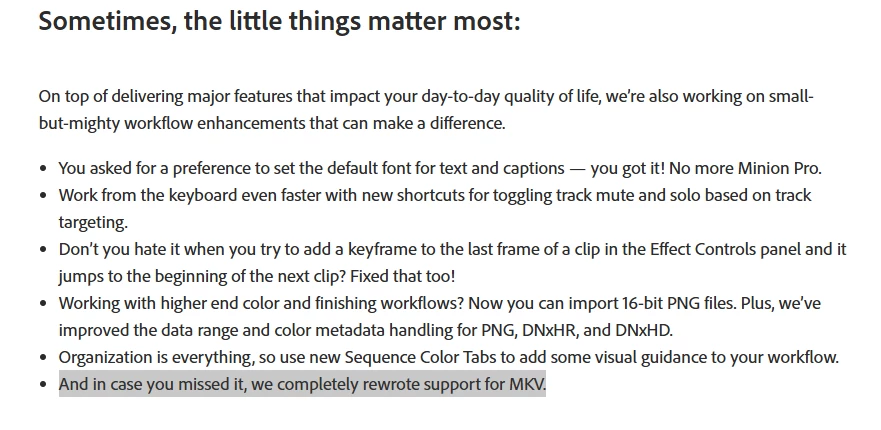
But this is what I see when importing an MKV:
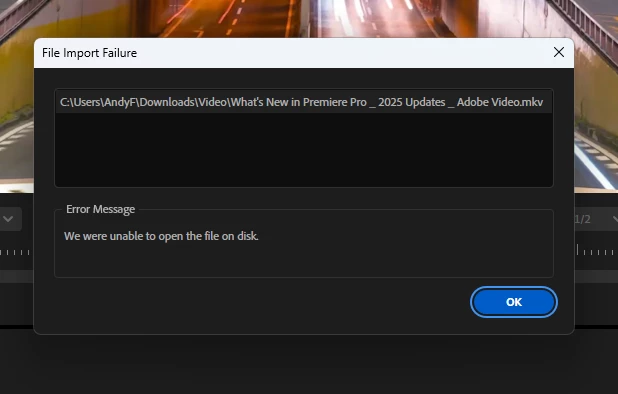
The file info:
C:\Users\AndyF\Downloads\Video\What's New in Premiere Pro _ 2025 Updates _ Adobe Video.mkv
General
Unique ID                      : 65392825175610104412735799271089255734 (0x31323334353637383930313233343536)
Complete name                  : C:\Users\AndyF\Downloads\Video\What's New in Premiere Pro _ 2025 Updates _ Adobe Video.mkv
Format                         : Matroska
Format version                 : Version 4
File size                      : 70.7 MiB
Duration                       : 2 min 5 s
Overall bit rate               : 4 743 kb/s
Frame rate                     : 30.033 FPS
Writing application            : IDMmkvlib0.1
Writing library                : IDMmkvlib0.1
Language                       : und

Video
ID                             : 1
Format                         : HEVC
Format profile                 : 0
Codec ID                       : HEVC_01
Duration                       : 2 min 5 s
Width                          : 3 840 pixels
Height                         : 2 160 pixels
Display aspect ratio           : 16:9
Frame rate mode                : Constant
Frame rate                     : 30.033 FPS
Color space                    : YUV
Chroma subsampling             : 4:2:0
Bit depth                      : 8 bits
Default                        : Yes
Forced                         : No
Color range                    : Limited
Color primaries                : BT.709
Transfer characteristics       : BT.709
Matrix coefficients            : BT.709

Audio
ID                             : 2
Format                         : Opus
Codec ID                       : A_OPUS
Duration                       : 2 min 5 s
Channel(s)                     : 2 channels
Channel layout                 : L R
Sampling rate                  : 48.0 kHz
Bit depth                      : 32 bits
Compression mode               : Lossy
Default                        : Yes
Forced                         : No
So what was rewritten?


 AdChoices