Curt Wrigley
Inspiring
April 1, 2010
Answered

Pr CS5 - List of supported CUDA Cards

  • April 1, 2010
  • 24 replies
  • 65419 views

Adobe is working on a playback and rendering engine for Adobe Premiere Pro called the Mercury Playback Engine. This new engine is NVIDIA® GPU-accelerated, 64-bit native, and architected for the future. Native 64-bit support enables you to work more fluidly on HD and higher resolution projects, and GPU acceleration speeds effects processing and rendering.

The Mercury Playback Engine offers these benefits:

  • Open projects faster, refine effects-rich HD and higher resolution sequences in real time, enjoy smooth scrubbing, and play back complex projects without rendering.
  • See results instantly when applying multiple color corrections and effects across many video layers.
  • Work in real time on complex timelines and long-form projects with thousands of clips — whether your project is SD, HD, 2K, 4K, or beyond.

Ensure your system is ready to take advantage of the Mercury Playback Engine in a future version of Adobe Premiere Pro. The Mercury Playback Engine works hand-in-hand with NVIDIA® CUDA™ technology to give you amazingly fluid, real-time performance. See it in action

* PR CS5 supports the following list of CUDA cards:

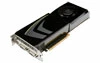
GeForce GTX 285Windows and MAC
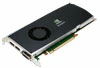
Quadro FX 3800Windows
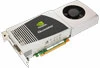
Quadro FX 4800Windows and MAC
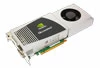
Quadro FX 5800Windows
Quadro CXWindows

More hardware details:

http://www.adobe.com/products/premiere/systemreqs/

    This topic has been closed for replies.
    Correct answer Wil Renczes

    I think I just have to wait and see how bad my GTX260 will perform before I buy a new card. I would like to know wich card to buy, though...that´s why I am interseted in knowing the difference in performance between the supported cards. But I´ll try to patient.

    About the Mercury Engine supporting CUDA - i just found this post: http://forums.adobe.com/message/2583980#2583980

    It seems that the Mercury Engine was not initially build for CUDA, but just for 64-bit...that might be the answer to why all CUDA cards are not supported. But tell us the story Adobe and Nvidia!!!!

    Could one of your evangelists or some one else from Adobe and/or Nvidia (no offense to all you great guys who have heard something from someone who might know etc) not enlighten us here, in this forum, before we start some kind of conspiracy theory about Adobe and Nvidia? Put the (video)cards on the table (so to speak ;-) ) and tell us:

    1. What is the main reason why all NVIDIA CUDA cards are not supported? Is it techincal? A time issue? Or what? Why?

    2. When will we know if older less expensive Nvidia cards like GTX 260 will also be supported? We need to know so we can see if we need to buy new cards or just stick to the old ones long eneough to get support....is this not a valid wish?

    3. When will we get an overview of how the supported cards perform compared to each other in preview, rendering etc.? We need to know so we can get excact the card that meets our needs. Roight now I don´t know if I just need a GTX285 or the Quadro CX. I need to know how much more performance I will gain from buying a much more expensive card. If I get fx. a 50% performance boost buying the CX I will buy it at once. Is it only 2% I think I will buy the GTX 285...otherwise i would be a fool with my money.

    These are all questions that would be nice to get answers to before the shipping of CS5 - so we can make our choices whether to buy new videocards and if - which to buy - or we would like to wait untill our existing older Nvidia cards is working with the Mercury Engine. If we continue to not get any information about these questions this could develop into be a karma-killer for both companies....And you both have good karmas with me untill now!

    I very much like Adobes products - been using allmost every one of them them for years. I have also had several Nvidia Cards over the years and have only tried the ATI cards a few times with bad experiences. So i stick to Adobe and Nvidia - no matter what - have no choice either;-) But I will be a very unhappy and dissapointet customer and user, if this story ends up looking like some kind of dirty deal between two companines. But I guess there is an explanation and it has to come from your comapines directly - not from a second source.

    You could avoid all this by being more open about this issue and tell us more - and no more sales-talk - we allready want your products - they are all great - but we need help to find out which and when to buy what....please!


    Now that the launch is done and this information is all public, I'm going to summarize all the bits of information that have been floating around into one distilled post:

    The Mercury playback engine comprises of 3 areas (our chief weapons are surprise, surprise and fear...  nevermind...):

    - 64 bit support, and better memory management / frame cache management / sharing between the Adobe apps (ie Premiere and After Effects & the Media Encoder have a notion of shared memory now, and are aware of how much is being consumed by their peers);

    - optimizations to multithreaded rendering, to the playback's pipeline, speed improvements with various media types, and all around general fine tuning

    - CUDA acceleration of effects / transforms / pixel conversion routines.

    Don't have a supported CUDA board?  You still get two out of three.  Might not seem as sexy on the cover, but CS5 is still a massive improvement over CS4 even without the hardware acceleration.

    (Conversely:  let me dispel the myth that you can drop in a CUDA supported board into any box and you magically get umpteen layers of RED 4K in realtime.  All that CUDA does is free the CPU from the tasks of doing image processing - video footage however still needs to be decoded by the CPU.  If you're looking to do high end 4K, do yourself a favor and don't shortchange yourself on a cruddy box.  Get an i7, for cryin' out loud...  but I digress)

    Now, why the limited card selection?

    One of the biggest themes was to improve stability and making Premiere truly earn the Pro moniker.  To quote another engineer, "This was a decision about being Pro."  By limiting the selection of cards, you have a guarantee that the product will do what it's supposed to, that your rendering accuracy will be as good as in software, and that these cards will play nice with 3rd party I/O vendors.

    What's the difference between the level of functionality I get with the GTX 285 vs the Quadro boards?

    The GTX is limited to 3 streams of realtime.  Also, the Quadros come with more memory, so this helps if you're looking to do hi-res (eg RED) editing. Lastly, as a gaming card set, the GTX cards will downclock themselves if they're overheating, so your performance might drop if your cooling isn't the best.  The Quadros OTOH have a fixed clock rate, assumingly they have better heat tolerance levels.

    When will that selection expand?

    TBD.  All I will say is that we are looking at some of the next-gen Fermi cards, but they're still undergoing evaluation.  Let's put it this way - the beta users group is still running so that they can help test the new card support going forward.   Keep your ear to the ground, I'm sure there will be plenty of noise made when they're announced.

    Can you add me to the beta list?

    Nope.  Not my domain, I'm afraid.

    What's the scoop with ATI cards, and openCL?  Why nVidia / CUDA only?

    When the acceleration work began over a year & a half ago, openCL wasn't even a finalized specification.  CUDA was a more mature technology, so that's what we went with.  For the future? It'll be evaluated for CS 6.

    24 replies

    Participating Frequently
    April 22, 2010

    Make this a sticky - and keep it updated for a while. please

    Participating Frequently
    April 22, 2010

    Adobe is disabling motherboards that haven't been fully tested by Adobe and older computers with a shortage of RAM that won't run Premiere stable and fast like advertised. Right now the only high-end Intel i7's are supported with more processors possibly being added before release next month. Also harddrives that are too slow to playback native 4k will not be accessible through Premiere. This is to guarantee stability to all customers.

    John T Smith
    Community Expert
    Community Expert
    April 22, 2010

    You do not show as "Adobe Employee" so just what is your source for saying that motherboards or drives will be disabled?

    Known Participant
    April 19, 2010

    Heya guys,

    I've read all the posts to this thread as well as a few other posts started back in December and have seen this list of the same 5 cards as old as January or February. Yeah, I too applaud Adobe for the heads up, but after this many months it's still the same 5 card list so I do not applaud them maintaining their approach and good intentions. Have they not done anymore testing since January? Even one of the videos on their web page states a web address to go to for the latest information for the latest supported video cards, however there is 0 mention of even this whopping 5 card list, of course this type of thing I find myself getting quite use to which isn't a good thing for any company.

    Anywho, before I go off on my own tangent or rant does anyone know when the powers to be will delight us with an updated list?

    Sorry if I appear disapointed or aggitated, it's not my nature I just figured more would have been made available by now since as many stated this will be the most expensive CS upgrade yet for many of us.

    For the record I own a GTX-295 and a GTX-260 (so pretty much I own 3# 260's since the 295 is 2 combined 260's).

    Thanks,

    Dan

    Harm_Millaard
    Inspiring
    April 19, 2010

    One never knows what direction Adobe will go, although in this development cycle they have been surprisingly forthcoming with information, almost uncharacteristically so.

    I have no idea how much development work and time is required to certify a card for MPE, but keep in mind that Adobe is not only talking about PR. There are more than 10 different programs in the Master Collection, there are numerous dynamic links between several of them, there is advanced memory management between these programs and there are continuous driver updates from nVidia. All of these aspects need to be tested and checked extensively, so it is not a simple matter of only testing MPE in PR, but also what repercussions it may have on memory management, on the dynamic links, the impact on response time and speed in other applications, etc.

    It is not simply a single application. It is way more complex. Whether it takes 4 months to certify a card in light of the whole Master collection, or more, or less, I simply don't know, but rest assured it is complex and time consuming.

    Whether Adobe would prioritize end-of-line 2xx cards or prefer Fermi cards or even new Quadro cards, using the Fermi chip, is another unknown, but it makes sense in my perception to look ahead to the Fermi archtecture and not back to the old 2xx series.

    Just my 0.02

    jabloomf1230
    Participating Frequently
    April 16, 2010

    First, I'm not going to say much, if anything about the MPE, but I am going to try to clear up  (Haha, I'll probably just make things worse ) some semantic and technical issues raised in this thread.

    First of all, very few if any software will use CUDA and SLI at the same time. It's not impossible to do, but it's just an added hassle and most companies have just decided to ignore multiple GPUs used in tandem to render partial frames or alternating frames (SLI). The GTX 295 is just two slower nVidia GPUs slapped together in one video card and operating in SLI. That's great for SLI-enabled video games, but at the moment useless for CUDA-based acceleration. With a 295GTX, you only get CUDA on one of the slower GPUs. I suggest not purchasing a 295GTX for CS5. Other than the new Fermi (4xxGTX) cards, the 285GTX is the fastest single GPU consumer video card that nVidia makes.

    Software vendors use the term "not supported" very loosely. It could mean that the video card won't work at all with the software. Next, it could mean that it might work somewhat with the software, but not optimally. Lastly, it could mean that the video card will work optimally, but the software vendor won't guarantee that it will and won't provide any technical support to you, if it doesn't work properly. Now some software vendors even put a check in their software to look in the Windows registry (or interrogate the video card directly) to see what device ID it reports. The vendor can block usage of hardware that they don't want being used with their software. As some of you know, users have gone to great lengths to tweak nVidia consumer cards to make them appear to the OS as being a Quadro card. nVidia has fought back recently against this "piracy" and has pretty much blocked that type of hacking, except on older model 8xxx and 9xxx series cards.

    Lastly, there are three factors you should look at when choosing a video card for NLE & compositing work. First the clock speed of the "CUDA cores". Second the number of CUDA cores within each GPU. Third, the amount of RAM on the card. here's the reference specs on the two Fermi cards that have been announced:

    GeForce GTX 480 : 480 CUDA cores, 700/1401/1848MHz core/shader/mem,  384-bit, 1536MB, 295W TDP, US$499

    GeForce GTX 470  : 448 CUDA cores, 607/1215/1674MHz core/shader/mem, 320-bit, 1280MB, 225W TDP,  US$349

    The 470GTX appears to have 32 CUDA cores disabled (or absent), slower core and RAM clock speeds and a little less RAM. That's what you get for US$150 less in price. For more on this see:

    http://www.tomshardware.com/reviews/geforce-gtx-480,2585.html

    In order to understand how well the CS5 MPE will perform, it will be necessary to see benchmarks of various cards under controlled situations with CS5. Until that happens, only Adobe knows for sure what's going on.

    tclark513
    Known Participant
    April 16, 2010

    A GREAT new demo at this link:

    http://vimeo.com/10935283

    Awesome!

    Moxtelling
    Inspiring
    April 16, 2010
    Apr 15, 2010
    Re: Pr CS5 - List of supported CUDA Cards

    A GREAT new demo at this link:

    http://vimeo.com/10935283

    Awesome!


    Hey yearh - that looks really great. That´s excactly what I wanted to hear and see....more of that please....
    And thanks Wil for sharing all your info from inside Adobe. I can see you have done a great job making the new CS5...
    As I wrote before I never doubted that I would upgrade - I can´t wait to upgrade to CS5 actually - getting the Master coellection this time.
    It is only the concern about having the best hardware solution at hand when installing the software so one does not have to make a lot of trial and error work before having a descent system running. And spending a lot of money - maybe even on the wrong or non-supported hardware...
    The demo from vimeo looks awesome....and I could understand that there is some difference between the Nvidia cards performance after all.
    I think I´ll just wait and see if my old GTX260 does a descent job for my needs or I will have to do an upgrade....maybe even upgrade my CPU too? Or is that just waist of money - I have a i7 920 2.67 Ghz - 12 GB DDR3 RAM and 2 X 1,5 Seagate ATA. I mostly edit AVCHD 720 50P.
    thanks guys - you are great!

    Morten
    John T Smith
    Community Expert
    Community Expert
    April 16, 2010

    Moxtelling wrote:

    I have a i7 920 2.67 Ghz - 12 GB DDR3 RAM and 2 X 1,5 Seagate ATA. I mostly edit AVCHD 720 50P.


    Similar to what I plan to build in 2-3 months, except I will have the slightly newer i7 930 and 3 Sata hard drives - 320G software + 320G scratch + 1T data

    I also plan to buy a Canon Vixia HFS10 and will be editing AVCHD at, most likely, the full HD resolution (which I will, until I someday buy a BluRay burner, downconvert at the end to have Encore author to DVD... these are just family video, nothing professional)

    According to my calculations, based on Canon saying 2:55 will fit in a 32Gig space, the AVCHD files are about 11Gig per hour... which is actually less than the about 13gig per hour for the DV AVI files I now use with my old computer

    Since you don't mention RAID, I presume you do not notice any data transfer problems with reading AVCHD off of a regular hard drive?

    sync2rhythm
    Participating Frequently
    April 15, 2010

    aaargh!

    I have 2 QuadroFX 1800's.

    I would LOVE to see them on the Supported list.

    Participant
    April 15, 2010

    I just got off the phone with Adobe tech support regarding the GTX 295 and was informed that there will be a lot more supported cards added to the list before the release date....and the ONLY reason there are not more at this time is that they have not been tested by Adobe to give them their "blessing" so as far as I understand at this point the MPE is not just "switched on" by the cards in the initail list.  Crazy stuff this really....we are all such a bunch of sensitive creative types or what

    steve

    John T Smith
    Community Expert
    Community Expert
    April 15, 2010

    >added to the list before the release date

    I find that to be VERY interesting!

    CS5 announcement/launch was April 12 and according to what I've read in other messages, it will be ABOUT a month until product is physically available to purchase... I would presume that is the time it takes to make disc copies from the masters and put everything in packages to ship

    Since that would (again, my presumption) mean that the masters have already gone to production... just how will changes be made?

    Is there going to be a 5.01 update available to download at the same time as the product ships?

    Does the "to production" copy already contain code to activate more cards?

    What you were told just seems really odd to me!

    Participating Frequently
    April 15, 2010

    Hello,

    Quadro FX 3800 is supported but is Quadro FX 3800 M (the Mobile version) is also supported ??? Or are there NO mobile cards supported?

    This is urgent, I need to decide which laptop to get in the next few hours... thanks

    Jeff Bellune
    Legend
    April 15, 2010

    [Moderator's Note: This discussion was moved from the CS5 FAQ Forum]

    [The following were posts that were omitted during the move]

    [From John T Smith]

    Having links to nVidia product  pages is good, but time consuming

    How about having card specifications and  pricing as well?

    Such as...

    nVidia GTX 285
    April 2010 $370 to $450  depending on brand
    240 Cuda Cores
    51.8BSec Texture Fill
    648Mhz  Graphics Clock
    1476Mhz Processor Clock
    1242Mhz Memory Clock
    512bit  Memory Interface
    159Gbs Memory Bandwidth
    nVidia SLI 2way &  3way
    MS DirectX 10
    OpenGL 2.1
    2560x1600 Max Digital Resolution

    [From Harm Millaard]

    It just looks like the FX5800 is  quite comparable to the GTX-285 from a specifications point of view  (apart from the installed memory). Not quite in price.

    GTX-285 $ 350

    FX 5800 $ 3,050

    [From Matlock0009]

    The CS5 press release mentions on one hand that CUDA  technology is  supported, but then the GTX 285 is the only GeForce GPU that is listed  as a supported device.  As CUDA is a technology that is supported on a  wide range of Nvidia GPU's (not only all the 200 series, but some of the  9000 and 8000 as well), I was wondering if, in the future, the Mecury  Engine will support most of the GeForce GPU's that use CUDA, not just  the the 285.  Any thoughts?

    John T Smith
    Community Expert
    Community Expert
    April 15, 2010

    Hmm... I am "about" 2 months away from buying CS5 in June, according to http://prodesigntools.com/when-will-adobe-cs5-be-released.html

    Since there is no way to know for sure if/when the GTX 480 will be supported for MPE (and since the 480 shows as "pre-order" status anyway, at least where I've looked) it looks like I will buy the GTX 285 to use with AVCHD via the Canon Vixia HFS10 that I also plan to buy

    Whatever limits the 285 has now, due to nVidia marketing and instructions to Adobe, it should do very well for my hobbyist use... someone doing a full-blown Hollywood style movie may, of course, decide to buy one of the more expensive cards that does not have an artificial limit

    Plus... it *might* be reasonable to hope that the 285's limits will be removed someday, when nVidia decides to allow Adobe/MPE to make full use of the card's CUDA cores... but, even if not, I will have a card that I can afford and that will work with MPE well enough for my video efforts and personal spending budget

    Participant
    April 14, 2010

    I side with those who are a bit put out by the limited support of CUDA cards.  Many models with very similar components and specs to the 285 have been available for a long time, yet aren't supported.  And there is no explanation from Adobe about their rationale, or their plans to support more cards in particular product lines.  I was very excited to hand over my money for the upgrade immediately until this issue of not getting (great?) acceleration from "generic CUDA" cards surfaced.  Sadly - for Adobe and me - I think I have to wait several months before giving them my money.  Perhaps they didn't want to confuse the message during release, but I think they've achieved the exact opposite.

    Harm_Millaard
    Inspiring
    April 14, 2010

    Apart from the pressure from nVidia and the time constraints, the overriding concern was and is STABILITY. Every card certified must meet Adobe's stability tests.

    If there has not been sufficient time to test other cards extensively to guarantee stability, they are not certified and thus not enabled. This is further complicated by all the driver changes that nVidia performs, which can cause instability with new driver versions.

    Participant
    April 14, 2010

    To date, we have been a big supporter of Adobe products, and I am looking forward to CS5. I'm planning on investing in new "stable" workstations, and looking forward to the MPE and everything such a solution offers. But, here are my questions:

    1) The list of graphics cards that are supported with the inital CS5 release is clear. Thank you. But what is not clear is what additional existing cards (available today) will be supported in the future. If you're telling me "this is it forever until CS6", then I can go buy one of these cards based on what I can afford, and call it a day, and get the stability I require. But if you're suggesting to me that an existing cheaper alternative card available today *might* be supported in Q3 or Q4 after a patch or free software upgrade, then I'm going to feel ripped-off investing in something I might not really need.

    2) I understand that it will take some time to release performance data based on supported cards. What I need to know is a timeframe. Like most businesses, I have to budget for hardware and software purchases, and I have limited windows in a fiscal timeframe to do so. I've heard "it's coming", then "it's here", and now it's "wait for the performance data". At some point I either have to make an Adobe purchase, or jump ship to a platform/hardware solution that just works TODAY. Otherwise, I'll continue to loose business as my legacy machines get outdated.

    3) Let's assume I buy CS5 with a supported CUDA card. Does that give me some sort of warranty that I wouldn't get without a supported card? I hear about "stability" - are you guarantying this will work without crashing? Every editor wants maximum stability. If Adobe could point to a few machine configurations that could guarantee levels of featureset stability (relatively speaking) based on hardware investment, I would buy into one of them in a hearbeat.  I'm tired of software companies blaming hardware cards, computer configurations, and vise-versa. At the end of the day, it either works or it doesn't. My business can't be sustainable if I invest in something - then I have to wait for version CS5.1 (release date TBD) in order for things to work, ESPECIALLY if I've bought into the NVidida-Adobe 'supported' solution from the onset.  I would appreciate clarifcation on what "support" for "supported cards" really means.

    I appreciate Adobe's continuing efforts to share what they can with us through these forums and other avenues. I hope everyone understands that under these economic times though, individuals and business are tight with the purse strings, and are willing to wait and pay for quality and stability, given the results are what is promised. Thanks again!

    April 14, 2010

    Thanks but we're still confused.  For anyone to appropriate the "CUDA" tradename as Mercury does, there is the inherent implication that the engine will make use of the CUDA GPU architecture as it scales from the high-end to the low-end of the nVidia product line.  It would only be a predatory, anti-competitive behavior for nVidia and Adobe to collude with an agreement to specify which CUDA graphic card models "flick on" for Mercury, rather than to open up Mercury's GPU capabilities in accordance with the open-ended CUDA spec (e.g., the use of TMPGEnc Xpress and vReveal engages GPU acceleration for any CUDA model number).

    Bottom line, nothing (including this thread) has answered to anyone's satisfaction the question of whether all CUDA-compatible nVidia GPU model numbers, OTHER THAN those few listed, have been "flicked off" from Mercury's playback engine to tap in for acceleration.  I am shocked to find this reality all-around so close to the release date, barring of course the collusion that I suspect.

    Jeff Bellune
    Legend
    April 14, 2010

    nothing (including this thread) has answered to anyone's satisfaction the question of whether all CUDA-compatible nVidia GPU model numbers, OTHER THAN those few listed, have been "flicked off" from Mercury's playback engine to tap in for acceleration

    The question has been answered.  The reality is that you don't like the answer.  Current cards that support CUDA acceleration in Premiere Pro CS5 are:

    --Begin List--

    --End of list--

    Participating Frequently
    April 14, 2010

    I'm returning the GTX 260 I purchased.  Not even going to buy a 285 or wish for a quadro.

    Can't wait for those reviews to come rolling in.

    Participant
    April 13, 2010

    Did I just make a MAJOR blunder in ordering a GygabiteGTX 295 video card figuring that the extra processing power would give an "edge" with MPE

    this card is non-returnable to Newegg.....please say this isnt so........and why didnt I read the small print before ordering!

    steve

    Participating Frequently
    April 13, 2010

    OH NO!

    The 2 GPU GTX 295 is not listed...Only the GTX 285.

    When did you buy the card?  Did you open it?  If not, I'd try to return.

    John T Smith
    Community Expert
    Community Expert
    April 13, 2010

    He said... "this card is non-returnable to Newegg"