Answered
Precise in-out point editing in Source Monitor?
Hey,
It's possible to loop/repeat just before out point to it, to make sure out point is in correct position? Something like play around from in point to out point, but just before out point?
Hey,
It's possible to loop/repeat just before out point to it, to make sure out point is in correct position? Something like play around from in point to out point, but just before out point?
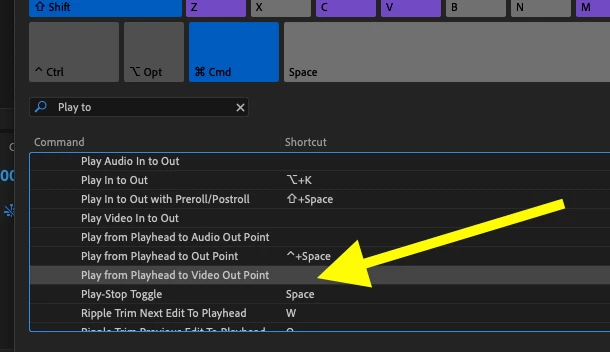
There are commands available from the keyboard shortcuts, Play from Playhead to Out Point (Control + SpaceBar on Mac) and Play from Playhead to Video Out Point (the keystrokes for this are not assigned in the default keyboard shortcut set. You'll need to assign it yourself):
MtD
Already have an account? Login
Enter your E-mail address. We'll send you an e-mail with instructions to reset your password.
 AdChoices