


Inspiring
July 18, 2021
Answered

Preimere pro keeps crashing shorty after starting up

  • July 18, 2021
  • 1 reply
  • 428 views

Hello! 


Im new to preimere. Im editing a video on a new Macbook air that I just bought from the apple store ( 8gpu 500 in something gb). There plently of storage so I dont think that thats the issue. I also dont have any other applications open while working. 


Also under project setting my render is set to "mercury playback engine software only" i saw that that might help but im still having an issue 


I also tried to reset my computer but that doesnt solve it 


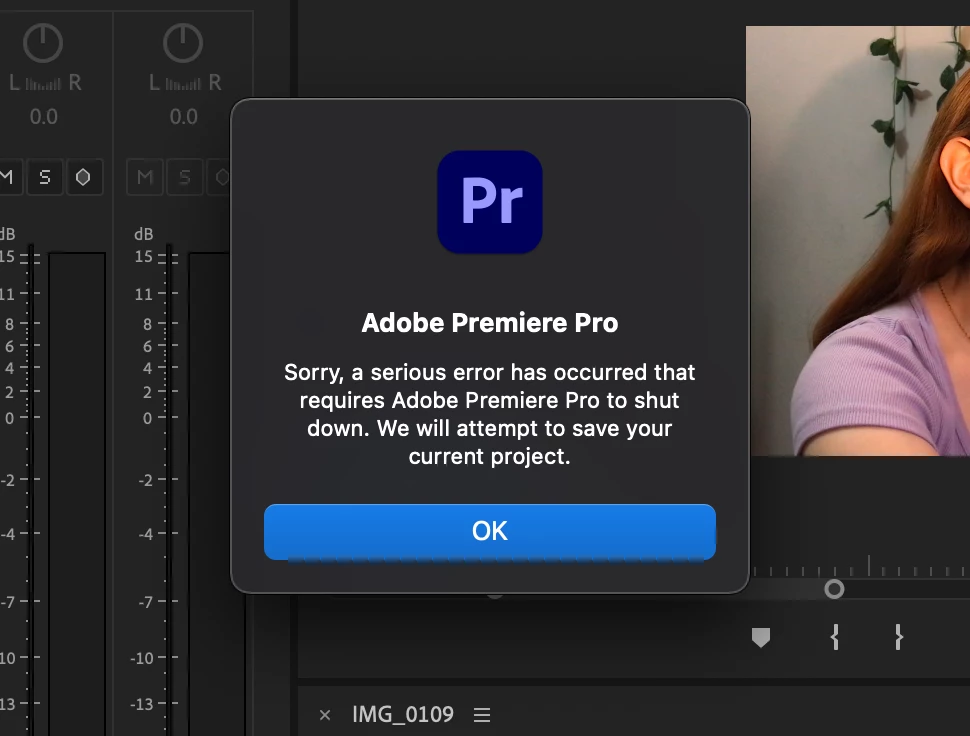
I get this : ( sorry, a serious error had occurred that requires adobe pp to shut down..." So now what. 
-Sara

This topic has been closed for replies.
Correct answer defaultwo682akcromh

That didnt do the trick. 


On PP, I delted the audio area that was giving me the issue. I then opened it in audition and added my effects. Then I saved it and put it back into PP and it hasnt crashed since. 🙂 

1 reply

Inspiring
July 18, 2021

For got to add my computer stats :


Macos Big sur (m1, 2020)

Apple M1 chip

memory 8gb

500gb of storage : 379.19 gb available 

also the whole time line is about an hour and a half long and ive edited 13 mins of it. 


I also noticed that it only crashes when I get up to a certain part of the timeline. This part in particular ( around the 13 min mark ) has audio that was a little messed up so i was trying to fix it with audio affects so maybe that has something to do with it? 

-

Sara


Kevin-Monahan
Community Manager
Community Manager
July 18, 2021

Are you editing with clips from a camera or from a screen capture? If the latter, have you tried transcoding the footage in Handbrake before importing it into Premiere Pro? That can help a lot, Sara. Try it.


Thanks,
Kevin

Kevin Monahan - Sr. Community & Engagement Strategist – Pro Video and Audio
Inspiring
July 18, 2021

Thanks Kevin, 


The 13 mins that I already edited is a mix of videos shot on my phone ( iphone 7 plus) and screen recordings from my phone


The part that keeps crashing  is just videos that was shot on my phone. + audio I recorded on a blue snowball mic. 


I will try your suggestion and get back to you.


Thanks!

-Sara