
Premier Pro CC 13.0.1 problem with audio if cut using Clean Up Noisy Dialogue
Hi.
I have a recently upgraded to Premier Pro CC 13.0.1 and since then I seem to have a problem with audio from a video if the video is cut and I have applied the "Clean Up Noisy Dialogue" option from the Audio menu.
I don't have the greatest setup for recording audio but with a RODE mic into a Canon 60D it has been working wonderfully if I apply the "Clean Up Noisy Dialogue" option from the Audio menu. I do this first when it's still one be audio file.
As you can see below, I then cut my video and the "Clean Up Noisy Dialogue" effect is still applied against each bit of video.
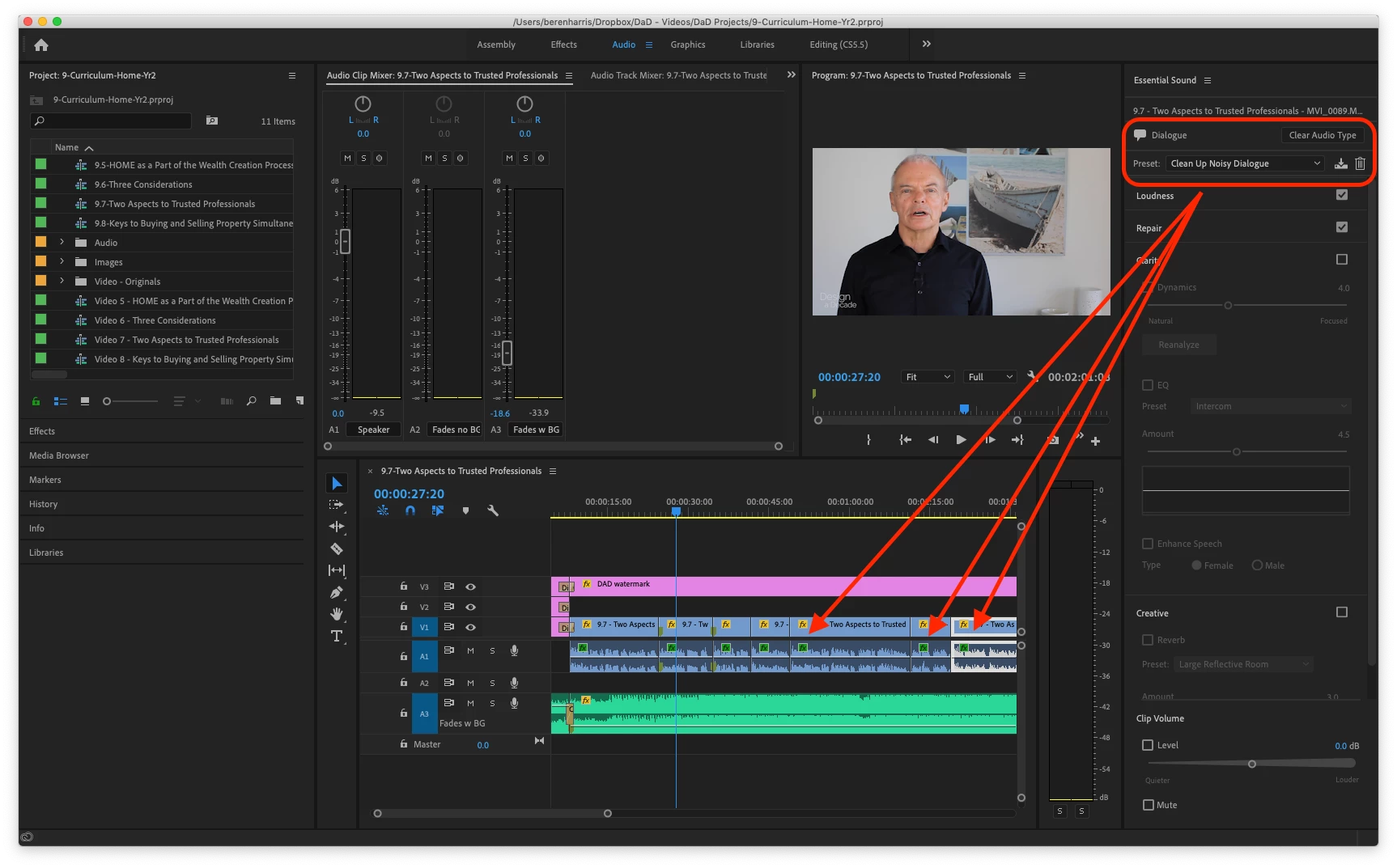
When I preview the file, at the cuts, the audio seems to be muffled (like someone has placed a pillow over the audio) and the gets better again quickly.
It's almost like, because of the cut, the "Clean Up Noisy Dialogue" effect needs to be started again and takes a second or so get going again because the audio does return to normal after a second or so.
Now, this used to happen in the preview before I upgraded the software, but once exported it seemed to all be fixed.
However, since the update it seems to stay muffled at each cut even after the export.
I first tried the export using the new Media Encoder CC version 13.0.1 but then again directly from Premier Pro, both with the same result.
Preview here:
Has anyone had this same issue and how have you got around it?
Thanks so much.
 AdChoices