SFPhoto_smile
Participating Frequently
May 31, 2017
Question

"Premier Pro CC 2017 has stopped working"

  • May 31, 2017
  • 1 reply
  • 939 views

Can anyone help? PLEASE!!!! As soon as I try to do anything post import on Premiere Pro I get a message saying "Premier Pro CC 2017.1 has stopped working" (see screen shot)  I have gone through the whole trouble shooting guide and uninstalled and reinstalled and checked for windows updates but it just doesn't work. Ever since I last updated the whole thing has gone to hell. Can anyone help me because we rely on this software.

Cheers

Susan (PS I'm not back end technical)
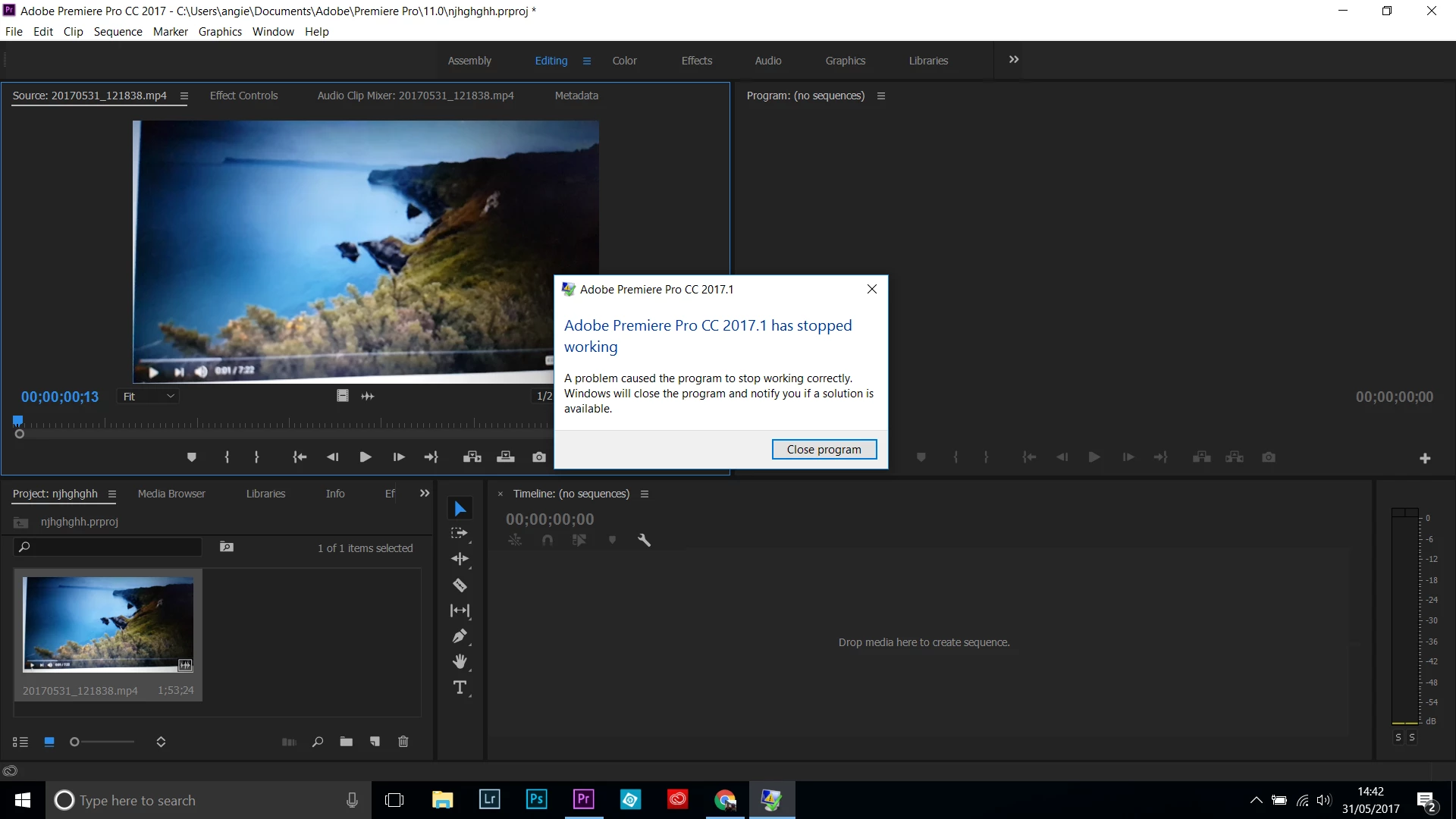
This topic has been closed for replies.

1 reply

John T Smith
Community Expert
Community Expert
May 31, 2017

Do not count on Windows to be fully up to date when it comes to device drivers

Go to the vendor site to be sure you have an updated driver for your graphic adapter

•nVidia Driver Downloads http://www.nvidia.com/Download/index.aspx?lang=en-us

•ATI Driver Autodetect http://support.amd.com/en-us/download/auto-detect-tool

There are also intermittent reports that the newest driver is not always the best driver due to driver bugs or compatibility issues, so you MAY need to try an earlier driver version

or re-install C runtime may help https://www.microsoft.com/en-in/download/details.aspx?id=48145

SFPhoto_smile
Participating Frequently
May 31, 2017

Hi John,

I don't have nvidia drivers as I don't have a geo graphics card thing. I did do the ATI driver update but it didn't make any difference.  The C runtime is telling me it can't download because it already exists. Did I miss something?

Cheers

Susan

Vidya Sagar
Participating Frequently
May 31, 2017

Hi susanf5538698,

Sorry for the issue. It seems like an issue with the GPU driver as suggested by John T Smith. Please try the following step:

In Premiere Pro Menu bar, File > Project Settings > General > Renderer.

Change the renderer to Mercury Playback Engine Software only & try the import.

Please let us know the status of the issue.

Thanks,

Vidya