Known Participant
October 17, 2018
Question

Premier Pro decrease opacity of avi. file

  • October 17, 2018
  • 1 reply
  • 501 views

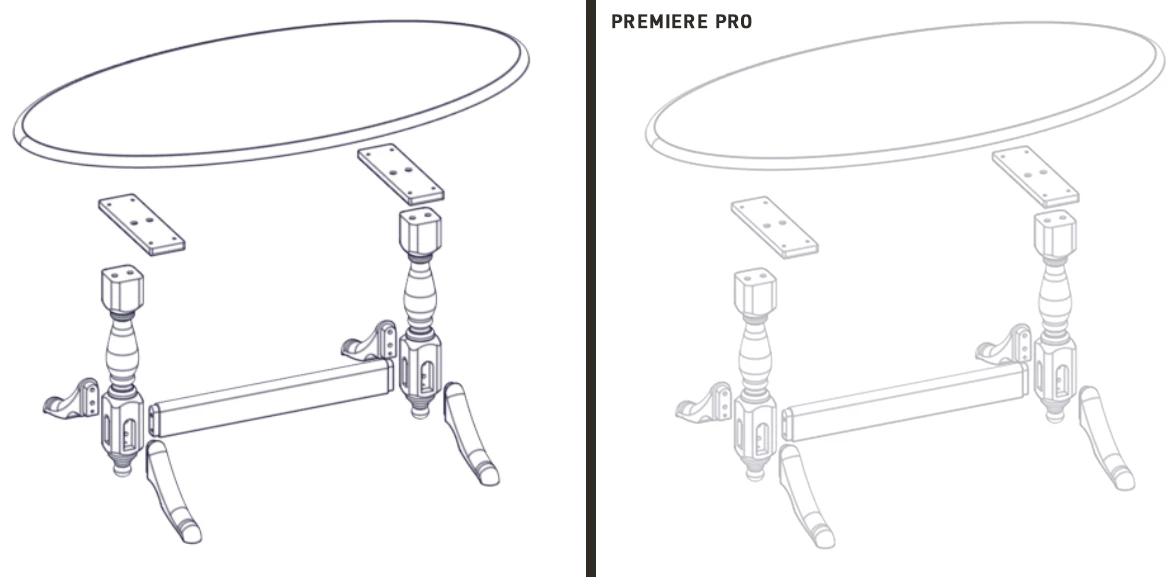
I have the Premiere Pro CC 2015 and when I insert the video avi file (exported animation from Solidworks software which video player show without problems), Premiere decrease the opacity of whole video and lines are not 100% visible, see the image below. Does anyone know what the problem is?
    This topic has been closed for replies.

    1 reply

    Participating Frequently
    October 17, 2018

    What are the dimensions of the .avi, such as 1920x1080 pixels?

    Do the Sequence Settings in Premiere match the resolution of the source video? As your video has very thin lines/fine detail, if the resolution gets reduced that is going to affect the quality.

    Thanks

    Jeff

    Known Participant
    October 17, 2018

    The dimensions of avi file are twice less then Premiere Sequence Settings and maybe that's the reason.

    Thanks Jeff for answer.

    Participating Frequently
    October 17, 2018

    If you'd care to share the specs of the source file, and also how you intend to delivery final video, perhaps I or others can help suggest a workflow that would improve or maintain the image quality better.

    Right-click the source clip in Project bin and select Properties and share an image or text with us

    Thanks

    Jeff