
Premier pro doesn't preview and maxes out CPU0, what to do?
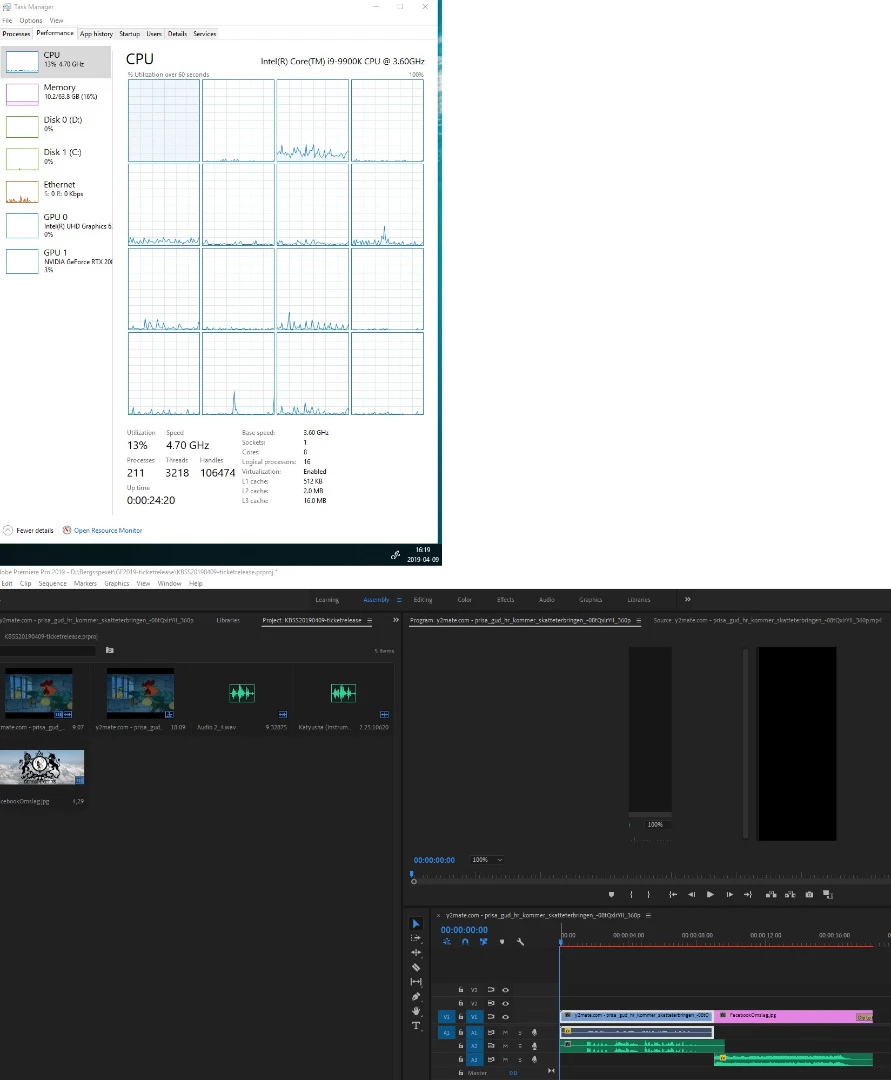
Hi, adobe premier is not working in any useful sense of the word for me. I think the screenshot tells most of what has to be said. I went through adobe support and none of the basic things they advised helped at all. (reinstall, update, delete cache, set mercury render to software etc.)
What you can see in the picture is that the preview isn't working (sound plays tough) and Premier has maxed out CPU0. It maxes this out even nothing is supposed to be happening. Closing the program the normal way doesn't affect anything, one have to end it in the Task manager to rally get it off if closed. And only then will it ease up on CPU0.
It does this for newly started projects as well, and it seems like the same problem occurs in After effects and Premier Rush. So I guess it might be some common feature they are using. PS; All my system drivers are up to date even the one for the graphics card: Nvidia GeForce RTX 2080.
After four hours of searching for solutions I haven't got a clue of what to do from here.
 AdChoices