melodiek1999
Participant
December 5, 2016
Question

Premier Pro No Clip Image

  • December 5, 2016
  • 1 reply
  • 490 views

Hello

I have a HP pavillion laptop and the only visual I can see is a white screen instead of the clips i have imported when using premier pro. I am using the free trial. This is what is looks like
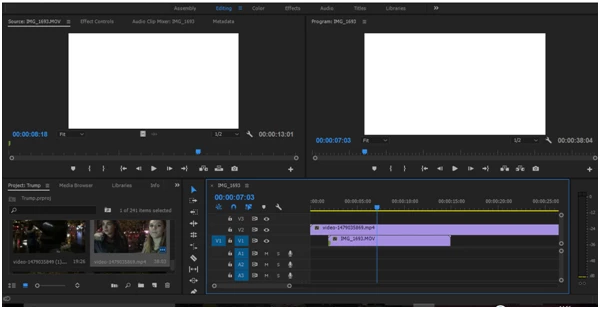
    This topic has been closed for replies.

    1 reply

    Vidya Sagar
    Participating Frequently
    December 5, 2016

    Hi Melodiek,

    The issue might be with GPU renderer. To corner the issue, just for test, Change the renderer to Mercury Playback Engine Software only & test.

    Instructions:

         [File > Project Settings > General > Renderer,

         Change the Renderer to Mercury Playback Engine Software only > Click OK,

         In Video Rendering & Playback Settings Changes window click on Delete Previews ]

    Please let us know the status.

    Thanks,

    Vidya Sagar.

    melodiek1999
    Participant
    December 6, 2016

    thanks for your help I managed to get the images visible! However now I can't get audio from each clip, most of the time I find I am unable to even add to the audio (A1,A2 ETC) timeline

    Any more advice??

    Mel

    Vidya Sagar
    Participating Frequently
    December 6, 2016

    Hi Melodiek,

    Check the Enable the Source Patching for the Audio tracks.

    Help article: Patching source sequences in Premiere Pro

    If source patching is greyed out when the clip is selected in project panel, Clear the Media cache & reimport the files again.

    Help Article: FAQ: How to clean media cache files

    Thanks,

    Vidya Sagar.