This topic has been closed for replies.

4 replies

Warren Heaton
Community Expert
Community Expert
July 30, 2024

Did you try running Scene Detection before Auto Reframe?

Participating Frequently
July 30, 2024

I think whatever the problem - it's something to do with processing power - ultimately I chopped the file into three even chunks and that resolved it - Not ideal - but a workaround for the moment. Curious to work out why it suddenly stopped working mind you 

Ishan Y
Inspiring
July 30, 2024

Will it be possible for you to collect your project and share it with me through a private message? I can try to reproduce the issue on my end. Hopefully we can figure out what's causing it.


Thanks,

Ishan

Please tag me (@) in your replies so that it notifies me and helps me respond promptly.
Community Expert
July 29, 2024

You may want to try going into preferences and clearing the Media & Disk Cache.

Participating Frequently
July 29, 2024

Thanks for this, I did have a try at both Cache clearing options, but with no joy!

Ann Bens
Community Expert
Community Expert
July 29, 2024

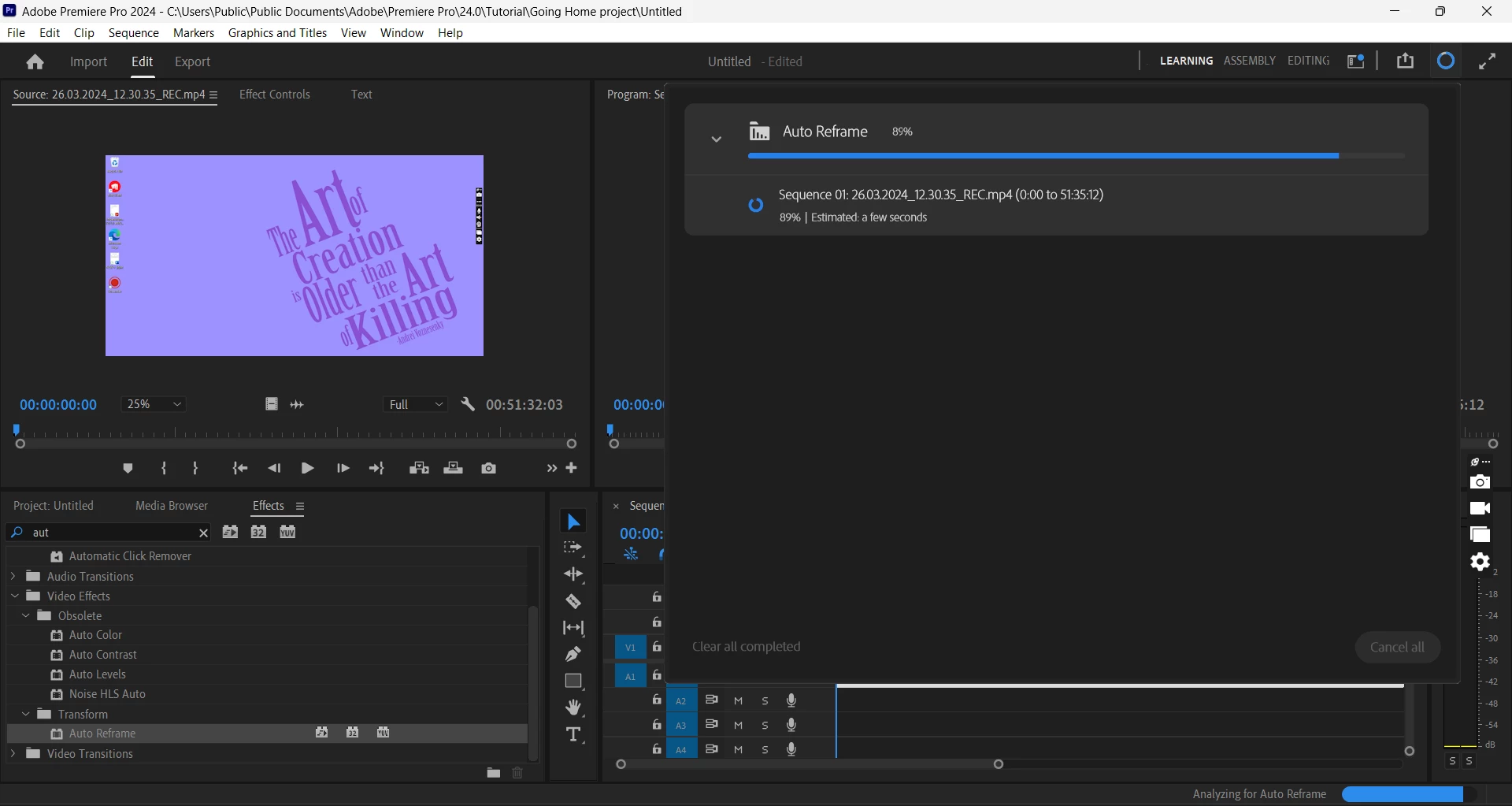
Looks its stuck on the background rendering.

Peru Bob
Community Expert
Community Expert
April 3, 2024

What are the complete computer specs, including hard drives (how many, what kind, what is on each, what capacity, and how full)?

If NVIDIA graphics, make sure to use the latest Studio Driver from NVIDIA (NOT the Game Driver).

Participating Frequently
July 29, 2024

Not OP but identical problem - freezing at 89%


Latest NVIDIA Studio update installed 


Specs 


Windows 11 64 bit
Intel(R) Core(TM) i7-9750H CPU @ 2.60GHz 2.59 GHz
32.0 GB Ram


Participating Frequently
July 29, 2024

Two hard drives one with 79GB free one with 54GB free