
Participant
April 9, 2022
Answered

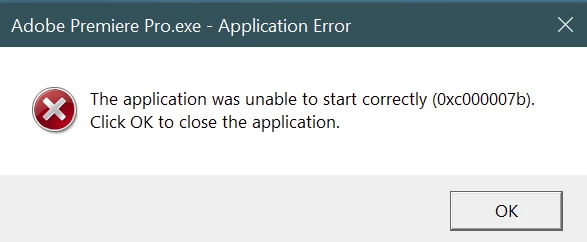
Premier Pro won't start - gets a 0xc000007b error

  • April 9, 2022
  • 1 reply
  • 2651 views

So far I've uninstalled and reinstalled Premier Pro, checked for system updates (64-bit Win10), and run chkdks. And in all that, probably rebooted 6 or 10 times.

The only "clue" is that I noticed an Adobe Creative Cloud update was installed yesterday and this started happening today. (I didn't use Premier Pro yesterday but did the day before and it worked fine.)


Anyway..... Help!


This topic has been closed for replies.

1 reply

Participant
April 10, 2022

Thanks Jeff, your link sort of led me to the correct solution.

One of the posts addressed the problem being related to a missing file, msvcr110.dll. Following the guidence it contained, I first reinstalled Adobe CC (twice) and that didn't fix anything.


Then, I went looking for vcredist_x64.exe. I didn't find it in the places suggested in the article but did find a bunch of different versions elsewhere in my Adobe directory tree. I ran them in turn, selecting the "Repair" option, until Premier Pro started successfully. (The one for C++ v 12 did the trick.)


Jeff Bellune
Legend
April 10, 2022

Thanks for posting back with your results!