
Inspiring
August 4, 2016
Answered

Premiere 2015.4

  • August 4, 2016
  • 8 replies
  • 11626 views

I must be living in the future, because today I updated Premiere on another computer, and instead of getting 2015.3 I got 2015.4...
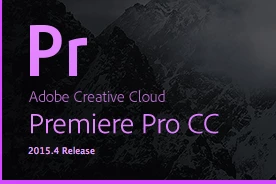

 

But I don't know if this is a bug or if someone at Adobe is fooling around... because the version is still 10.4.0 (which is 2015.3) and it installed itself in a folder called 2015.3.

Out of the 5 billion pages on the internet, there are zero mentions of Premiere 2015.4, so I couldn't find what its new features and bug fixes should be, particularly since it seems to be a nonexistent version.

    Correct answer Ann Bens

    You downloaded the latest release which is: 2015.4.

    Its an update, all kind of bugfixes, for 2015.3.

    8 replies

    joannec29461788
    Participant
    December 12, 2016

    We use 2015.4 in class, but at home, I have Adobe Creative Cloud with the 2015.3 installed. I brought my laptop in and both my professor and I looked thru previous versions/updates for the 2015.4, (so that I can use it at home) for some reason, when we updated it, it updated to the same version of 2015.3. Is there another way to find the 2015.4 version to update to at home?

    R Neil Haugen
    Legend
    December 13, 2016

    They did such a good job of making the 10.x builds a puzzlement.

    2015.0/1/2/3 were 9.x builds.

    2015.3/4 were the two 10.x builds. "2015.3" was the name for the two builds of that series ... like in the past, we had CC, then CC2014, right?

    So ... check the "Help/About" dialog box. If it updated to 2015.4, you'll see it there ... but at the top of the menu bar, it will still show as "2015.3".

    Then, with the first 11.x build, they went back to naming for a specific year ... this time, 2017.

    Clear as mud?

    Neil

    Everyone's mileage always varies ...
    Life in Digital
    Participating Frequently
    December 11, 2016

    2015.4 is HORRIBLE! It crashes on me almost once an hour, if not, every 30 minutes. -.- Stay away from it!

    R Neil Haugen
    Legend
    December 11, 2016

    It depends on so much that it is frustrating at times. For many of us 2015.4 was better than 2015.3. For some of you it is an awful experience.

    I'm hoping they can get oak build more stable with a wider array of users with what comes after 2017.1.

    Neil

    Everyone's mileage always varies ...
    DrewPostAuthor
    Inspiring
    August 5, 2016

    Ok, the real version numbers are correct (10.3, 10.4 etc.) but the "public" version numbers are mismatched between the software and the documentation; even the link that Peferling found is "Premiere 2015.3 (10.4)". The UI devs thought that 10.4 is called 2015.4, but no one else in the team got the memo...

    shooternz
    Legend
    August 5, 2016

    Just like "driver" versions this is an example of how mind f__king software versions are to actual users.

    Who is in charge and what is the reason behind this?

    I blame feature creep driven by geeks looking for their code  "dot fame" and a total mis understanding by their bosses who are all accountants and non users looking for profit and confusion to get there !

    Participant
    August 5, 2016

    One fix is; 2015.3 wrote an incorrect registry key not allowing premiere to be included in registered programs. So you could not run it from a shortcut (without re-writing the registry key yourself.)

    Legend
    August 5, 2016

    I had no trouble running .3 with a desktop shortcut I created.

    R Neil Haugen
    Legend
    August 4, 2016

    The 2015.3 version was actually build 10.3 ... while the 2015.2 version was 9.x ... which indicates that realistically, 2015.3 ​should have been 2016, but ah well ... and yes, 2015.4 is a new build.

    Neil

    Everyone's mileage always varies ...
    Inspiring
    August 5, 2016

    I always thought it was dumb to come out with a new year in June when we're already half way through that year. Typically the video/audio app updates have been happening in Jan/Jun/Oct/Jan - bug fixes in between. If memory serves this has been the trend the last few years with the CC model.

    I theorize that Adobe skipped the "2016" label with the 2015.3 release so when they roll out their Jan updates in Jan 2017 (as they have historically done since the CC model), they will rename that to 2017 so it's 2017 for the entire year, not just a few months before we're into another new year.

    Just my guess.

    Inspiring
    August 5, 2016

    Replace with After Effects Composition is ignoring Cross Dissolves when the clips are sent to Ae.  Is this normal behavior, or a new "feature?"

    Ann Bens
    Community Expert
    Ann BensCommunity ExpertCorrect answer
    Community Expert
    August 4, 2016

    You downloaded the latest release which is: 2015.4.

    Its an update, all kind of bugfixes, for 2015.3.

    Participant
    September 10, 2016

    I'm scouring the internet trying to find this version, the only available update on Adobe is 2015.3, which for me is incredibly buggy and slow. Do you have a URL for 2015.4? My creative cloud think's 2015.3 is the most recent update.

    Ann Bens
    Community Expert
    Community Expert
    September 10, 2016

    Sign out.

    Restart computer

    Sign in and try again.

    And make sure you have the latest CC app (3.8.0.310)

    Community Expert
    August 4, 2016

    Perhaps they use this version for editing Dr Who