


H Belz
Participant
July 29, 2015
Answered

Premiere 2015 - How to remove auto LUT from multiple master clips?

  • July 29, 2015
  • 2 replies
  • 36659 views

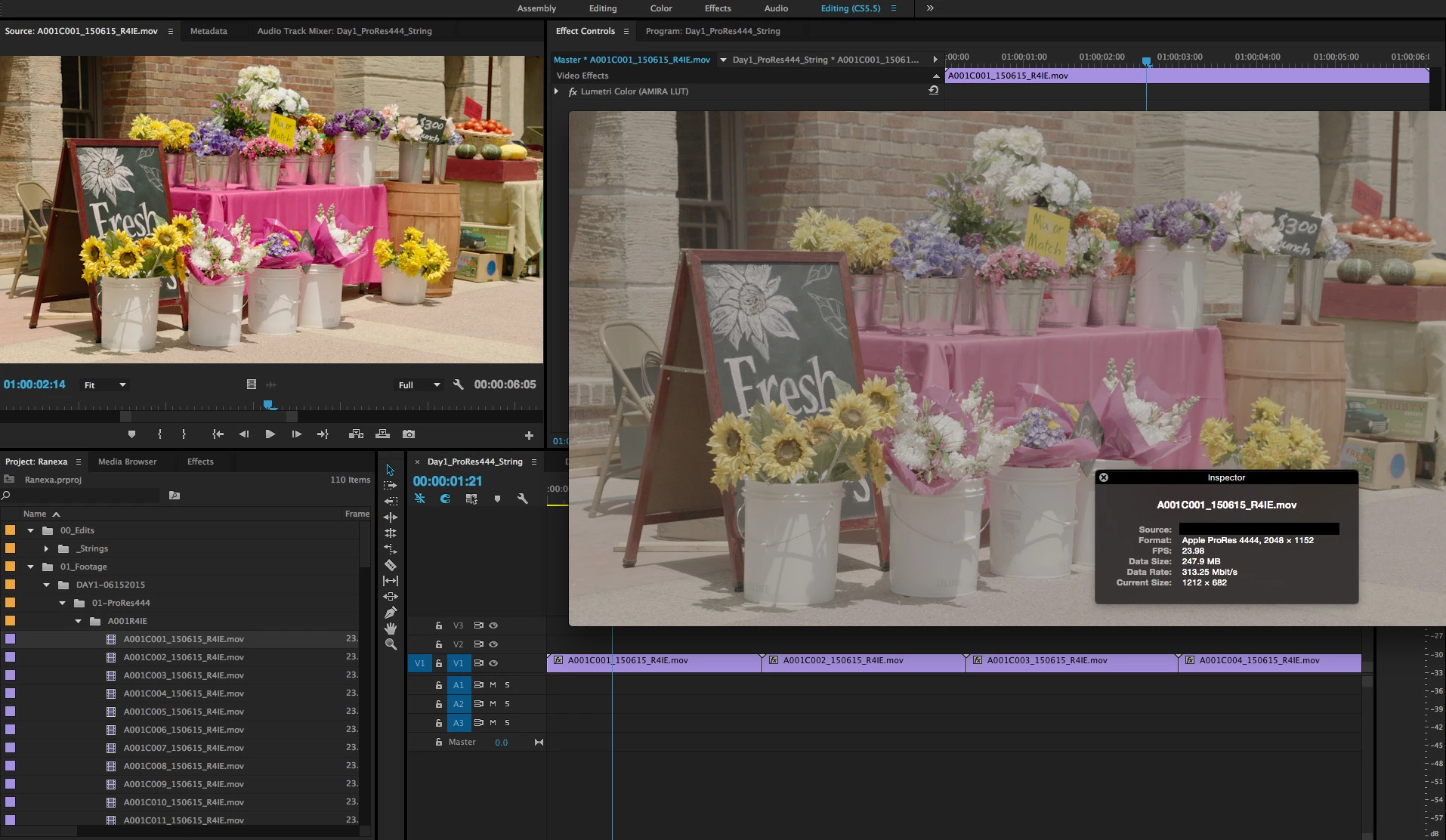
I have 3 days of footage shot on the Amira. Premiere automatically puts a LUT on the master clips when the footage is imported. I do not want a LUT to be applied automatically to the master clips. I have tried the "Disable Masterclip Effects" but this does not work! The "Disable Masterclip Effects" worked in 2014 but it does not work in 2015. I have to load each master clip individually into the source monitor, go to the effect controls panel and remove the Lumetri Color effect that has been applied. This is not feasible with days worth of footage.

Is it possible to remove the LUT from all of the master clips at once?

Is it possible to disable Premiere from automatically applying the LUT in the first place?

This is a big issue and Premiere should not be applying LUTs to master clips upon import. At the very least, this should be an import option and not done automatically.
This topic has been closed for replies.
Correct answer PaulMurphy

I had this exact same problem working on a feature film. Here's a quick and easy fix:

Amira LUTs and project bloat — The Premiere Pro

2 replies

Participant
October 27, 2020

For anyone who's still looking for the solution in 2020 like I did (frustratingly) -


1. Select the clips in the Bin(s)

2. Right-click, then Select Disable Masterclip Effects


You're welcome.


Premiere Pro V14.3.0 (Build 38)

Ann Bens
Community Expert
Community Expert
October 27, 2020

FYI we are now on 14.5.0 (build 51)

Participant
October 27, 2020

my bad, this issue has been resolved in 14.3.0?

Kevin-Monahan
Community Manager
Community Manager
July 29, 2015

Is it possible to remove the LUT from all of the master clips at once?

Hi H Belz,

I was able to do so by selecting the clips in the Project panel, then right click to choose > Disable Master Clip Effects

Is this not working with your project? Did you update your software to Premiere Pro CC 2015 (9.0.1)? We had an update on Monday.

Thanks,
Kevin

Kevin Monahan - Sr. Community and Engagement Strategist – Adobe Pro Video and Audio
Participant
August 27, 2015

A related problem— I can disable the Master Clip Effects on all of our Amira media, but is there a way to actually REMOVE the effect from the master clip? We've tried selecting the effect and hitting delete, but the effect stays on the clip. This is a problem because the project file from a multi-day shoot ends up being 275 MB because of all the unnecessary effects applied. It's way heftier (and takes MUCH longer to save) than the 30 MB projects we usually deal with.

We would like the ability to remove master clip effects. Is there one?

PaulMurphyCommunity ExpertCorrect answer
Community Expert
September 2, 2015

I had this exact same problem working on a feature film. Here's a quick and easy fix:

Amira LUTs and project bloat — The Premiere Pro