
Premiere 2023 Media Browser No Longer Combining XDCAM-EX Clips
Hi! I wanted to ask if had anybody had a solution to a problem I've been having since recently updating to Premiere Pro 2023. Currently I am using Version 23.1.0 (Build 86) on a 2023 Mac Studio M2.
Essentially, the XDCAM-EX footage I am working with is stored into split clips of about 13 minutes each when viewed in Finder (i.e. 653_0529_01, 653_0529_02...), so a 1 hour video would have around 5 of these subclips, etc. When I used to import this footage into Premiere using the media browser, I would select the "XDCAM-EX" directory viewer (the eye symbol), and each of these 13 minute segments would be combined into 1 large clip (just called 653_0529, for example) that ran for the length of the recording.
Now, however, when I follow this same process, I still see one clip (653_0529), but it will only be the 13 minute segment 653_0529_01, thus, the rest of the video content is not there. If I instead change the directory viewer to the "File Directory" setting, I am able to then access the rest of the video content, but it will treat each segment as its own clip which I have to import into my project. All of the content is there, but sometimes the transitions between these clips will be a little jittery and regardless having to edit a long video as seperate segments makes things a little tedious.
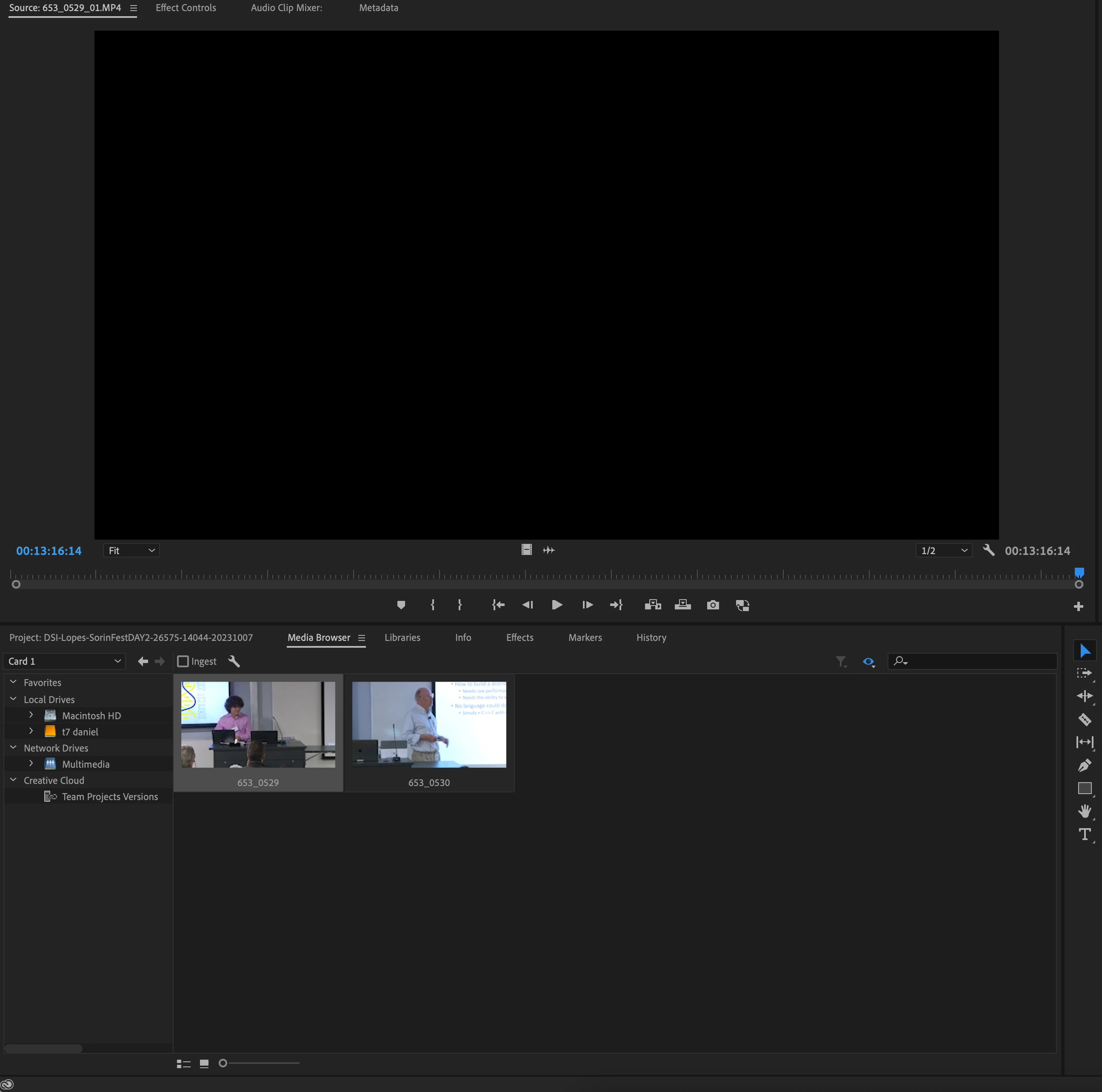 This is a visual image of what I mean, as you can see the clip in the media browser is labelled 653_0529 but when I double click it to move it to the source window it's only 13 minutes and is labelled 653_0529_1.
Currently the solution I am using is to just put all of those clips individually into a multicam sequence and then use that sequence as a "combined clip", but this feels like an unneccesarily convoluted step to me and makes the workflow a bit annoying. I am also aware that probably the easiest thing to do would be to just combine those clips in some external software but having it all be on Premiere does just save the one extra step which is helpful.
Let me know if anyone else has this problem or has a fix to this! It's a very small thing but especially when editing a multi-hour recording it compound and make things more difficult quite quickly.
 AdChoices