


Participating Frequently
February 20, 2026
Answered

Premiere 26.0.1 not support UXP Developer Tool ( No applications are connected to the service. Make sure the target application is running and connected to the service)

After installing Premiere Pro 26.0.1, I tried running my UXP plugin using UXP Developer Tool, but it fails to load.

I get the following error message:
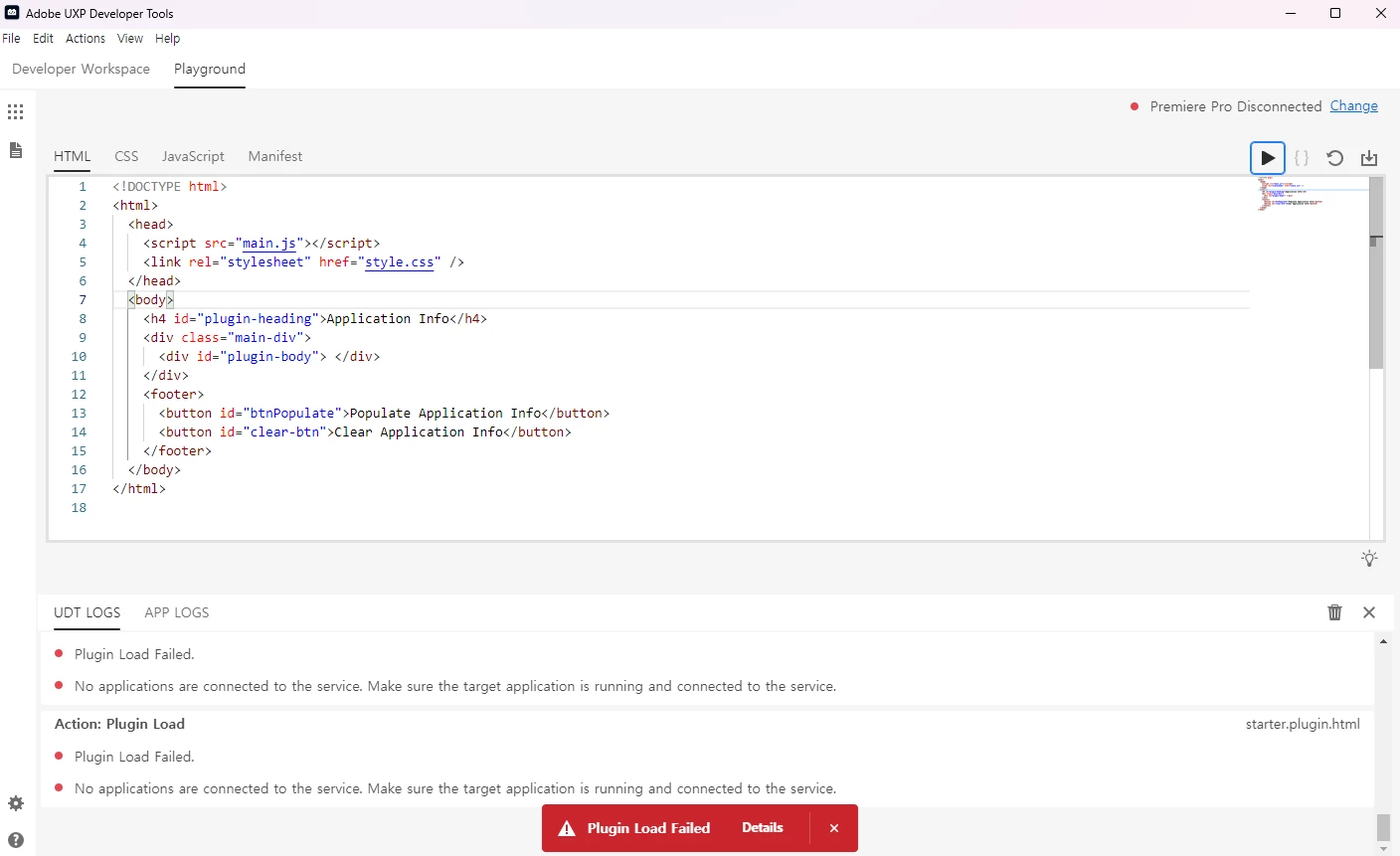
The plugin does not run at all.

Before upgrading, it was working properly in the previous Premiere version.
Premiere 25.6.2 Version is OK

    jamieclarke
    jamieclarkeCorrect answer
    Community Manager
    February 20, 2026

    Hi ​@gwang heih87095946 - Can you check your Preferences under Plugins and make sure the “Enable developer mode” is checked

    4 replies

    Asmworks
    Participant
    April 6, 2026


    BUT IN THIS VERSION NO “Enable developer mode”  WHAT CAN I DO 

    Translate
    jamieclarke
    Community Manager
    Community Manager
    April 6, 2026

    Hi ​@Asmworks - Navigate to your Preferences > Plugins in Premiere and make sure the “Enable developer mode” is checked

    Translate
    jamieclarke
    Community Manager
    jamieclarkeCommunity ManagerCorrect answer
    Community Manager
    February 20, 2026

    Hi ​@gwang heih87095946 - Can you check your Preferences under Plugins and make sure the “Enable developer mode” is checked

    Translate
    Participating Frequently
    February 23, 2026

    Thanks for your help

    Translate