Premiere audio files sound different to each user in a shared file.
Hello! I am having this issue with Premiere and Dropbox and hopefully, someone will be able to help.
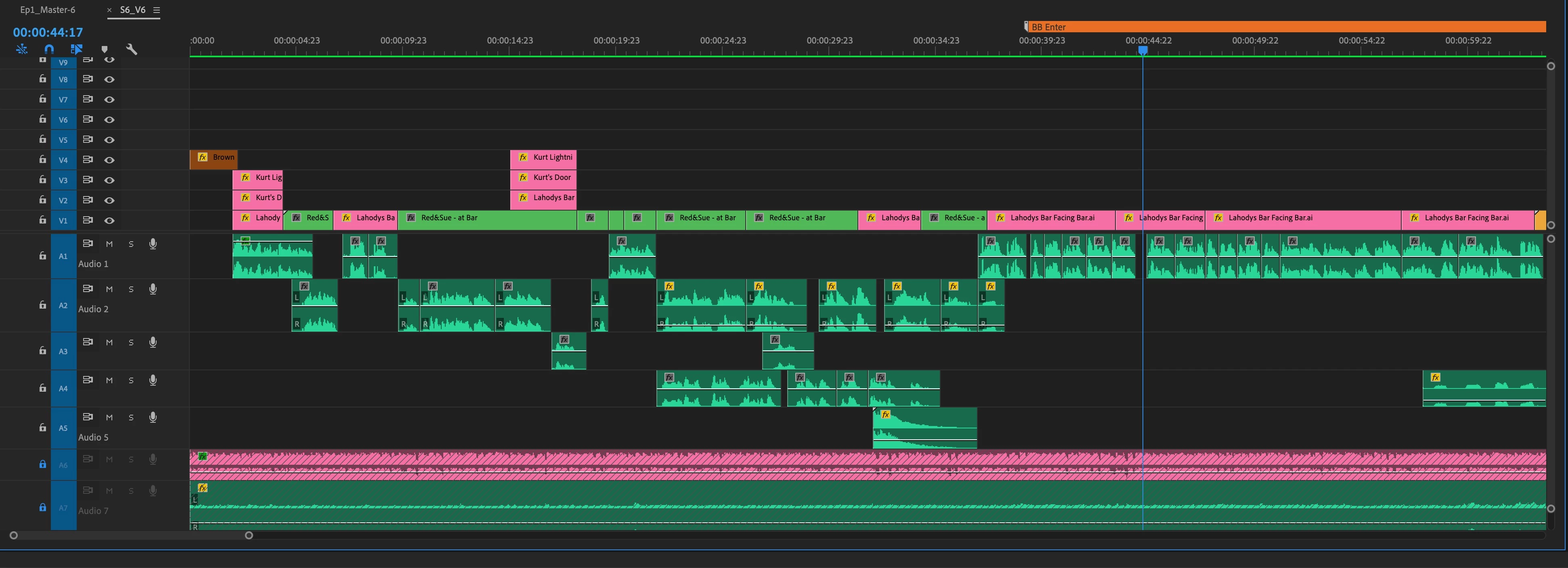
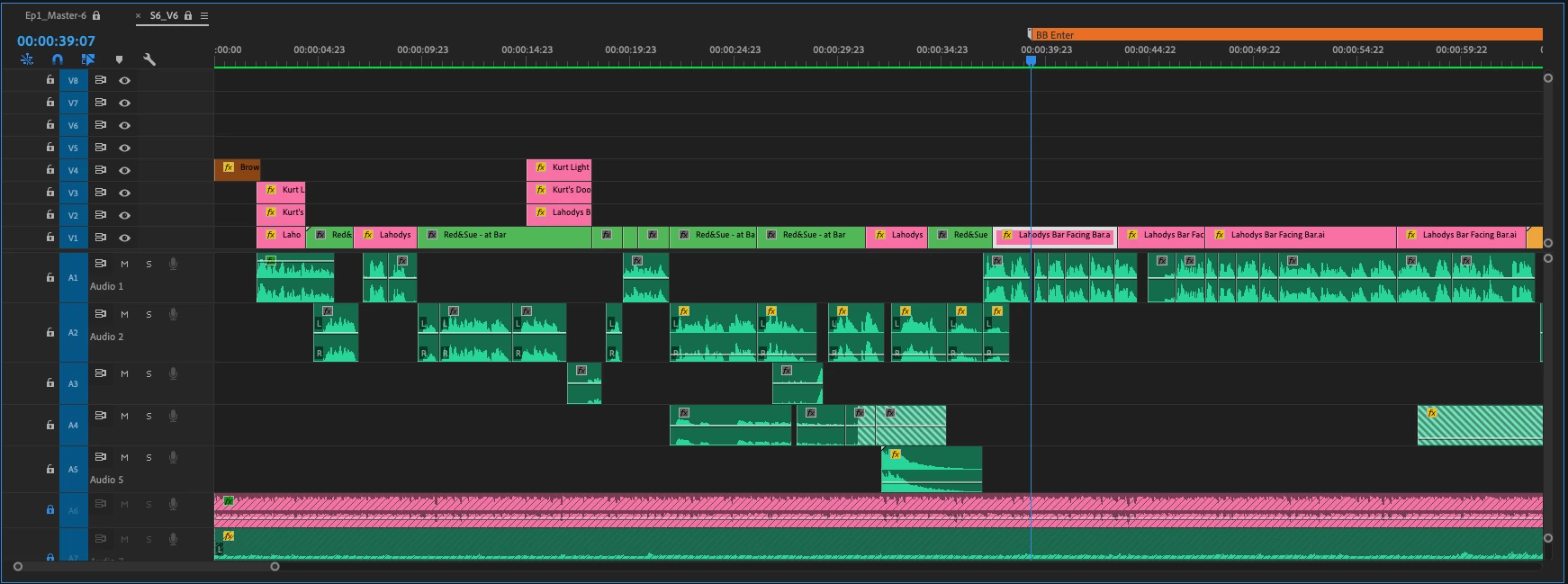
A friend and I are making an animated cartoon show with many scenes and characters. Below you'll find some facts to give some perspective, as well as the attached screenshots to visually describe the issue:
- The total premiere file size for one episode is about 6.5MB.
- We both have really nice Macs and fast enough internet
- We usually aren't working in the file when the other person is. We've gotten to locking the files down just in case to prevent any weird issues from taking place.
The issue we're having is that when I open up the premiere file in question, there is audio that he recorded elsewhere in the file that is all of a sudden in a scene it wasn't intended for. Not only that, but certain premiere-recorded audio has some missing information, indicated by the slanted green lines.
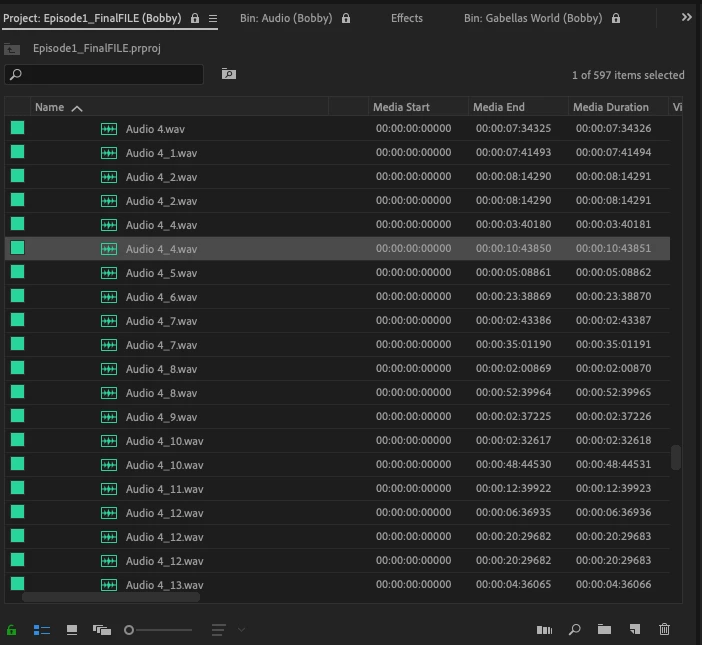
I checked the audio files in the project window and we noticed a bunch of duplicate audio file names (see last photo below). We ran a test with each Audio 4_4 from each of our computers and the first Audio 4_4 matched up for both of us, but the second did no.
It seems like Premiere is looking at the wrong source for some of the audio files. That is all I know! If anyone can help that would massively be appreciated. Thanks!
Screenshot of duplicate audio files:
 AdChoices