
Participating Frequently
May 8, 2023
Question

Premiere Audio Mapping issue(Can't 5.1, it only working Stereo)

  • May 8, 2023
  • 2 replies
  • 1119 views


i have Logitec 5.1 audio speaker and MAYA U5 external Audio card.

it was been working well, before.


but after one day, it dosen't work 5.1 speaker in Premire pro. it can only stereo.


in another applicaiton and another PC, MAC... in there, 5.1 speaker working perfect.

i did test so much, but i can not figure this problem out.
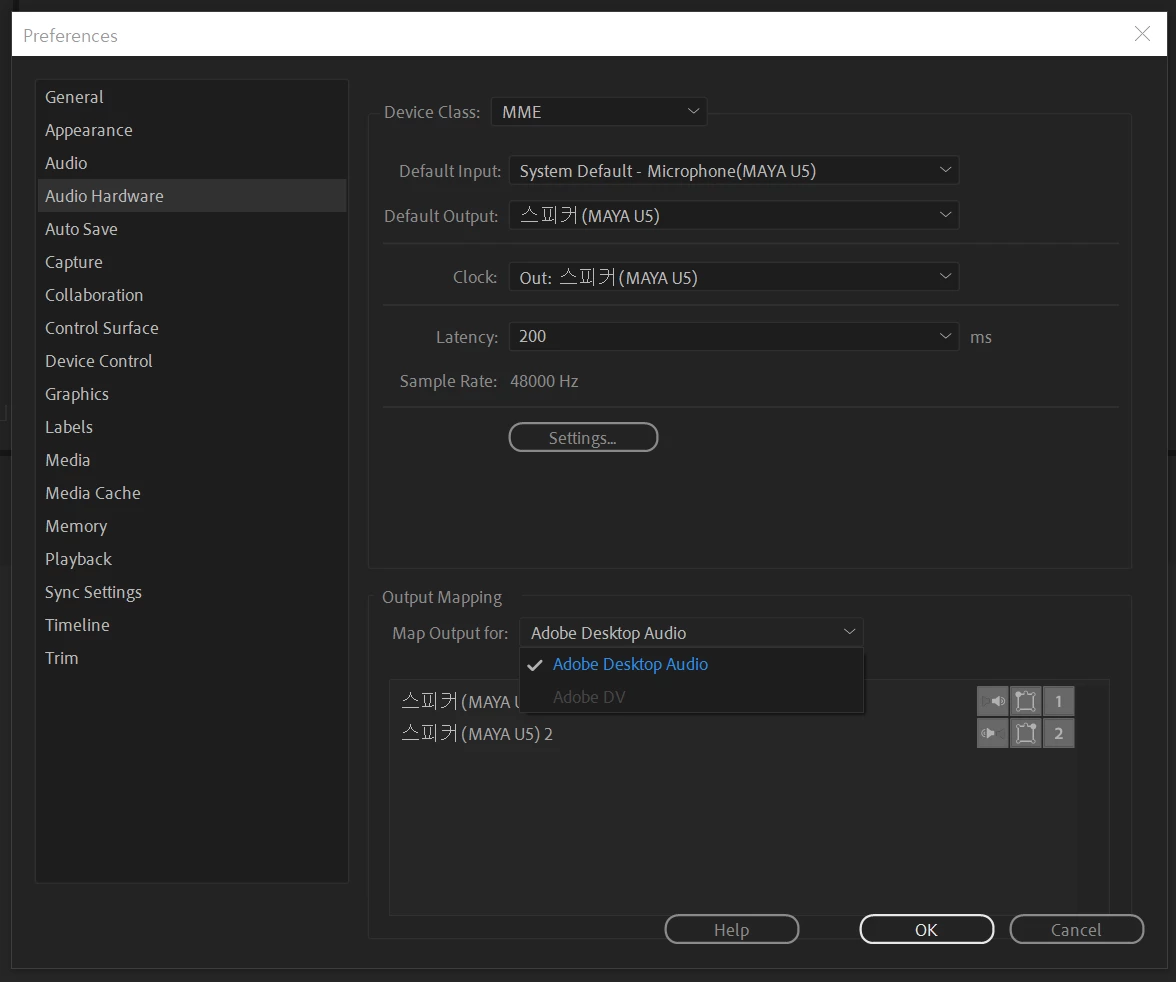


in above photo, there is only stereo speaker available in "Output Mapping" section(Preference - Audio Hardware.
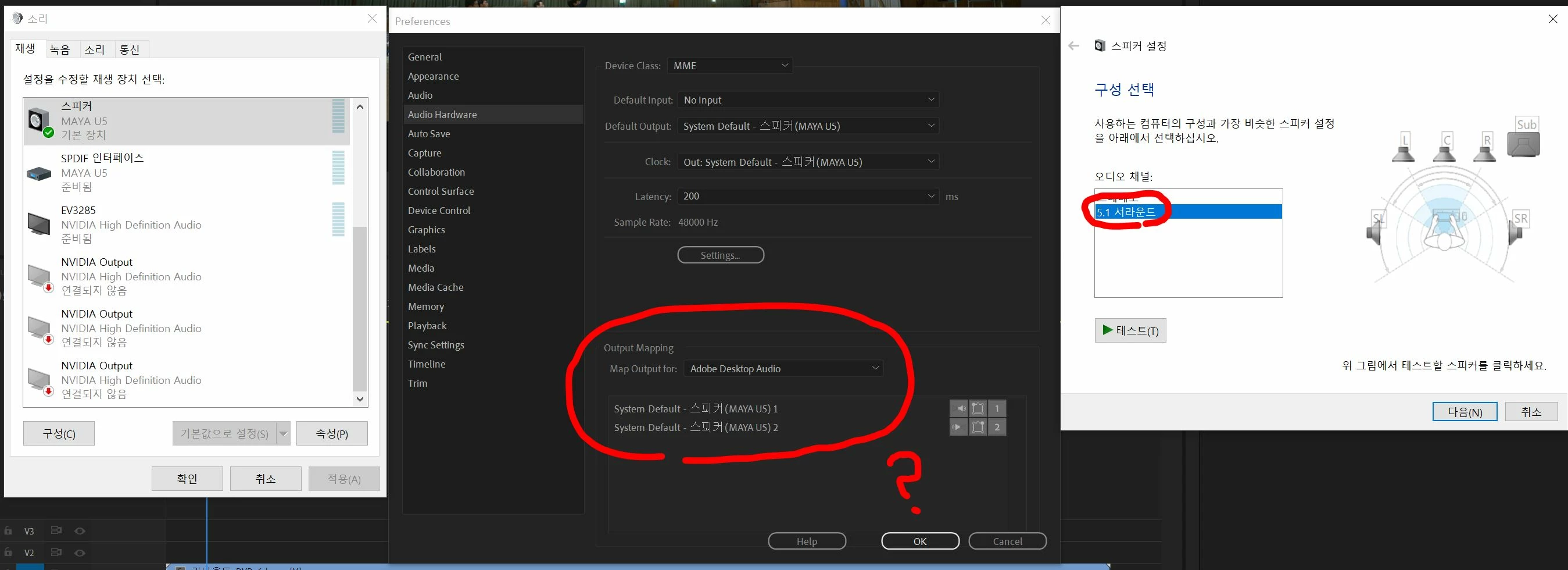


please look closely above photo, i check the Windows Speaker Settings and chooes it to 5.1 Surround. i did speaker test and it work well in another application. but, i entere the Preference - Audio Hardware, as you can see there is no option for 5.1 Surround speaker mapping.


it make me frustrate... please help me.


This topic has been closed for replies.

2 replies

neil wilkes
Legend
May 9, 2023

What is the make & model of your audio device or chip?

Are you sure it is supposed to use MME - can you try seeing what other options you have by clicking on the little down arrow to the right of 'Device Class' where it currently says MME - there will be better options in there. If you can take another screenshot & give the info above I will look into the right setup for you.

But I will wager the Device Class setting is wrong.

Participating Frequently
May 10, 2023

https://www.head-fi.org/threads/maya-u5-external-sound-card-and-dac-fantastic-vfm.574161/
1. i use this audio card.

2. there is no option for MME.

3. what can i provide screenshot for you? please suggest to me...
you mean, it is likely to not about audio card driver update?... please help me...


Community Expert
May 8, 2023

try to update your device drivers

Participating Frequently
May 9, 2023

thanks..