Participant
June 24, 2021
Answered

Premiere Captions 15.0 cutting off descenders

  • June 24, 2021
  • 3 replies
  • 1762 views

Hey,

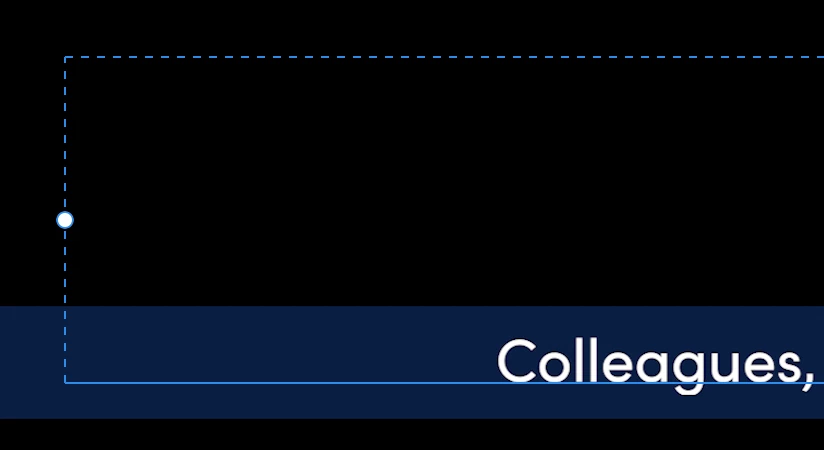
  I am creating captions within premiere and the descenders on the 'g' are getting cut. Any ideas? I don't think it's the bounding box, because they descend below that fine. 

This topic has been closed for replies.
Correct answer karaleeg0419551017

Puzzling!


I would test also by creating regular text and move it to the same location. Is that cut off?


I'd also be curious to see a larger screenshop with that section of the timeline, with Text Panel, Essential Graphics, and Program Monitor.


Stan


Ok. So my colleagues (haha) and I have figured it out. I think it is a padding issue or a Mac padding issue. 

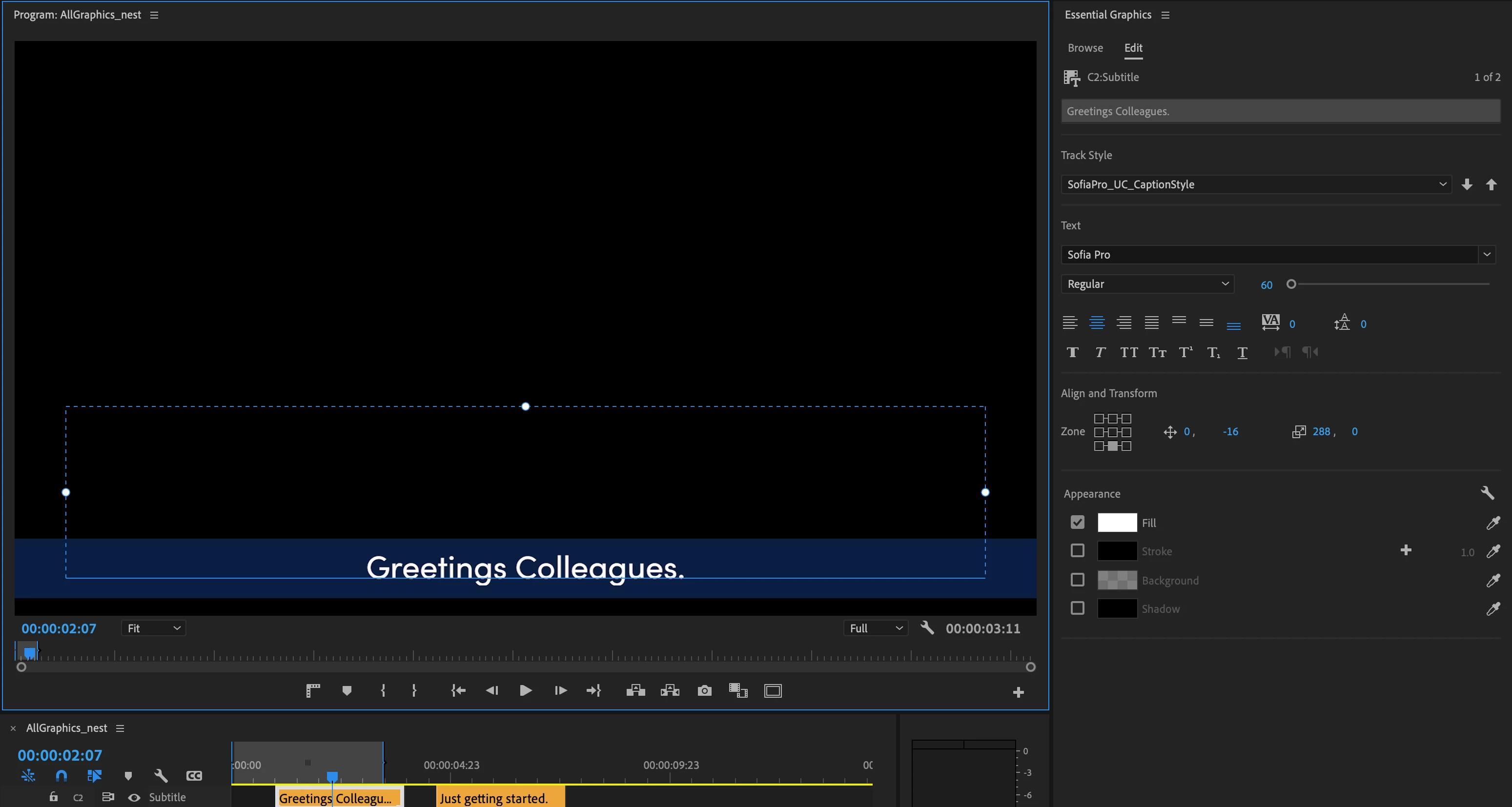
My original state: I had Sofia Pro Regular size 60, *bottom align text*,  centered but bumped up by -16p vetically and I made the caption box as wide as I could for longer phrases.
 

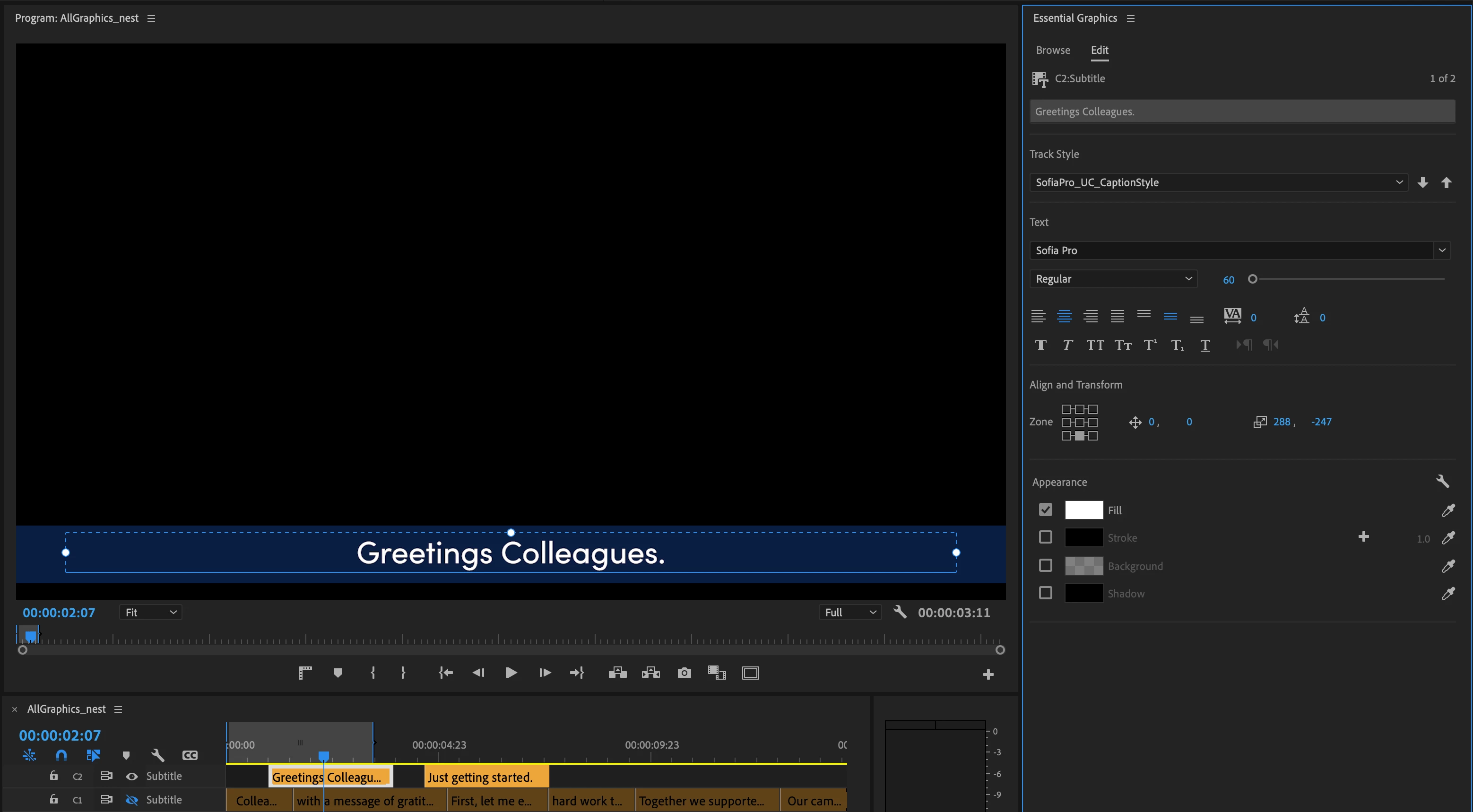
Fixed state: I kept everything the same except I made it *center text vertically*, and then zerod out the vertical position. Then I downsized the bounding box size to move my text back down to the bottom of the screen (-247 vertically) without my 'g' going bellow the bottom of the box. 
 

Maybe that will help someone in the future. It was not a font problem. I also tried Helvetica and it did the same thing.

3 replies

Participating Frequently
August 4, 2023

This is 2023 and I am having the same issue with a PC, so not a Mac only issue. Strangely it only seems to happen when my font size is at an odd number (81 had it, but 80 didnt). So it might have something to do with how the vector of the text is visualized along with the pixel position and overall resolution in relation to the visible "padding" of how many pixels are visble beyond bottom of the text bounding box.


Obviously I have no actual idea, but just spitballing here.

Stan Jones
Community Expert
Community Expert
August 4, 2023

Thanks for posting. I am not seeing the problem in Win10 PR 23.5.0.


To confirm, you are on PR 23.5? And the bottom of descenders is flattened? Screenshot?


Stan


Inspiring
June 25, 2021

Had this exact same problem  - however desending 'g's only appeared cut prior to rendering or export.

Once rendered the 'g's were fine

So preview render (if you haven't already) and see if the problem goes away.

Participant
June 25, 2021

Thanks for the tip! It did still cut off my "G" sadly. 

Stan Jones
Community Expert
Community Expert
June 25, 2021

Puzzling!


I would test also by creating regular text and move it to the same location. Is that cut off?


I'd also be curious to see a larger screenshop with that section of the timeline, with Text Panel, Essential Graphics, and Program Monitor.


Stan


Participant
June 24, 2021

UPDATE: 

  The original text was Sofia Pro size 60 when the 'g' was getting cut off. As I sized it up, the cut off was less and less. At size 65, the cut off was gone. I bumped it up to 70 and the cut off returned. Maybe it's a padding issue on the caption bounding box? 

Stan Jones
Community Expert
Community Expert
June 24, 2021

I just tested (PR release version 15.2) and saw no issue with my default Minion Pro. Then I added the font Sofia Pro Regular and did not see a problem. There is no flattening on the bottom of the "g" descender.


I moved it in various ways; could not get the descender to flatten.


Stan