
Participating Frequently
April 4, 2018
Question

Premiere CC Stuck After Splash Screen

  • April 4, 2018
  • 4 replies
  • 2725 views

Hello all,

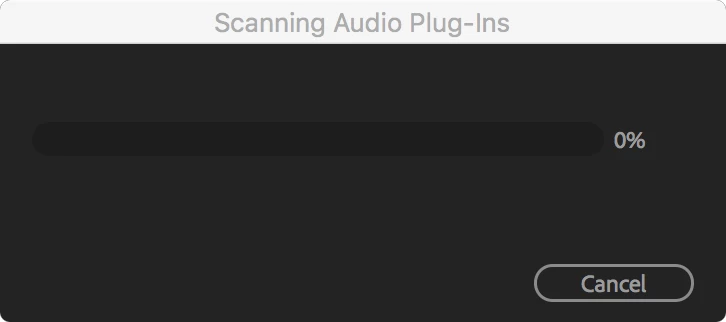
I just installed Premiere Pro CC on my computer and launched the program for the first time. The splash screen appears as it should, but then disappears and is replaced by a window stating that it is "Scanning Audio Plug-ins." This window gets stuck at 0% and will not progress. If I click "Cancel," it crashes my computer. I have to force quit the program to avoid this outcome.

Other CC programs work correctly on my computer. Premiere is the only one that seems to have issues.

Thank you in advance.
MacBook Pro Mid 2014

macOS 10.12.6

2.6 GHz i5

    This topic has been closed for replies.

    4 replies

    Participant
    May 1, 2020

    Hello, I have just updated to version 14.1. I'm now having this exact same issue. After splash screen, it then goes to "Scanning Audio Plug-ins". It shows it's stuck at 0%. Help me please!


    Vidya Sagar
    Adobe Employee
    Adobe Employee
    May 9, 2018

    Hi All,

    The issue is fixed with the latest update of Premiere Pro(12.1.1). Please update & let us know the status.

    Thanks,

    Vidya

    csaylorAuthor
    Participating Frequently
    May 9, 2018

    I have since obtained a new install file from my employer, which they have updated to install version 12.1. I can't get to the main Premiere window, so I can't access the About screen to check the version directly in Premiere after installing. According to Adobe Creative Cloud Desktop I have updated to 12.1.1, but the issue still occurs whenever Premiere is launched (after the splash screen). The change from 12.0.1 to 12.1.1 didn't change anything as far as I can tell.

    Kevin J. Monahan Jr.
    Community Manager
    Community Manager
    May 11, 2018

    Is this still occurring to you CSaylor?

    Thanks,
    Kevin

    Kevin Monahan - Sr. Community and Engagement Strategist – Adobe Pro Video and Audio
    Rameez_Khan
    Legend
    April 6, 2018

    Hey csaylor,

    We're sorry to hear that you're unable to launch Premiere Pro.

    Could you please confirm the exact version of Premiere Pro that you're using? FAQ: How to find the exact version of Premiere Pro you're using?

    We released a new update on April 3rd, which introduced a launch issue that we're investigating. Please follow the troubleshooting steps given in this thread: Premiere Pro cc2018 won't start anymore after latest update

    Let us know if they don't work for you.

    Regards,

    Rameez

    csaylorAuthor
    Participating Frequently
    April 6, 2018

    Thanks for helping out!

    I only have access to version 12.0.1 through my work. That is the version that I am trying to install and use.

    Since Premiere won't launch, I can't follow the instructions from the FAQ. The installer says that it is 12.0.1.

    I followed the instructions in the second thread you mentioned (at the end trying to install 12.0.1 instead of 12.1 since that's what I have access to). After going through the steps it outlines, the same problem happened after reinstalling Premiere.

    Any other thoughts?

    Rameez_Khan
    Legend
    April 9, 2018

    Thanks for trying the steps, csaylor!

    Any other thoughts?

    Try this:

    - Navigate to Documents > Adobe > Premiere Pro

    - Rename the 12.0 folder to Old_12.0

    - Launch Premiere Pro

    NOTE: You'll lose your customization.

    Let us know if that works.

    Rameez

    Bani Verma
    Legend
    April 4, 2018

    Moving this query to Premiere Pro CC​ community.