

Premiere Crashes when opening export dialog CC 2017.11.1.2
Running Premiere Pro CC 2017.11.1.2 on Windows 10 Pro 64bit
Intel i7-7700K @4.20GHz
GeForce GTX 1080 TI
32GB RAM @3200
512GB m.2 SSD
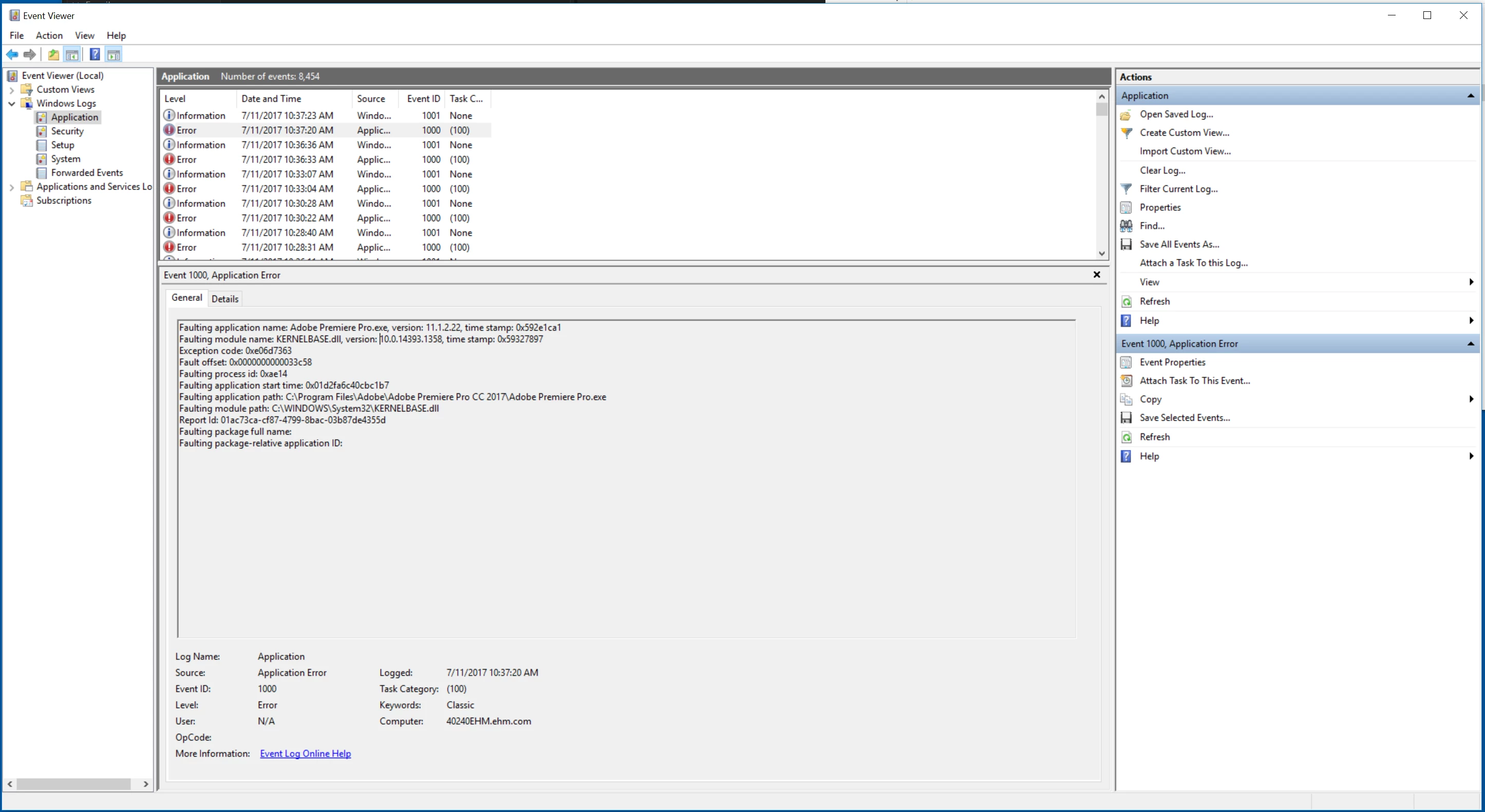
The problem that occurs is when I open the dialog to export media, premiere encounters a serious problem and crashes. Everything else works perfectly fine except this one problem that is quite frustrating when in a work flow.
I can easily recreate it at any point. The problem is consistent with all projects (so no, it is not a corrupt file). I have also tried deleting all render files and re-rendering. However this doesn't seem to be a render issue. It seems to be a software malfunction. I've even tried uninstalling the adobe suite and re-installing.
Any help would be greatly appreciated. I'm very familiar with the adobe suite and I've never had this problem before. I've attached the most recent crash log as well.
 AdChoices