
Question
Premiere Custom Preset Location
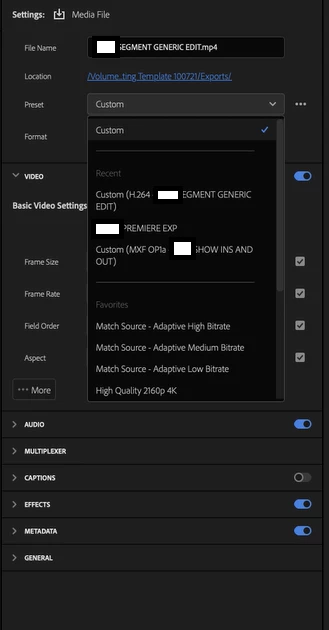
I have a mac that has some custom presets that I need to clear out. They appear in the Recent section of the Export Preset tab in Premiere but I cannot find where they are stored on the actual machine to delete them. There is another preset that I imported that is located in drive/Users/user/Documents/Adobe/Adobe Media Encoder/24.0/Presets. However, the two I need to delete are not in the aforementioned folder. The machine had a previous user but all their settings have been wiped. I'm hoping there's somewhere local that I can delete them. Below is what I'm seeing. The two that read 'Custom (xxxx)' need to be deleted.


 AdChoices