
Participant
January 4, 2018
Question

Premiere display window only works at certain dimensions

  • January 4, 2018
  • 1 reply
  • 172 views

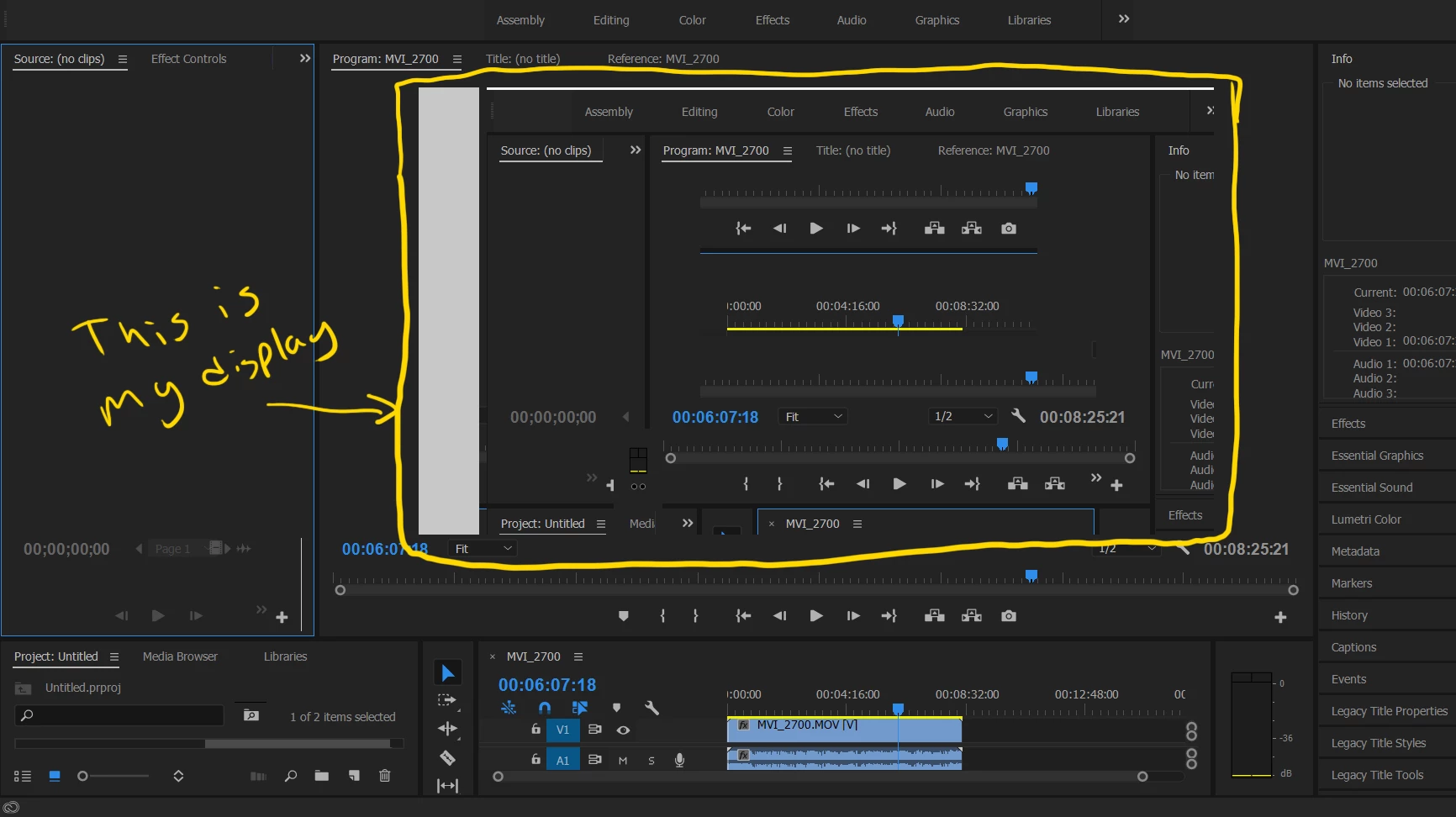
In Premiere when I try to expand or contract the display it either displays the video as black or just weird artifacts from the the previous screen. At very specific deminsions the video will pop up, but if I adjust it at all it goes back to black or artifacts.

I just got a new laptop it has the NVIDIA GeForce 940MX 4GB card and 16 gigs of ram.

I've updated the drivers on the graphics card and also switched to mercury playback only.

I can't figure this one out. Thanks so much!
    This topic has been closed for replies.

    1 reply

    Peru Bob
    Community Expert
    Community Expert
    January 4, 2018

    Try resetting the preferences:

    FAQ: How to reset preferences in Premiere Pro?

    If that doesn't work, reset the workspace or create a new one.

    If that doesn't work, try updating or rolling back your graphics driver directly from the video card manufacturer's site.

    Participant
    January 5, 2018

    No luck with any of those options. The weird thing is I tried it with after effects and I'm having the same issue.

    Also when I opened After Effects it said I don't have quicktime installed. Which I do, not sure if that's related.

    Thanks for your help!

    Peru Bob
    Community Expert
    Community Expert
    January 5, 2018

    You may need to reinstall all Adobe apps.

    See here:

    Use the Creative Cloud Cleaner Tool to solve installation problems

    You may also have a graphics card or system problem.