

Inspiring
September 25, 2025
Question

Premiere does not see my files
  • September 25, 2025
  • 7 replies
  • 253 views

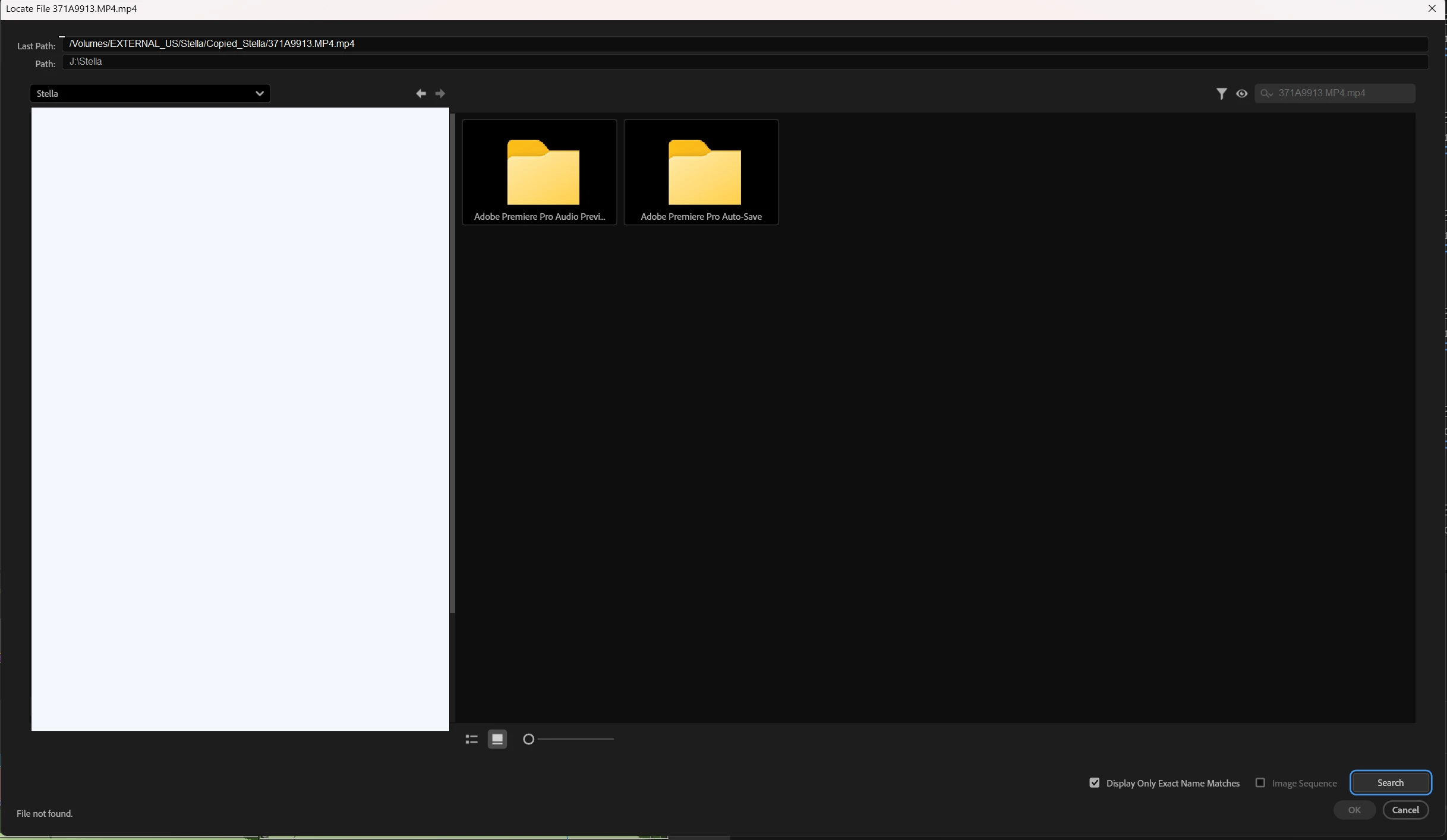
Here is my files and Premiere does not see them. Everything worked yesterday.

7 replies

R Neil Haugen
Legend
September 25, 2025

The folder tree ends in "Stella.mp4.mp4" .... that double period thing is an issue at times, can you get rid of it? And see what happens?

Everyone's mileage always varies ...
Inspiring
September 25, 2025

I tried to move files to another folder. It does not help.  Files are in the root of the disk. J:\Stella


Intel Core i7-14700K 3.4GHz/33MB s1700 BOX MSI MAG Z790 Tomahawk Max Kingston Fury DDR5-6400 65536MB PC5-51200 be quiet! MSI PCI-Ex GeForce RTX 5070 Ti Gaming Trio OC 16GB GDDR7 SSD Samsung 990 Pro 2TB M.2 PCIe 4.0 x4 NVMe 2.0 V-NAND 3bit MLC SSD Samsung 990 Pro 1TB M.2 PCIe 4.0 x4 NVMe 2.0 V-NAND 3bit MLC Toshiba MG Series Enterprise 20TB 7200rpm 512MB MG10ACA20TE 3.5 SATA III Windows 11 Pro 25H2
R Neil Haugen
Legend
September 25, 2025

Premiere seems to require all media to be in a folder, so it does need to be in a folder at the root, not "loose" ... as far as I've ever found.

Everyone's mileage always varies ...
Adobe Employee
September 25, 2025

Hi Paul,

We're sorry to hear about this. Is this happening specifically when relinking media from an external drive or with an internal drive as well? Also, does toggling Display Only Exact Name Matches make any difference?


Thanks,

Sumeet

Inspiring
September 25, 2025

Disk on the computer.

Intel Core i7-14700K 3.4GHz/33MB s1700 BOX MSI MAG Z790 Tomahawk Max Kingston Fury DDR5-6400 65536MB PC5-51200 be quiet! MSI PCI-Ex GeForce RTX 5070 Ti Gaming Trio OC 16GB GDDR7 SSD Samsung 990 Pro 2TB M.2 PCIe 4.0 x4 NVMe 2.0 V-NAND 3bit MLC SSD Samsung 990 Pro 1TB M.2 PCIe 4.0 x4 NVMe 2.0 V-NAND 3bit MLC Toshiba MG Series Enterprise 20TB 7200rpm 512MB MG10ACA20TE 3.5 SATA III Windows 11 Pro 25H2