Cinema Físico
Known Participant
March 16, 2022
Question

Premiere Instagram export setup

  • March 16, 2022
  • 1 reply
  • 3730 views

Hello,


I have been exporting some videos for Instagram. My workflow is like that:

- Record my footage in Sony a7sIII (some files in XAVCS 4K, a couple in XACS-I 4K);

- Trancode this Sony's files to Apple Pro Res 422 and edit it in a 1080p timeline;

- Export my Master from Adobe Premiere in Apple Pro Res 422 (Match Sequence Settings) in 1920x1080;

- From Adobe Media Encoder export .mp4 for Instagram.


Media Encoder setup for Instagram's videos:

Format: H.264

Preset: Match Source  - High bitrate
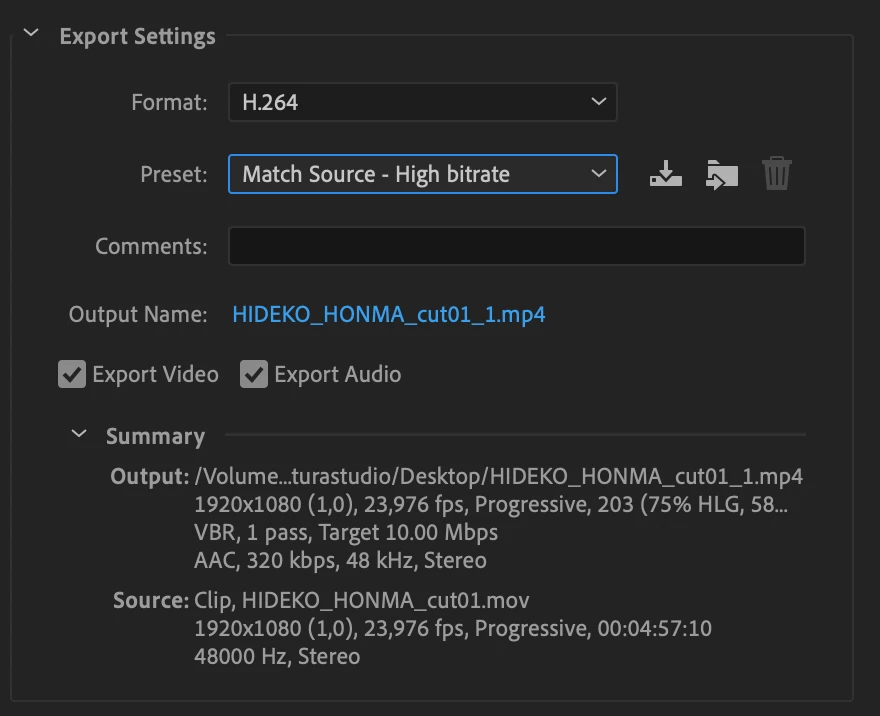
 

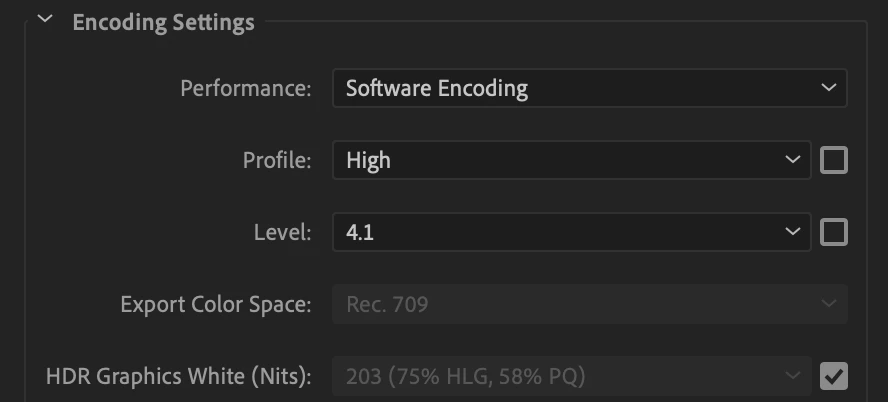
In Encoding settings:

Profile: High

Level: 4.1
 

In Bitrate settings:

Bitrate Encoding: VBR, 2 pass

Target Bitrate: 10

Maximum Bitrate: 15

Use Maximum Render Quality


I noticed that some videos are blurry when I uploaded in Instagram. After make my .mp4 from Media Encoder, I open the .mp4 in VLC and it is the same color of the Pro Res 422 Master. Then I upload and I have noticed some videos are less saturated and blurry then my .mp4. 

That is the thing, some videos looks like the export video, others don't look like the export videos in Instagram. 

Does anybody have this issues? I have been doing a resource in the web, but haven't find much about it.


Cheers,

Fernando Alves

This topic has been closed for replies.

1 reply

Kevin J. Monahan Jr.
Legend
March 16, 2022

Hi there Fernando,

Sorry about your issue. It's possible that you have HDR clips in play, and they might be causing some workflow hiccups. Have you inspected our FAQ yet? More info here: https://community.adobe.com/t5/premiere-pro-discussions/faq-how-to-fix-saturated-over-exposed-hlg-clips-in-premiere-pro-v-22/td-p/12489252


Let us know if you have any questions. In the future, it might be a good idea to avoid shooting HDR to prevent confusion. You can set that up in your camera settings.


Thanks,
Kevin

Kevin Monahan - Sr. Community and Engagement Strategist – Adobe Pro Video and Audio
Cinema Físico
Known Participant
March 16, 2022

Hello Kevin,

Thanks for your fast reply!

I am editing in Rec 709. I am using like this: Modify > Interpret Footage > Color Managment > Use color space from file Rec. 709. My time line is like this: Work Color Space Rec.709.


I have been talking to some editors and they have similiar problems. Some of them work in Resolve. Some videos in Instagram (if you compare with the original .mp4 export) loses saturation and get blurry. So I have been some tests. And trying to figure out how I can built a preset to 1 minute Instagram's videos. And also a preset for Instagram's IGTV videos and Instagram's Reels videos.  


I know Instagram compress the videos. And Instagram's compress maybe is the issue. But what I can't figure out is how some videos stay the same as the original .mp4 exports and some doesn't. 


For exemple, if you wacth video from brands like I-D, Nowness ... this videos are always in a good quality ( never blurry and the saturation looks fine. I was wondering if this brands can upload larger files than "normal"users. Or maybe is the preset that the editor has been using. I don't know. 


What is a good preset for .mp4 instagram's videos?


Cheers,

Fernando Alves

Fernando AlvesEditor
Participating Frequently
March 27, 2022

I'm having a similar issue, have you been able to find a workaround for it? Or export settings that solve the problem?