November 24, 2025
質問

Premiere is automatically applying a LUT to my s-log footage and I can't fix it

  • November 24, 2025
  • 返信数 1.
  • 1041 ビュー

Hey everyone,


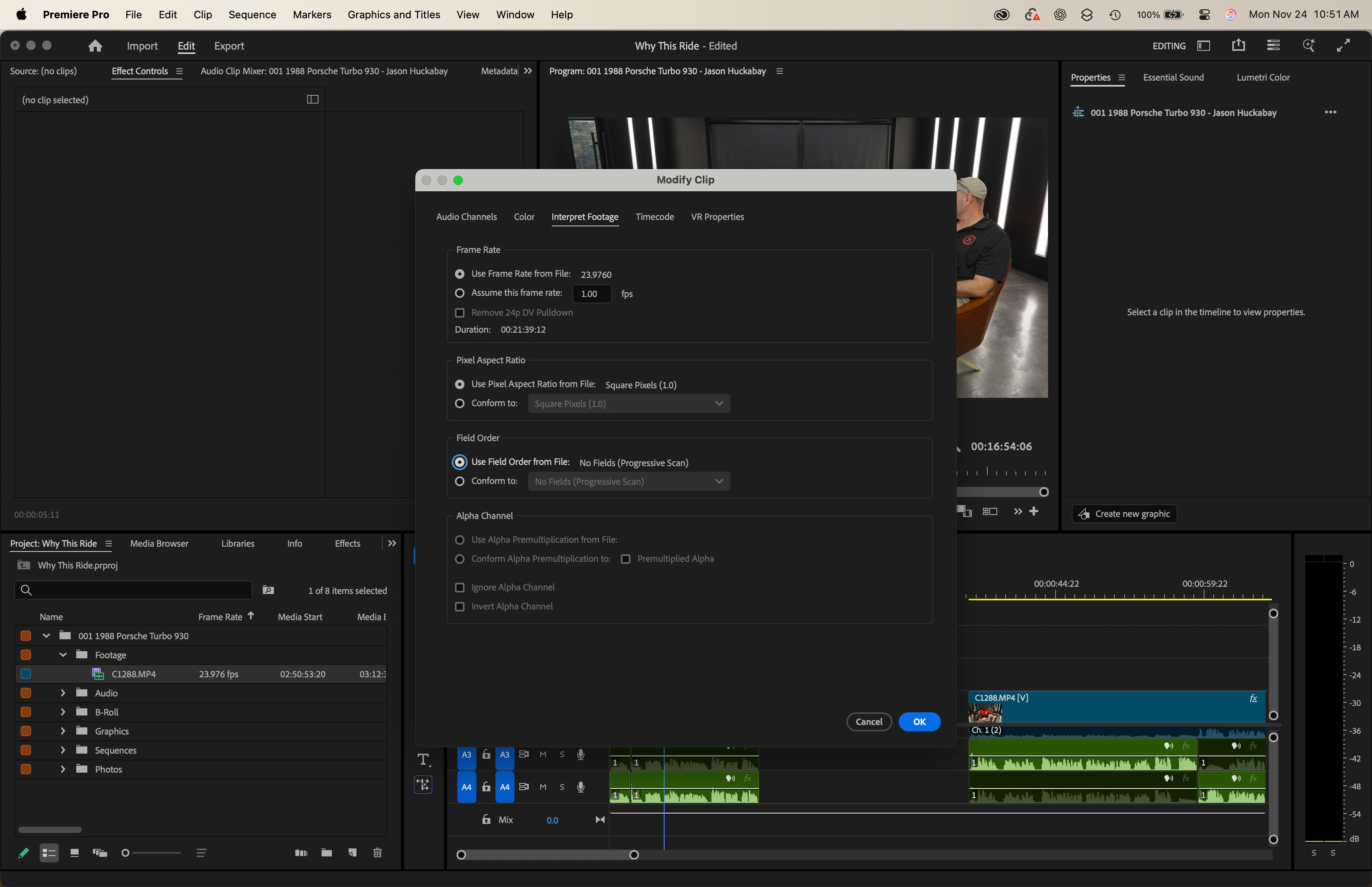
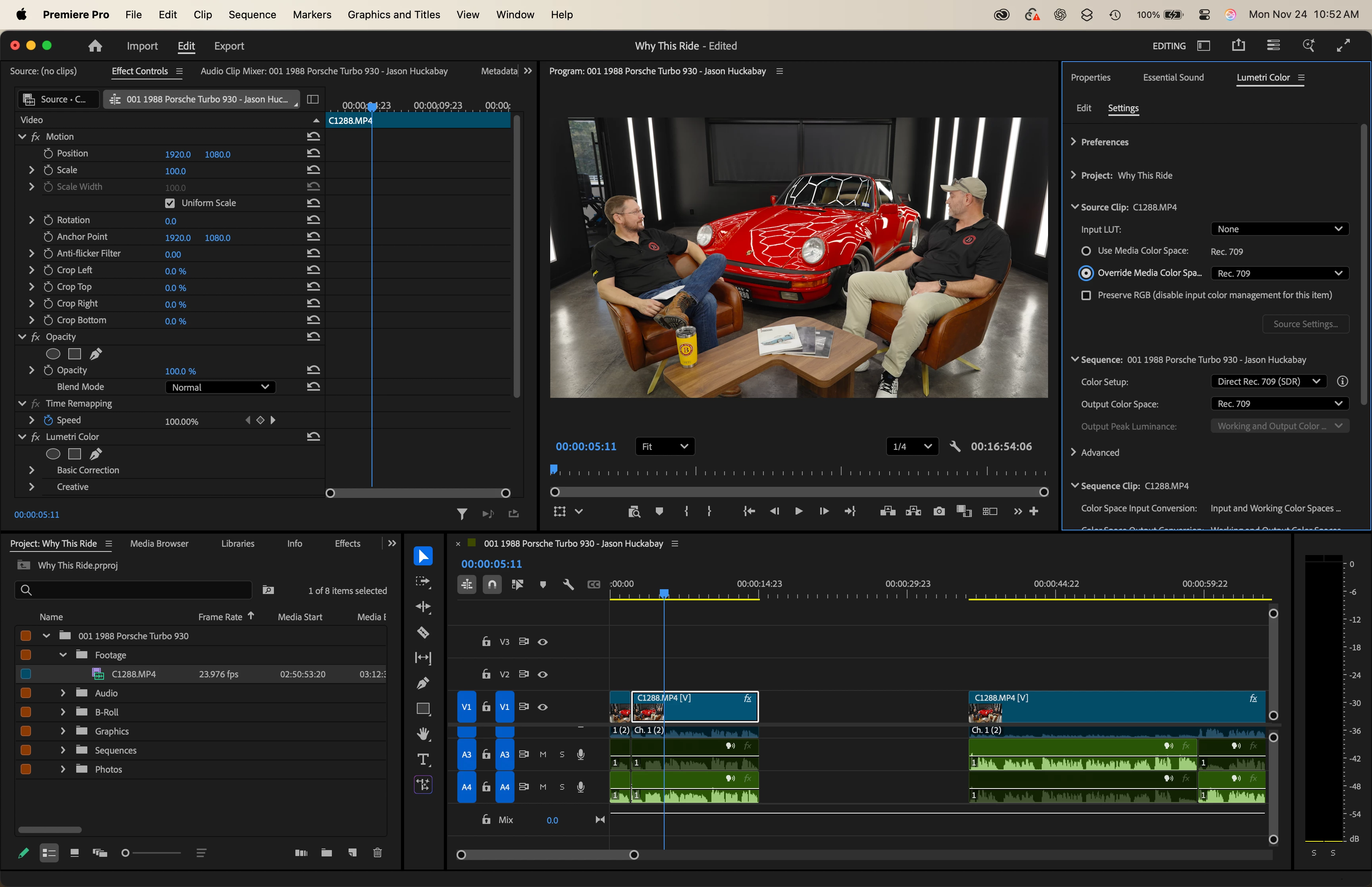
I'm trying to edit a podcast in Premiere that was shot from a Sony A7S III in s-log3. The footage, however, is being converted to rec709 automatically and I can't figure out why. I've read similar posts on here and tried what they suggested (right click>modify>color> override media color space) but nothing seems to bring back the "flat" looking s-log3 and allowing me to apply the LUT I want. Can anyone please help me out? I'm losing my mind over this. I'm on a M1 Macbook Pro and have never had this issue before.


I've attached screenshots to show my settings and how the footage is looking when it should be looking like standard log footage. Any help would be greatly appreciated. Thank you!865864iF47561F0E4678B07.png865865i78F082D66D8BEA07.png865866iFF25B5846081B397.png
返信数 1

mattchristensen
Legend
November 24, 2025

@joshpaulmart in your screenshots, it's showing "Use Media Color Space" as Rec. 709. This means Premiere detects that clip as Rec. 709 coming in. This means one of two things:

  1.  Either the metadata of the footage is actually declaring it as Rec. 709, or
  2.  You need to turn on File > Project Settings > Color > "Color Manage Auto Detected Log and Raw Media"


If it was #2, turning that on should now change the "Use Media Color Space" for the clip as "slog3" instead of "Rec. 709".


Then, you can go to Sequence > Sequence Settings > Color Management > Color Setup > change it to "Disable Color Management". This will basically take you to the pre-color management days where Premiere doesn't map your media into its working space and instead you will need to attach LUTs to do it manually.

joshpaulmart作成者
November 24, 2025

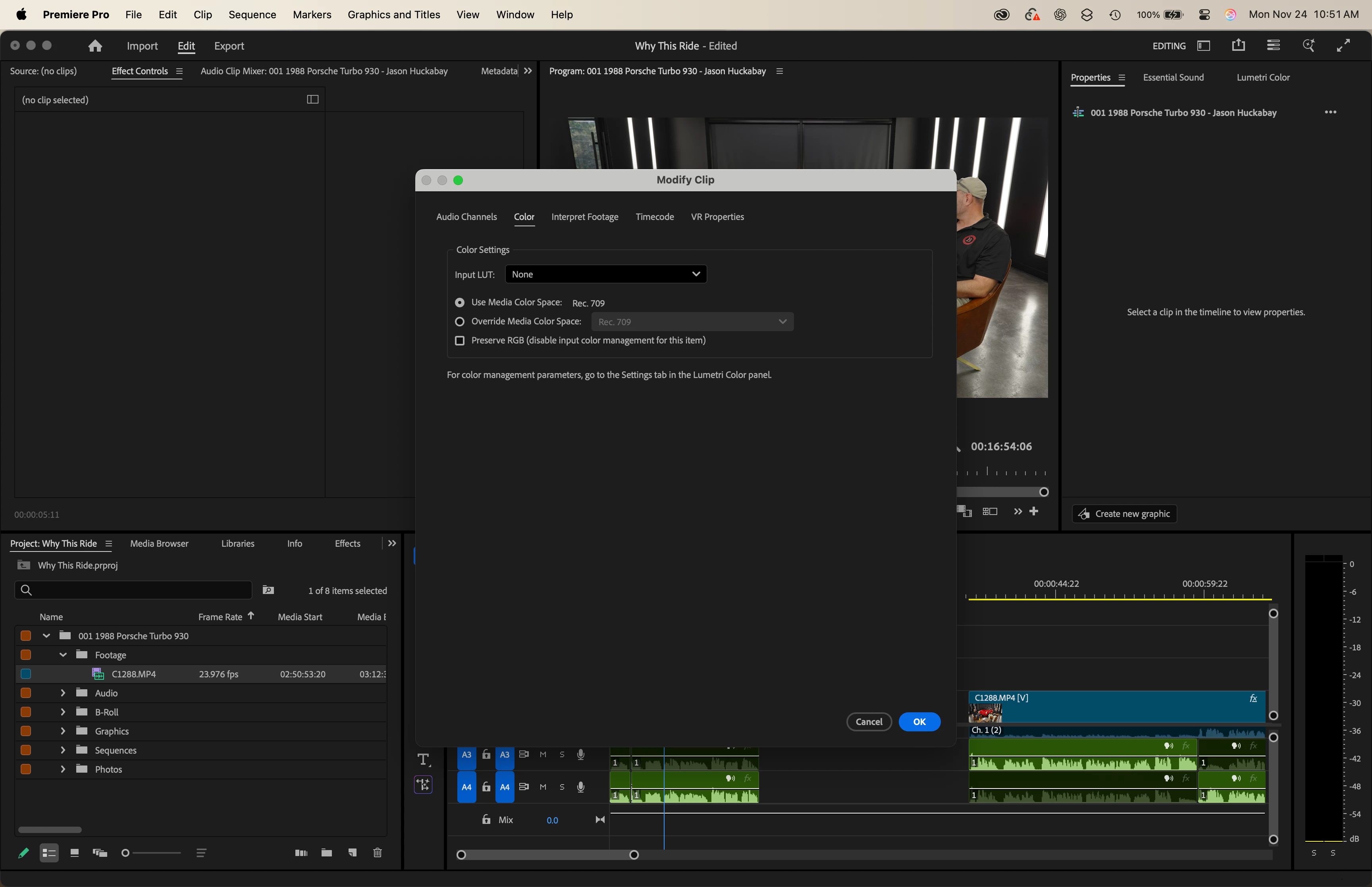
Thank you for your help. I followed your steps for #2, but it's still converting the footage. When I look at the footage in Finder, it's very clearly in s-log so I know it's s-log footage. When I go to modify>color this is what now shows. If I select "use media color space:" or "override media color space", it still converts the s-log into rec709 footage. Any other suggestions? This is very frustrating. 865884iB62687E90B3C8126.png

R Neil Haugen
Legend
November 24, 2025

Wrong assumptions, and wrong place to set color management.


The assumption of a LUT ... Premiere is not applying an ancient LUT ... that is a conversion that is an algorithmic mathematical action, which both Premiere and Resolve now use as the method for 'in-app' conversion for most log and HDR formats. LUTs can do amazing things, and they are at the same time simply a text file ... with say 32 lines ... each just 'take this RGB triplicate data to this RGB triplicate' ... and in-between the apps typically apply a slightly smoothed line of changes.


LUTs can and will clip highlights and crush blacks if the media is not correctly exposed and lit for that LUTs expectations. Algorithms by nature cannot. Most colorists prefer algo based conversions and normalizations when possible.


As to where you're setting CM ... you're using the wrong panel ... that only gives a very small selection of the total color management options. As it says, to go the Lumetri color panel, Settings tab ... the tab named Settings.


Premiere, like Resolve, now has an auto detect log option that will auto detect most of the log formats out there, and do a mathematical algorithmic based normalization to the sequence display space set in the Settings tab.


Or ... you can do a ton of different things, it's all your choice ... but only if you use the full color management panel.

Everyone's mileage always varies ...