
Known Participant
January 31, 2020
Question

Premiere is combining two audio tracks into one.

  • January 31, 2020
  • 2 replies
  • 3264 views

So the resolve clip below has both audio tracks separate, one is the boom mic and the other is the lav.  This is what I want.  


But in Premiere, it takes the two tracks and puts them into one sterio audio track, one left and the other right.
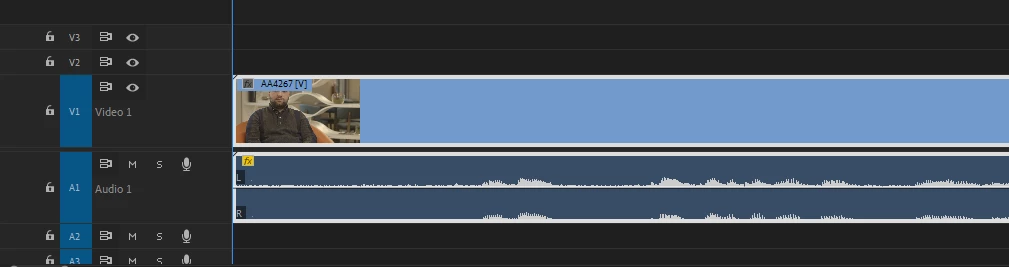
 

Opened the same clip on a friends laptop and it worked fine.  Also reset all my settings on Premiere and matched both of our settings.  

This topic has been closed for replies.

2 replies

Community Expert
January 31, 2020

Before placing clip on the timeline, right click the clip in the project panel select modify/Audio channels and change the audio format as shown.

Known Participant
January 31, 2020

Thank you!  This worked.  Do you know if there is a way to change this to default?

Inspiring
February 1, 2020

Preferences > Timeline > Default Audio Tracks and change 'Stereo media' to 'Mono:

(this preference used to be in the 'audio' preference in versions earlier than Premiere Pro 2018)

Known Participant
January 31, 2020

For some reason the resolve screen shot didn't upload.  This is the screen shot with the two audio tracks correctly separated.