


Inspiring
November 8, 2023
Answered

Premiere keeps generating xmp files and crashes.

  • November 8, 2023
  • 11 replies
  • 2772 views

Hello, 
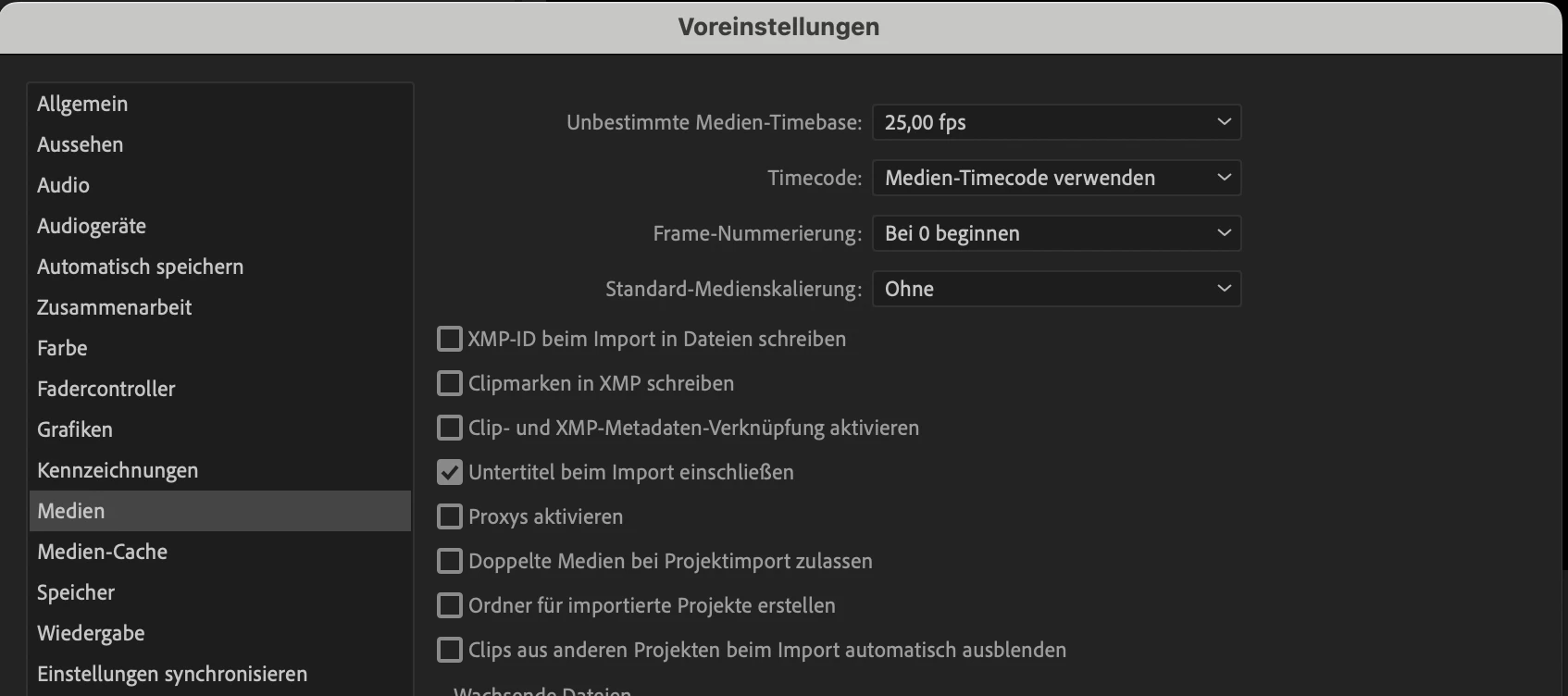
I'm currently tagging clips for a huge project in Premiere Pro. However, I've encountered some issues. Premiere Pro crashes upon opening the project or fails to load clips and then crashes a bit later. Additionally, it keeps generating XMP files despite having unchecked the XMP settings. There are a lot more than 1000 clips and I believe Premiere crashes because it is attempting to generate all those .xmp files in the background.

Any ideas how to fix this? 


Im Working on a MacBook Pro 16 (M1 pro, 16GB RAM)


This topic has been closed for replies.
Correct answer Martin24646568p55r

For those encountering a similar issue, I uninstalled and reinstalled Premiere Pro, yet it continued crashing in different projects. As a solution, I tried to reset my entire MacBook, which finally resolved the problem, and now everything is functioning properly.

11 replies

R Neil Haugen
Legend
November 8, 2023

My understanding is that the generation of XMP files option is for certain metadata linkages, but ... that for some file types, Premiere must use XMP files.


So what file types are you working with? And are you using Productions, which is a very different model of Premiere, and is designed for large projects like this? It's vastly more stable and responsive with bigger projects.


Premiere Pro Productions Introduction

Using Productions in Premiere Pro

Adobe Long-form and Episodic Best Practices Guide 


Jarle’s blog expansion of the pdf Multicam section: Premiere Pro Multicam

Everyone's mileage always varies ...