

Premiere not reading specific mp4s at the correct length anymore (when it did before)
I don't know when this happened, but it had to be within this year. And, yes, I did JUST update to the latest version to check if that was the issue - it was not.
Far as I can tell, the issue is only occurring with files I have: ripped from old DVDs and then converted to mp4s in handbrake. The videos played perfectly fine in VLC and have ALWAYS worked in premiere. Nothing else seems to cause this issue.
The issue is premiere is:
1) Misreading the length of the original file (ex: the file is 44:23 long, but premiere is now reading it as 37:45).
2) Because of the above, the mark in and mark out points are not reading correctly in the timeline. See below examples where I have the small clip on the left of the second line marking where the clip SHOULD be and the small clip on the right where it CURRENTLY is showing up:
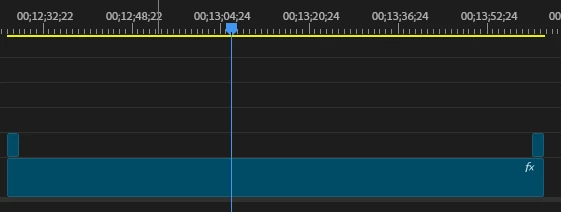
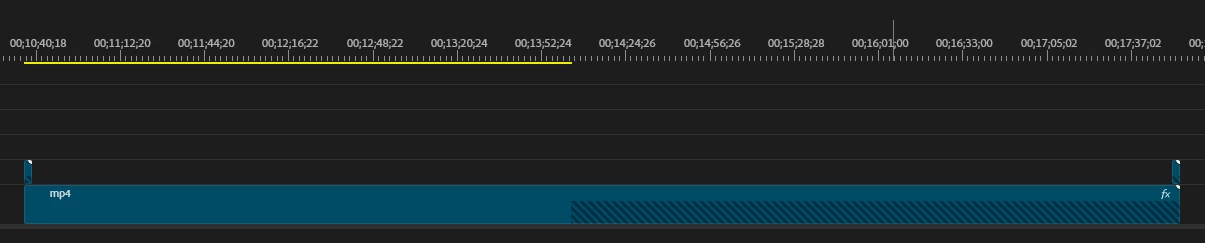
As you can see in the second, the way the program is currently reading the clip, the mark in and out point is beyond the length of the original in the program now.
The clips are playing fast if I just play them in premiere as well.
No, I have not tried rewrapping or anything yet as I would prefer not to do that, especially as mp4s work just fine in the program, it's JUST these particular files. I will try rewrapping if I have to, but I am wondering if it's just a simple setting or something. Maybe it's a codec issue with the mp4s in question and I do have to rewrap, but I thought I'd ask here first.
Thanks!


 AdChoices