

Question
Premiere Pro 15.0 and After Effects dynamic link not working
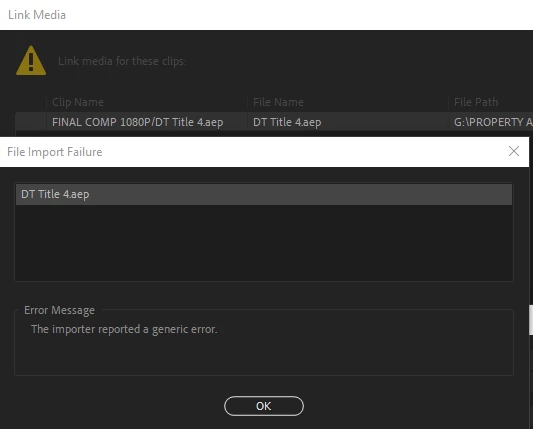 Since the update, all of my linked After Effects comps cease to work. They are unlinked, cannot be linked (hangs on a blank composition importer dialogue), and when inspecting the offline file in the project pane, states a "generic importer error". All software up to date & I successfully opened & saved the .aep's in the latest version of AE.
Random issues like this happen with every update, where I have to completely re-evaluate my workflow to achieve the same results I once got. It's impossible to meet deadlines or plan ahead when you can't rely on basic functionality to remain, well, functional.
 AdChoices