Gabofilms
Participant
November 3, 2018
Question

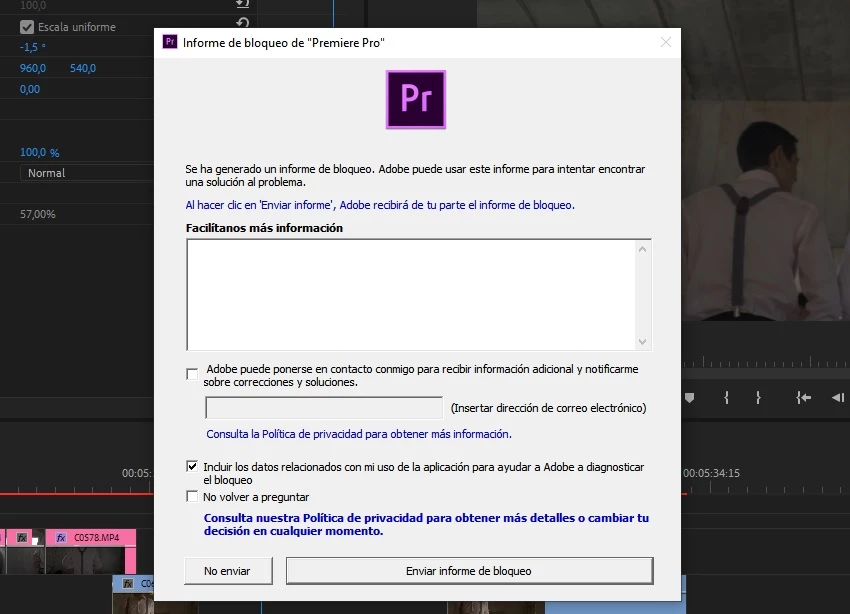
Premiere pro 2019 LOCK REPORT

  • November 3, 2018
  • 1 reply
  • 415 views

Good day.

Since the 2019 premiere update, I can not work quietly for more than 2 or 3 minutes, it is unbearable to the extreme

Sometimes, just enough to click anywhere, put play, go to the settings, it does not matter, every certain amount of time very short, the program closes without any explanation.

I have all my drivers updated, I have all my PC as it should be and what I was working with very smoothly until this last update.

Yesterday there was a new update where supposedly they fixed certain errors but I just WORSE everything.

In what it took me to write this, I had the error SEVEN TIMES, God
This topic has been closed for replies.

1 reply

R Neil Haugen
Legend
November 3, 2018

First, to keep working while having issues, keep working in the previous version until you get the new one going. Basic computing 101 ... test before committing. Unlike a couple other apps I know, you can have multiple major versions of PrPro and other CC apps installed, so keeping the work going is always possible. If you don't have it installed, reinstall 12 and keep the work getting out the door.

Second ... operating info: what are your computer hardware specs ... OS/CPU/GPU/RAM, number and type of drives installed internally, network servers if used; what is the media you're working, and ... have any other apps or plugins been involved?

Neil

Everyone's mileage always varies ...
Gabofilms
GabofilmsAuthor
Participant
November 4, 2018

I am working with a previous update to the problem. I already know that.

Anyway, in this update the problem was where I was born and although it is not so serious, it keeps happening.

I did not see anywhere a publication about this problem, I just did it so you know that there is this horrible problem.

The problem is not my hardware, it is the software that came with flaws in version 13 of premiere pro.

R Neil Haugen
Legend
November 5, 2018

You are having problems that only a few of the total users are having. Therefore trying to troubleshoot why you're having this is my main concern. Without information about your gear,  media, and workflow there's no way to do that.

Nor any useful information to gain for other users or the developers if we don't know the details.

Neil

Everyone's mileage always varies ...