ben_aspire
Participant
February 9, 2020
Answered

Premiere Pro 2020 Keeps Telling Me to Update my Intel Driver

  • February 9, 2020
  • 1 reply
  • 587 views

When I open Premiere after a few days I get this pop up
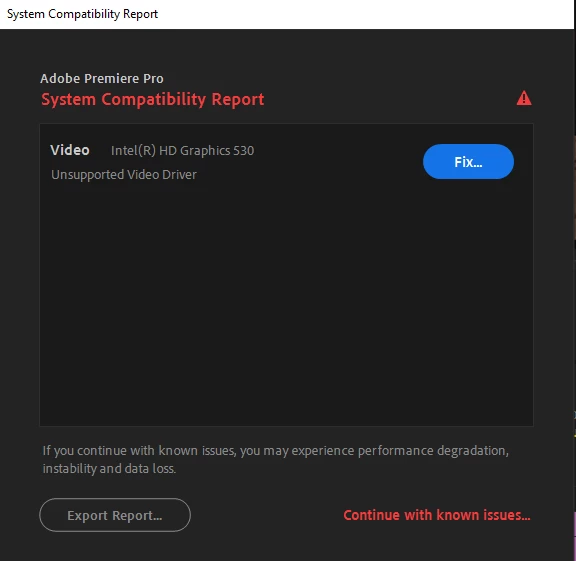
 

Of course, I update the Driver, restart my machine, and everything works fine. I'll finish my work, close Premiere, then, after a few days, open Premiere for something else and get this SAME notification. Anyone have any insight here?


Thanks!

This topic has been closed for replies.
Correct answer John T Smith

I don't have any saved links to point you toward, but I've read that the latest PPro is not compatible with older Intel chips and drivers... and Intel is no longer updating the driver for older chips, so nothing you can do will make that chip/driver work properly

1 reply

John T Smith
Community Expert
John T SmithCommunity ExpertCorrect answer
Community Expert
February 9, 2020

I don't have any saved links to point you toward, but I've read that the latest PPro is not compatible with older Intel chips and drivers... and Intel is no longer updating the driver for older chips, so nothing you can do will make that chip/driver work properly

ben_aspire
Participant
February 10, 2020

Bummer. Well thanks for getting back to me. Seems to be the situation, just didn't want to believe it.