

Premiere Pro 2024 Timeline Scroll/Zoom Bar Function Changed
Hi there,
I updated Premiere Pro to the 2024 version, and I'm instantly noticing something I don't like. On the sequence timeline, I cannot zoom out as much as I want to nor can I scroll to the right (or forward) as far as I want to. It appears that the zoom/position is at a fixed point. It's like it's constantly auto sizing the timeline length, and I don't like that. This heavily disrupts my workflow. See photos:
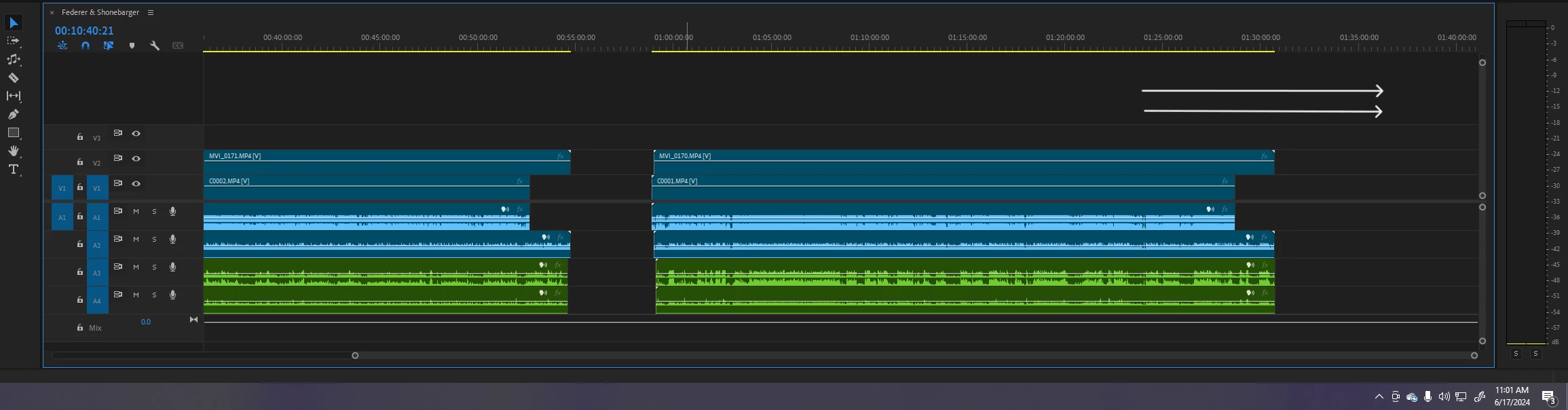
Here, the arrows are showing that this is as far as I can scroll over to the right.
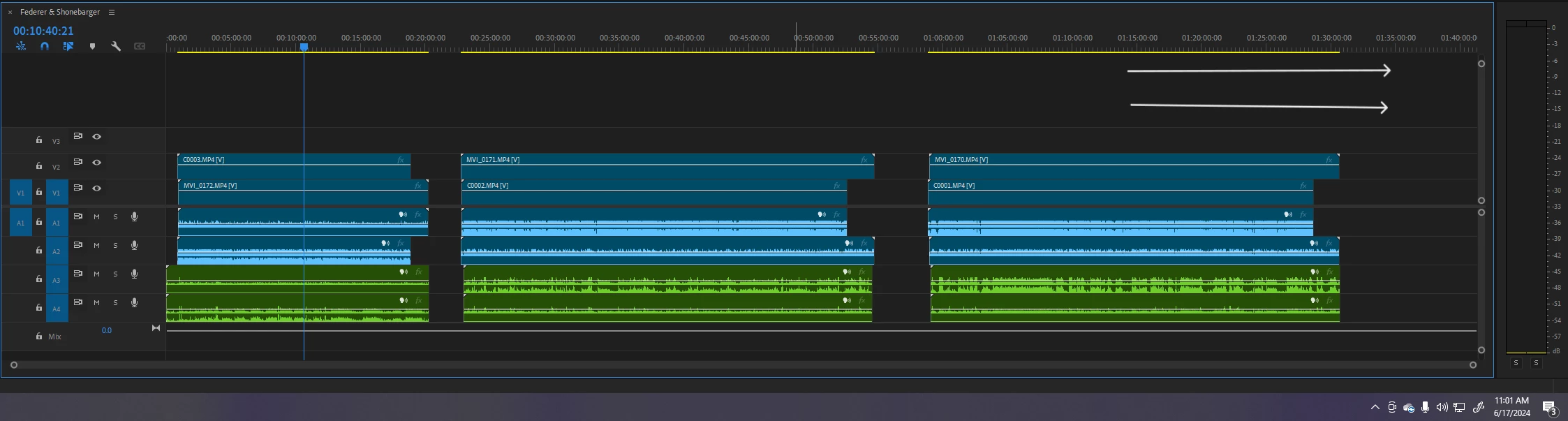
Here, this is as far as I can zoom out.
I use the extra "dead space" so much to move my clips around or view my whole project. The 2024 version doesn't allow that and it's making editing frustrating and less flexible. Will Adobe fix this or should I permenately use an older version?
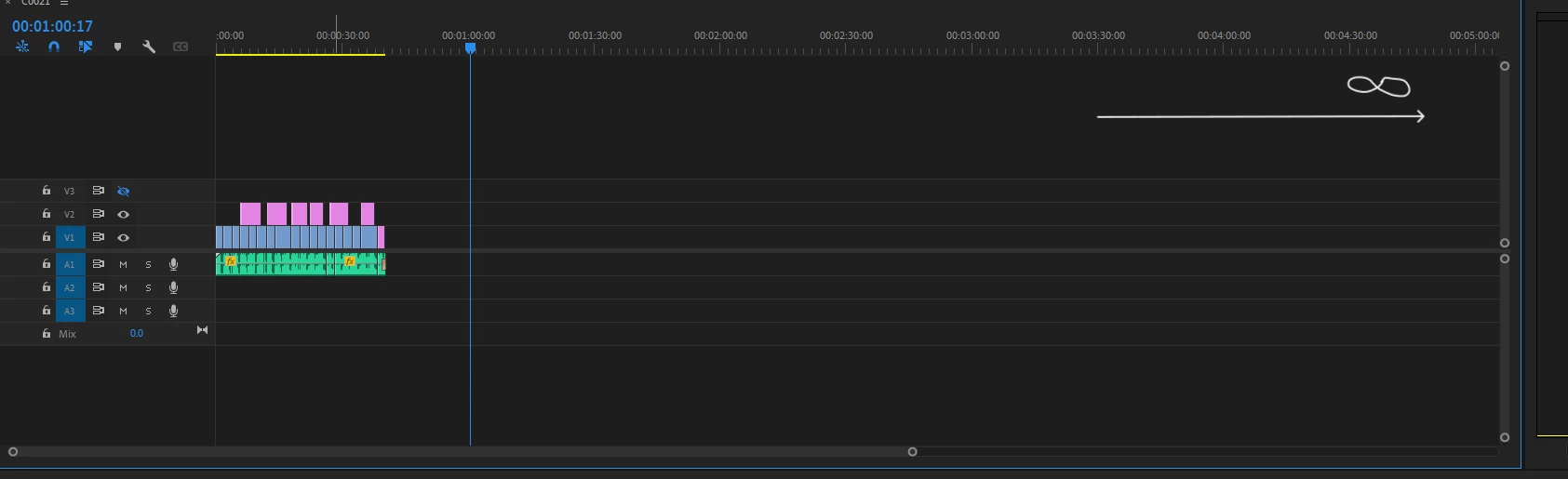
Here, in the 2023 version, I can extend to the right almost infinitely. Yes, I understand the size of the clips from my different projects are shorter/longer, but that is not it.
 AdChoices