Answered
Premiere Pro 2024 User Interface Font Size - How to change the size of the font?
Hi!
I can't find the answer of this question, that other people asked.
The size of the font on interface is too small to work quick, someone can help me?

Hi!
I can't find the answer of this question, that other people asked.
The size of the font on interface is too small to work quick, someone can help me?
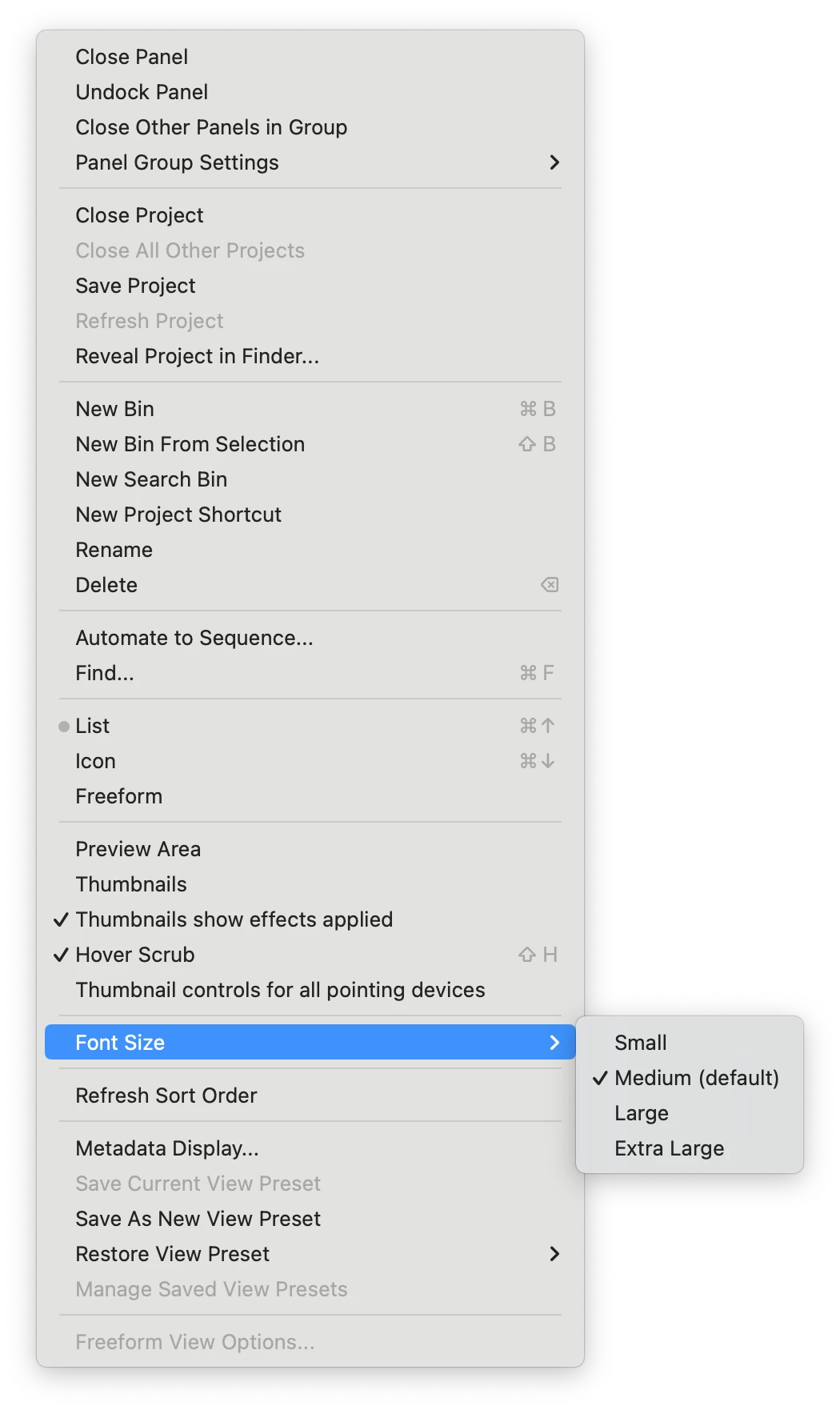 Hi @EquipoB25,
Thanks for the question. Click on the Project Panel's panel menu (looks like three horizontal lines) and choose Font Size > [choose a size]. Unfortunately, it is not a global change to the entire UI, it only affects the Project panel. I hope this info helps you. Return with any questions.
Thanks,
Kevin
Already have an account? Login
No account yet? Create an account
Enter your E-mail address. We'll send you an e-mail with instructions to reset your password.


 AdChoices